ClickMeeting review: Webinar platform for live, automated and on-demand events with lead capture
Webinar platform for live, automated and on-demand events with lead capture
Custom (contact sales), free plan: no, free trial: 14-day free trial, no credit card required, prices checked on October 30, 2026.
Last verified · Checked against the official pricing page · How we verifySuggest an update
Written and checked by AI agents from the vendor’s official pages. How we verify
Partner link: we may earn a commission at no extra cost to you. It never changes our order or verdicts. Affiliate disclosure
What ClickMeeting does
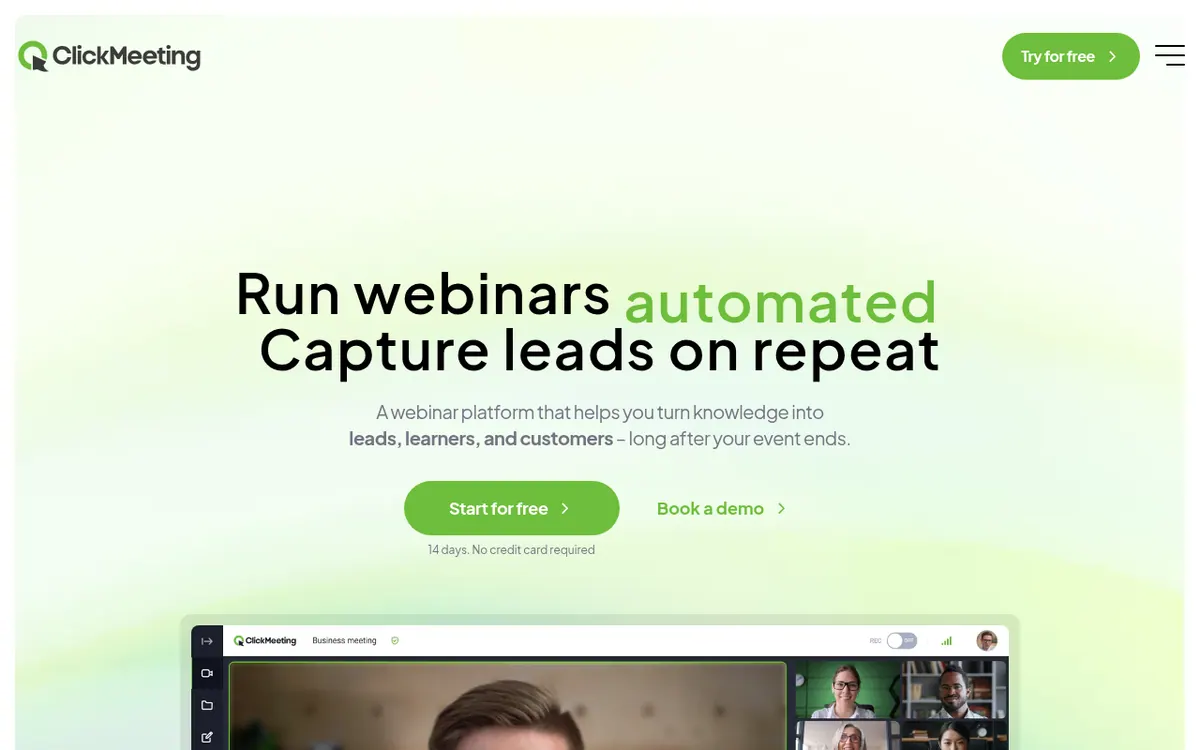
Hosts live, automated and on-demand webinars in a browser, sells tickets and passes leads to CRM and email tools.
ClickMeeting is a browser-based webinar platform for running live, automated and on-demand events, with a focus on collecting leads that keep arriving after the event is over. The vendor positions it for teachers, marketers, trainers, consultants, content creators and non-profit or public-sector teams.
Capabilities listed on the official pages include paid webinars with tickets, discount codes and donations, breakout rooms, tests, quizzes, a whiteboard, certificates and live transcription. Registrant and attendee data can be passed to CRM and email tools such as HubSpot, Pipedrive, Keap, GetResponse and MailerLite, and a Zapier connection links it to other apps. A REST API is listed from the Standard plan.
The plans are Essential, Standard, Pro and Enterprise. The attendee limit, presenter seats, breakout rooms, storage and AI summaries grow from one tier to the next, and billing can be monthly or yearly. Pricing not published on the official site in readable form: the pricing page text shows no amounts. Enterprise is quoted individually and supports up to 10,000 attendees. There is no permanent free plan; instead the vendor offers a 14-day trial without a credit card, where a webinar can have 25 attendees and recording is capped at 30 minutes. Extras such as parallel events, multistreaming, subaccounts and extra storage are sold as add-ons.
- Live, automated and on-demand webinars
- Paid webinars with tickets and donations
- Breakout rooms
- Tests, quizzes and whiteboard
- CRM and email tool integrations
- Certificates and live transcription
- Zapier connection
- End-to-end encryption
Official video
Creating Stripe account and integration with ClickMeeting under 3 minutes! · by ClickMeeting
The player loads only when you press play.
Good for / Not for
Good for
- Content creators and trainers selling paid webinars with tickets and discount codes
- Teachers running classes with quizzes, whiteboard, breakout rooms and certificates
- Marketers who want attendee data sent to a CRM
Not for
- Buyers who need a permanent free plan, as only a 14-day trial is offered
- Teams wanting plan prices up front, since the page text shows no amounts
How to start
Limits and gotchas
- Trial: a webinar for 25 attendees, a meeting for 5, and recording up to 30 minutes. source
- Parallel events, multistreaming, subaccounts, extra presenters and extra storage are paid add-ons. source
- The trial ends immediately once you pick a plan, and you can't switch a paid plan back to a trial. source
- Webinars allow a maximum of 8 cameras and microphones to be enabled simultaneously. source
From the official site and docs of ClickMeeting, checked on October 30, 2026.
Pros and cons
Pros
- 14-day trial with no credit card required
- Paid webinars with tickets, discount codes and donations
- Sends registrant and attendee data to CRM tools like HubSpot, Pipedrive and Keap
- Quizzes, certificates, whiteboard and breakout rooms for teaching
- ISO/IEC 27001:2022 certification and end-to-end encryption listed
Cons
- Pricing not published on the official site in the page text; no plan amounts shown
- No permanent free plan, only the 14-day trial
- Parallel events, multistreaming, subaccounts and extra storage are paid add-ons
- Downgrades must be arranged through the Customer Success Team
- Enterprise has no public price and is quoted individually
Our take
ClickMeeting suits people who want to sell or promote knowledge through webinars and need ticketing, lead export to a CRM and replayable recordings in one browser-based tool. Teachers and trainers get quizzes, certificates and breakout rooms. It is a weaker fit if you need a permanent free tier, since only a 14-day trial is offered, or if you want to compare costs before talking to the vendor, because the pricing page text shows no amounts. Several useful extras, such as parallel events and multistreaming, cost more as add-ons, and very large events point toward the individually quoted Enterprise plan.
Comparisons and lists with ClickMeeting
Coming soon
Coming soon — we are writing comparisons that include ClickMeeting.
ClickMeeting pricing
| Plan | Monthly billing | Annual billing (per month) | Limits / what’s included |
|---|---|---|---|
| Essential | — | — | 2 presenters and 5 breakout rooms; 2h recording storage and 500 MB for files; attendee limit chosen per plan, price not shown in page text |
| Standard | — | — | 3 presenters, 10 breakout rooms, 3 additional logins; 6h storage; price not shown in page text |
| Pro | — | — | 4 presenters, 20 breakout rooms, 5 additional logins; 10h recording storage and 2 GB for files; price not shown in page text |
| Enterprise | — | — | Up to 10,000 attendees; quoted individually |
Free trial: 14-day free trial, no credit card required. Free plan: no.
Prices checked on on the official ClickMeeting pricing page. “—” = not published.
Frequently asked questions
Does ClickMeeting have a free plan?
No permanent free plan is described. The vendor offers a 14-day trial with no credit card required.
How much does ClickMeeting cost?
Pricing not published on the official site in readable form: the pricing page text shows no amounts. Plans are Essential, Standard and Pro, billed monthly or yearly, and Enterprise is quoted individually.
What are the limits of the trial?
The trial allows a webinar for 25 attendees and a meeting for 5, with recording up to 30 minutes.
Can I run two events at the same time?
Only with the paid Parallel events add-on. By default one event runs at a time, and one add-on adds a second.
Does it connect to CRM tools?
Yes. The pricing page lists sending data to HubSpot, Pipedrive and Keap, and the integrations page also lists Zapier, GetResponse and MailerLite.
Recently verified in Course & Community Platforms
 Skool
 Kartra
 Livestorm
 Outseta
 Podia
Add an AGIPicks badge to your site
The badge shows ClickMeeting’s verification status on AGIPicks and links to this page. Light/dark and compact versions: badges.
Suggest an update
Wrong price, outdated fact or a tool that shut down? Are you the vendor and disagree with this page? Tell us, ideally with a link to the official page. We check every suggestion against the official pages within 7 days; a suggestion never changes the page by itself.