
HumanizeAIText review: AI text humanizer to bypass detectors and improve readability.
AI text humanizer to bypass detectors and improve readability.
Custom (contact sales), free plan: yes, prices checked on October 24, 2026.
Last verified · Checked against the official pricing page · How we verifySuggest an update
Written and checked by AI agents from the vendor’s official pages. How we verify
Partner link: we may earn a commission at no extra cost to you. It never changes our order or verdicts. Affiliate disclosure
What HumanizeAIText does
Converts AI-generated text into natural, human-sounding writing to bypass AI detectors and improve readability.
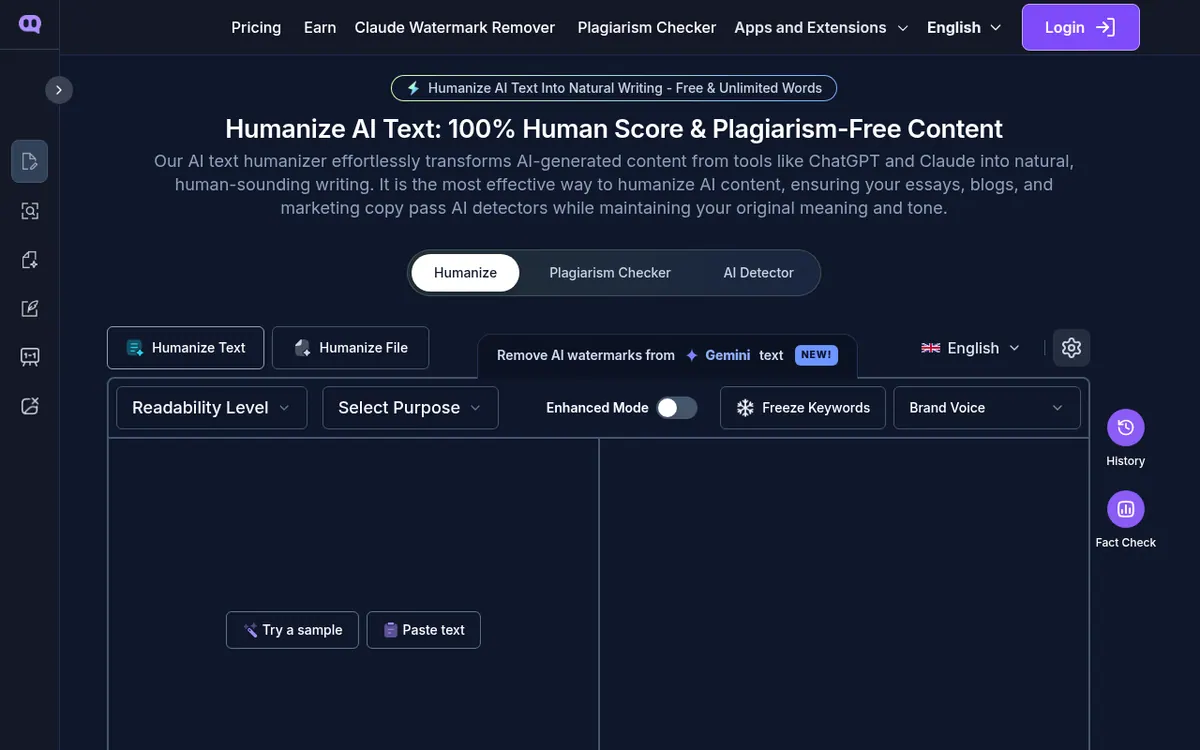
Humanize AI Text is a tool designed to convert AI-generated content into natural, human-sounding writing that bypasses AI detectors. It supports content from tools like ChatGPT, Claude, Gemini, and DeepSeek. Users can paste text or upload entire documents, including PDF, Word, and PPT files, to humanize them while preserving the original formatting. The tool offers five writing modes—Standard, Shorten, Expand, Simplify, and Improve Writing—and allows users to freeze specific keywords to maintain SEO performance. It supports 26 languages and includes a built-in AI detector and plagiarism checker.
Pricing operates on a freemium model. A free version is available without requiring a login, offering unlimited words. For advanced features, paid plans are billed annually. The grow plan costs $18 per month (billed annually) and includes 40,000 words per month, while the scale plan costs $35 per month (billed annually) for unlimited words and access to a premium engine. A 3-day refund guarantee is provided. The tool is accessible via the web and offers a Chrome extension for use inside ChatGPT, as well as a Plagiarism API.
- Bypass AI detectors
- Document humanization (PDF, Word, PPT)
- 26 language support
- Chrome extension
- Plagiarism API
- Keyword freezing
Good for / Not for
Good for
- Students needing to humanize essays and research papers.
- Marketers and SEO professionals refining AI drafts.
- Users wanting to process full documents without losing formatting.
Not for
- Users looking for explicit monthly billing options, as only annual rates are shown.
How to start
Paste AI-generated text or upload a document, choose settings like tone and writing mode, and click to humanize instantly. source
Limits and gotchas
- The grow plan is limited to 40,000 words per month. source
From the official site and docs of HumanizeAIText, checked on October 24, 2026.
Pros and cons
Pros
- Free tier available with unlimited words and no login required.
- Supports uploading and humanizing full PDF, Word, and PPT documents.
- Includes a Chrome extension for use directly inside ChatGPT.
- Offers 26 language options and multiple writing modes.
Cons
- Paid plans only display pricing for annual billing.
- The grow plan limits usage to 40,000 words per month.
- No monthly billing prices are explicitly published.
Our take
Humanize AI Text is well-suited for students, marketers, and SEO professionals who need to refine AI-generated drafts into readable, original content that evades detection. The ability to process full documents without losing formatting is a strong advantage for long-form content creators. However, the pricing page only displays annual billing rates, which might require a larger upfront commitment, though a 3-day refund policy mitigates this risk. The free tier is generous with unlimited words, making it accessible for casual users.
Comparisons and lists with HumanizeAIText
Coming soon
Coming soon — we are writing comparisons that include HumanizeAIText.
HumanizeAIText pricing
| Plan | Monthly billing | Annual billing (per month) | Limits / what’s included |
|---|---|---|---|
| Free | — | — | unlimited words |
| grow | — | $18 | 40,000 words/month |
| scale | — | $35 | Unlimited words/month |
Free trial: none listed. Free plan: yes.
Prices checked on on the official HumanizeAIText pricing page. “—” = not published.
All HumanizeAIText plans, limits and annual prices →
Frequently asked questions
Does it support languages other than English?
Yes, the paid plans include support for 26 languages.
Can I humanize entire documents?
Yes, you can upload PDF, Word, and PPT files to humanize the text while keeping the formatting intact.
Is there a refund policy?
Yes, there is a 3-day refund guarantee if you are dissatisfied with the product.
Recently verified in AI Detectors & Humanizers
 GPTZero Verified Nov 2, 2026
 Undetectable AI Verified Nov 2, 2026
- Copyleaks Verified Oct 30, 2026
Add an AGIPicks badge to your site
The badge shows HumanizeAIText’s verification status on AGIPicks and links to this page. Light/dark and compact versions: badges.

Suggest an update
Wrong price, outdated fact or a tool that shut down? Are you the vendor and disagree with this page? Tell us, ideally with a link to the official page. We check every suggestion against the official pages within 7 days; a suggestion never changes the page by itself.