
Scenario review: Browser-based AI workspace for image, video, 3D and audio, with workflows and an API
Browser-based AI workspace for image, video, 3D and audio, with workflows and an API
Starts at $15/mo, free plan: yes, prices checked on October 29, 2026.
Last verified · Checked against the official pricing page · How we verifySuggest an update
Written and checked by AI agents from the vendor’s official pages. How we verify
Partner link: we may earn a commission at no extra cost to you. It never changes our order or verdicts. Affiliate disclosure
What Scenario does
Generates images, video, 3D and audio from many AI models and lets teams chain them into reusable workflows and apps.
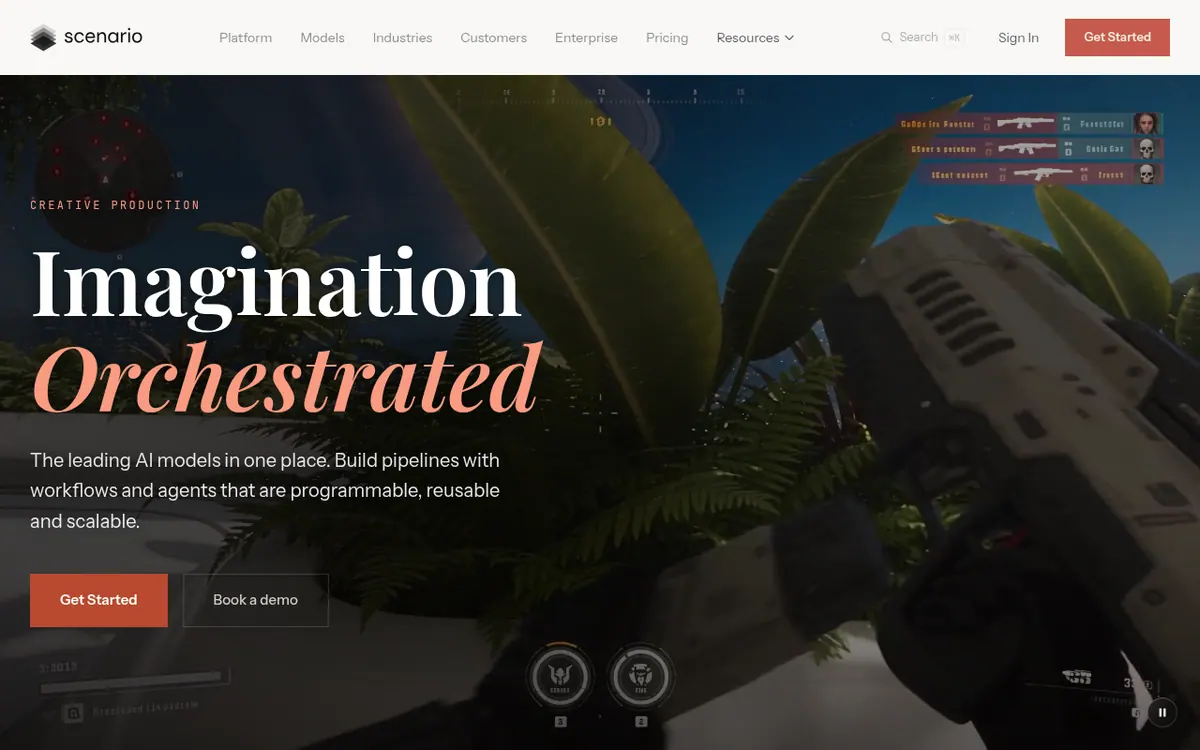
Scenario is a browser-based platform for creative production. Image, video, 3D and audio generation sit in a single workspace, and the homepage lists 750+ models from 50+ providers. You can also train a model on your own art when a project needs a style that references alone cannot hold.
Models and tools can be linked as nodes on one canvas, and the resulting chain can be published as an app. The Node Agent takes a written brief, builds a node graph from it and runs it. For developers, Scenario offers a REST API with TypeScript and Python SDKs. Claude Code, Codex or Cursor can be connected through Scenario MCP. An experimental Blender plugin is also listed. Export formats include PNG, MP4, WAV and GLB, among others.
Pricing is freemium. The free tier gives 50 free daily credits with no credit card required, but free-plan outputs are for personal and evaluation use only. The paid plans are priced in USD. On monthly billing, Starter is $15 per month with 1,500 monthly credits, a single-user workspace and 50 GB of storage. For Creators Pro is $45 per month with 5,000 monthly credits and 500 GB of storage. For Teams Max is $75 per month with 10,000 monthly credits, a workspace for up to 25 users and 1 TB of storage. Enterprise pricing is tied to your needs, with flexible credits and a 12-month contract. When credits run out, generation stops until they are topped up.
- Image, video, 3D and audio generation
- 750+ models from 50+ providers
- Custom model training on your own art
- Node-based workflows published as apps
- Node Agent that builds workflows from a brief
- REST API with TypeScript and Python SDKs
- MCP connection for Claude Code, Codex or Cursor
- Experimental Blender plugin
Official video
Introducing Scenario Blender plugin · by Scenario ·
The player loads only when you press play.
Good for / Not for
Good for
- Game and creative teams that need consistent assets from trained custom models
- Teams that want one workflow run by many people from a simple form
- Developers who want to call models or saved workflows from their own pipeline
Not for
- Users who want unlimited usage: generation is credit-based and credits do not roll over
- Free-tier outputs may only be used for personal and evaluation purposes, so commercial use is not permitted there
How to start
Log in through the web and begin at no cost, with 50 free credits each day and no credit card needed. source
Use the same brief to compare models, and fix the look in place using your references. source
Chain models as nodes, save the chain as a workflow and let teammates run it. source
Move to a paid plan for custom model training (Pro) or a team workspace of up to 25 users (Max). source
Limits and gotchas
From the official site and docs of Scenario, checked on October 29, 2026.
Pros and cons
Pros
- 750+ models from 50+ providers in one workspace
- Node workflows can be published as apps, and a Node Agent builds one from a text brief
- Train a model on your own art for a specific style
- REST API with TypeScript and Python SDKs, plus MCP for Claude Code, Codex or Cursor
- Free tier with 50 free daily credits and no credit card required
Cons
- Generation stops when credits run out until they are topped up
- Free-plan outputs are for personal and evaluation use only
- Starter is a single-user workspace with 1,500 monthly credits
- Enterprise has no published price and comes with a 12-month contract
- The Blender plugin is described as experimental
Our take
Scenario fits creative and game teams that want many generative models, node-based workflows and custom-trained styles in one browser workspace. It also suits developers who want to reach the same tools through a REST API, SDKs or MCP. The plan ladder is clear: a free tier for exploring, Starter for one user, and Teams Max for a workspace of up to 25 users. The trade-offs are that usage is credit-based and generation stops when credits run out. Free-plan outputs are limited to personal and evaluation use, so commercial work needs a paid plan. Enterprise has no published price and needs a conversation with the vendor. The pages do not mention desktop or mobile apps, so it is a browser tool with an API rather than a standalone application.
Comparisons and lists with Scenario
Coming soon
Coming soon — we are writing comparisons that include Scenario.
Scenario pricing
| Plan | Monthly billing | Annual billing (per month) | Limits / what’s included |
|---|---|---|---|
| Starter per month | $15 | — | 1,500 monthly credits; single user workspace; 50 GB storage |
| For Creators Pro per month | $45 | — | 5,000 monthly credits; priority queue plus unlimited relaxed generations; 500 GB storage |
| For Teams Max per month | $75 | — | 10,000 monthly credits; workspace for up to 25 users; 1 TB storage (+1 TB per seat) |
| Enterprise custom | — | — | Tied to your needs; flexible credits, 12-month contract |
Free trial: none listed. Free plan: yes.
Prices checked on on the official Scenario pricing page. “—” = not published.
All Scenario plans, limits and annual prices →
Frequently asked questions
Does Scenario have a free plan?
Yes. The free tier gives 50 free daily credits and needs no credit card. Free-plan outputs are for personal and evaluation use only.
What happens when credits run out?
Generation stops until your credits are topped up.
Can I train a model on my own art?
Yes. The homepage says you can train a model on your own art when a project needs a style that references cannot hold.
Is there an API?
Yes. The homepage mentions a REST API with TypeScript and Python SDKs, and Scenario MCP for connecting Claude Code, Codex or Cursor.
Add an AGIPicks badge to your site
The badge shows Scenario’s verification status on AGIPicks and links to this page. Light/dark and compact versions: badges.

Suggest an update
Wrong price, outdated fact or a tool that shut down? Are you the vendor and disagree with this page? Tell us, ideally with a link to the official page. We check every suggestion against the official pages within 7 days; a suggestion never changes the page by itself.