
Adobe Podcast review: Browser-based tool to record, transcribe, edit and clean up speech audio
Browser-based tool to record, transcribe, edit and clean up speech audio
Starts at $19.99/mo, free plan: yes, free trial: 7-day free trial of the Adobe Firefly Pro plan, prices checked on October 31, 2026.
Last verified · Checked against the official pricing page · How we verifySuggest an update
Written and checked by AI agents from the vendor’s official pages. How we verify
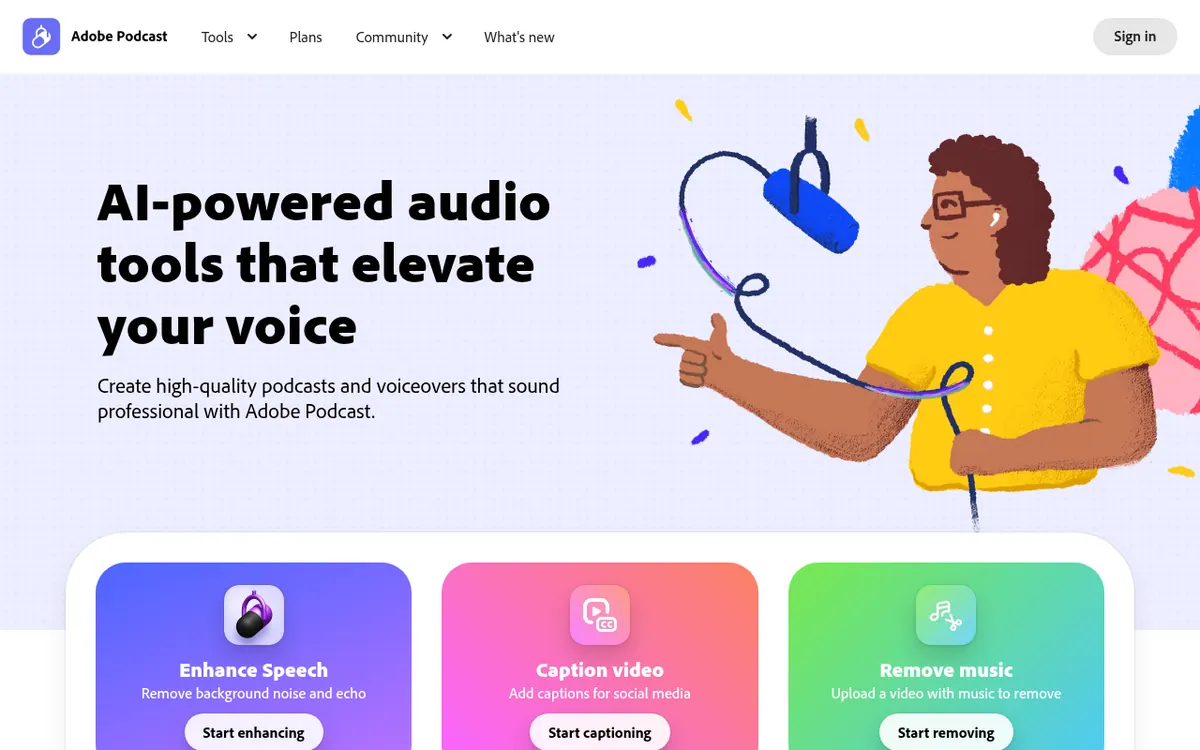
What Adobe Podcast does
Adobe Podcast is a web-based audio tool for people who make podcasts, voiceovers and other spoken recordings. It has two main parts. Enhance Speech takes a voice recording and removes background noise and echo, so a recording made without a perfect microphone can still be cleaned up afterwards. Studio, which the site labels BETA, lets you record alone or with remote guests, capture each speaker on a separate track, and edit the audio by working on its transcript the way you would edit a text document.
The site also lists tools for captioning video, transcribing audio and video, and removing music from an uploaded video. Studio includes collections of royalty-free music with intros, outros and transition sounds. Everything runs in the browser, and the vendor says no software download is needed.
Pricing is freemium. The Free plan covers both tools with caps: Enhance Speech accepts files up to 30 minutes and 500 MB, with 1 hour per day, and Studio allows downloads of projects up to 30 minutes, 2 projects per day, with Podcast branded audiograms. The paid route is the Firefly Pro plan at $19.99 per month, as shown on the pricing page. It raises Enhance Speech to 4 hours a day with files up to 1 GB, adds video support, bulk upload and strength adjustment, removes Studio download limits, and allows download of original speaker-separated recordings. The page offers a 7-day free trial. A yearly-billed price is not shown.
- Noise and echo removal for voice recordings
- Remote guest recording
- Transcript-based audio editing
- Individual speaker tracks in WAV
- Video captions
- Audio and video transcription
- Royalty-free music collections
- Bulk upload for enhancement (Firefly Pro plan)
Pros and cons
Pros
- Free plan available for both Enhance Speech and Studio
- Edits audio by cutting and pasting transcript text
- Records solo or with remote guests, each speaker on an individual track
- Runs in the browser with no software download
- 7-day free trial of the Firefly Pro plan
Cons
- Free plan limits Enhance Speech to 1 hour per day and files up to 30 minutes
- Free plan allows 2 Studio project downloads per day, with Podcast branded audiograms
- Bulk upload, video support and original recordings download require the Firefly Pro plan at $19.99 per month
- Studio is labelled BETA and no yearly price or API is listed
Our take
Adobe Podcast fits people who want to clean up spoken audio or edit a podcast from a transcript without installing software. The Free plan is a reasonable way to check whether the noise removal suits your recordings, since it has clear daily and file-size caps. It is less suited to heavy use: longer files, bulk processing, video enhancement and original speaker-separated downloads all need the Firefly Pro plan at $19.99 per month. Studio is still labelled BETA, and the pages mention no API or apps beyond the browser, so check those points if you need them in your workflow.
Comparisons and lists with Adobe Podcast
Coming soon
Coming soon — we are writing comparisons that include Adobe Podcast.
Adobe Podcast pricing
| Plan | Monthly billing | Annual billing (per month) | Limits / what’s included |
|---|---|---|---|
| Free plan | — | — | Enhance Speech: 30 minutes max duration (up to 500 MB), 1 hour max per day. Studio: download projects up to 30 minutes, 2 projects per day; Podcast branded audiograms. |
| Firefly Pro plan per month | $19.99 | — | Up to 4,000 generative credits per month; Enhance Speech up to 4 hours a day, files up to 1 GB; no download limits on Studio projects. |
Free trial: 7-day free trial of the Adobe Firefly Pro plan. Free plan: yes.
Prices checked on on the official Adobe Podcast pricing page. “—” = not published.
Frequently asked questions
Does Adobe Podcast have a free plan?
Yes. The Free plan covers Enhance Speech and Studio with caps, such as 1 hour of enhancement per day and 2 Studio project downloads per day.
How much does the paid plan cost?
The Firefly Pro plan is shown at $19.99 per month. The pricing page does not show a yearly-billed price.
Is there a free trial?
The pricing page says you can try the Adobe Firefly Pro plan free for 7 days.
Do I need to install anything?
No. The vendor says you can record, edit and enhance your voice in the browser without downloading software.
What are the file limits for Enhance Speech?
On the Free plan files can be up to 30 minutes and 500 MB, with 1 hour per day. On the Firefly Pro plan it is up to 4 hours a day with files up to 1 GB.
Recently verified in Voice & Text-to-Speech
 Cartesia Verified Oct 30, 2026
 Deepgram Verified Oct 30, 2026
 Resemble AI Verified Oct 30, 2026
 WellSaid Verified Oct 30, 2026
- Alitu Verified Oct 29, 2026
 AssemblyAI Verified Oct 29, 2026
Add an AGIPicks badge to your site
The badge shows Adobe Podcast’s verification status on AGIPicks and links to this page. Light/dark and compact versions: badges.
Suggest an update
Wrong price, outdated fact or a tool that shut down? Are you the vendor and disagree with this page? Tell us, ideally with a link to the official page. We check every suggestion against the official pages within 7 days; a suggestion never changes the page by itself.