
GitBook review: Docs platform with Git Sync, AI Assistant and an agent that updates content
Docs platform with Git Sync, AI Assistant and an agent that updates content
Custom (contact sales), free plan: yes, free trial: 14-day free trial, prices checked on October 25, 2026.
Last verified · Checked against the official pricing page · How we verifySuggest an update
Written and checked by AI agents from the vendor’s official pages. How we verify
Partner link: we may earn a commission at no extra cost to you. It never changes our order or verdicts. Affiliate disclosure
What GitBook does
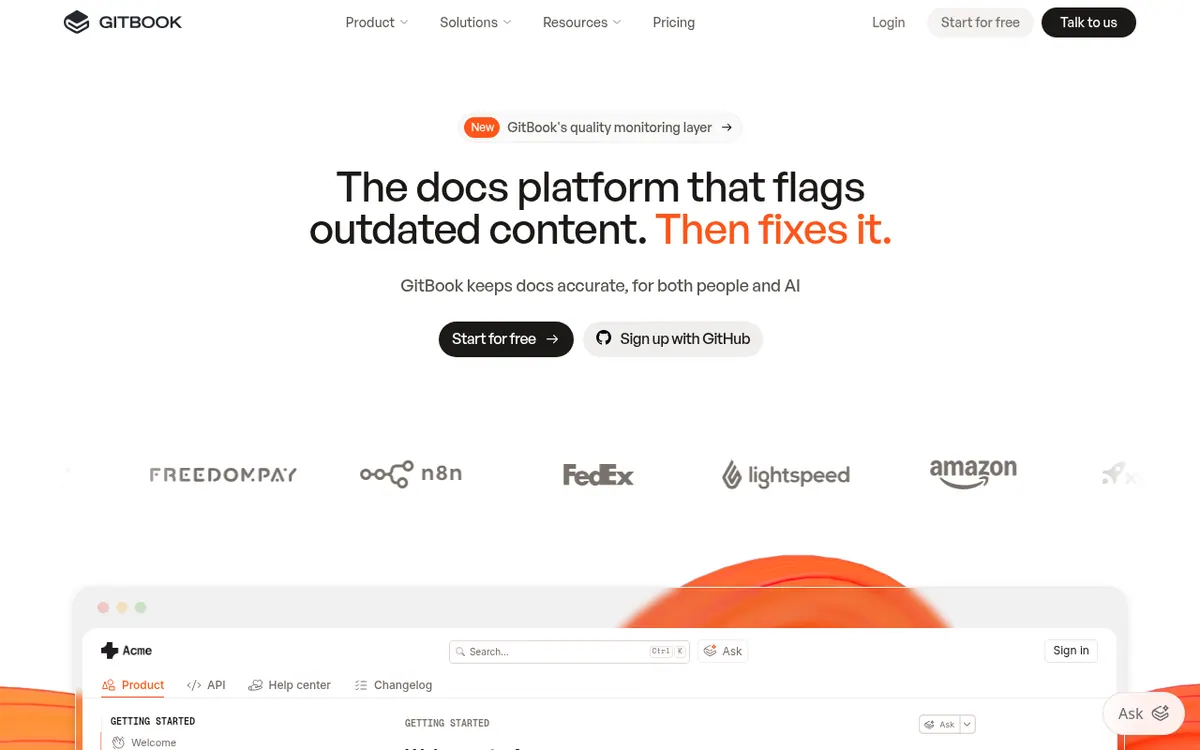
GitBook is a documentation platform for publishing product docs that serve both human readers and AI tools. Teams write in a block-based visual editor, while developers can work in Markdown through a two-way sync with GitHub or GitLab, using branches, reviews and merges much as they do with code.
On the AI side, published docs automatically produce an MCP server and are prepared for LLM ingestion. The AI Assistant lets readers ask questions from the search box, and a chat version is offered on higher plans. GitBook Agent helps write, edit and update documentation, and the vendor says GitBook flags content that has drifted from the product so it can be reviewed. AI insights show how the Assistant answered users, to point out knowledge gaps.
Pricing combines a per-site plan with per-user fees. A Free plan is meant for individuals and includes one user. Essential starts at $65 per site per month when billed yearly, and Ultimate starts at $249 per site per month when billed yearly. Additional team members cost $12 per user per month. Both paid plans carry a 14-day free trial and include a monthly allowance of AI credits: 2,000 on Essential and 10,000 on Ultimate. Enterprise pricing is custom and adds SAML SSO, white-glove migration and dedicated support. Page views are not limited on any plan.
- Two-way Git Sync with GitHub and GitLab
- Block-based visual editor with custom blocks
- Automatic MCP server for published docs
- AI Assistant Ask in the search box
- GitBook Agent for writing and updating docs
- AI insights on Assistant answers
- Authenticated access to docs
- AI translation into multiple languages
Pros and cons
Pros
- Two-way Git Sync with GitHub or GitLab lets developers edit Markdown while writers use the visual editor
- Free plan available for individuals, plus a 14-day free trial on Essential and Ultimate
- Published docs automatically get an MCP server and LLM-oriented formats such as llms.txt
- Page views are not limited on any plan
- GitBook Agent can write, edit and update docs, and AI insights show knowledge gaps
Cons
- Paid prices on the page are for yearly billing; no monthly-billed price is shown
- Each additional user costs $12 per user per month on top of the per-site price
- AI usage is credit-based and pauses when credits run out; extra credits must be bought in bundles
- Free plan limits GitBook Agent to 10 messages per week and includes only one user
- AI Assistant Chat, AI insights and GitBook Agent features beyond the Free plan depend on higher tiers, with Chat and insights on Ultimate
Our take
GitBook fits teams that want public, branded product documentation with a Git-based workflow and built-in AI features for readers and writers. The free plan lets an individual try it, and the 14-day trials on paid plans allow a check before committing. The trade-offs are cost structure and AI usage: pricing is per site plus $12 per user per month, and the paid prices shown are for yearly billing, with no monthly-billing price on the page. AI features draw on credits that pause when exhausted, and the chat assistant, AI insights and some other features need Ultimate. Teams wanting a single flat price may find it harder to budget.
Comparisons and lists with GitBook
Coming soon
Coming soon — we are writing comparisons that include GitBook.
GitBook pricing
| Plan | Monthly billing | Annual billing (per month) | Limits / what’s included |
|---|---|---|---|
| Free | Free | — | For individuals. Includes 1 free user. GitBook Agent limited to 10 messages per week. |
| Essential per site/month (from; billed annually) | — | $65 | Additional users $12 per user/month. Includes $20 of AI credits (2,000 credits) per month. 14-day free trial. |
| Ultimate per site/month (from; billed annually) | — | $249 | Additional users $12 per user/month. Includes $100 of AI credits (10,000 credits) per month. 14-day free trial. |
| Enterprise | — | — | Custom pricing; contact sales. |
Free trial: 14-day free trial. Free plan: yes.
Prices checked on on the official GitBook pricing page. “—” = not published.
All GitBook plans, limits and annual prices →
Frequently asked questions
Does GitBook have a free plan?
Yes. The Free plan is for individuals and includes one user. GitBook Agent is limited to 10 messages per week on it.
How much do the paid plans cost?
Essential starts at $65 per site per month and Ultimate at $249 per site per month when billed yearly. Additional users cost $12 per user per month. Enterprise pricing is custom.
Is there a free trial?
Essential and Ultimate each list a 14-day free trial.
Does GitBook support docs-as-code workflows?
Yes. Git Sync sets up a two-way sync with a GitHub or GitLab repository, so Markdown can be edited in either place using branches, reviews and merges.
How do AI credits work?
Essential includes 2,000 credits per month and Ultimate 10,000. AI Assistant Ask uses 20 credits per relevant question. Extra credits can be bought in bundles, and usage auto-pauses when credits run out.
Recently verified in Docs & Knowledge Bases
 ReadMe Verified Oct 30, 2026
 Mintlify Verified Oct 25, 2026
 TranslatePress Verified Oct 25, 2026
Add an AGIPicks badge to your site
The badge shows GitBook’s verification status on AGIPicks and links to this page. Light/dark and compact versions: badges.

Suggest an update
Wrong price, outdated fact or a tool that shut down? Are you the vendor and disagree with this page? Tell us, ideally with a link to the official page. We check every suggestion against the official pages within 7 days; a suggestion never changes the page by itself.