
ReadMe review: Documentation platform for API teams, with a free plan and AI editing tools
Documentation platform for API teams, with a free plan and AI editing tools
Custom (contact sales), free plan: yes, free trial: Free trial offered on Pro (length not stated), prices checked on October 30, 2026.
Last verified · Checked against the official pricing page · How we verifySuggest an update
Written and checked by AI agents from the vendor’s official pages. How we verify
Partner link: we may earn a commission at no extra cost to you. It never changes our order or verdicts. Affiliate disclosure
What ReadMe does
Publishes interactive API and technical documentation, syncs it with Git, and adds AI tools to lint, draft and edit pages.
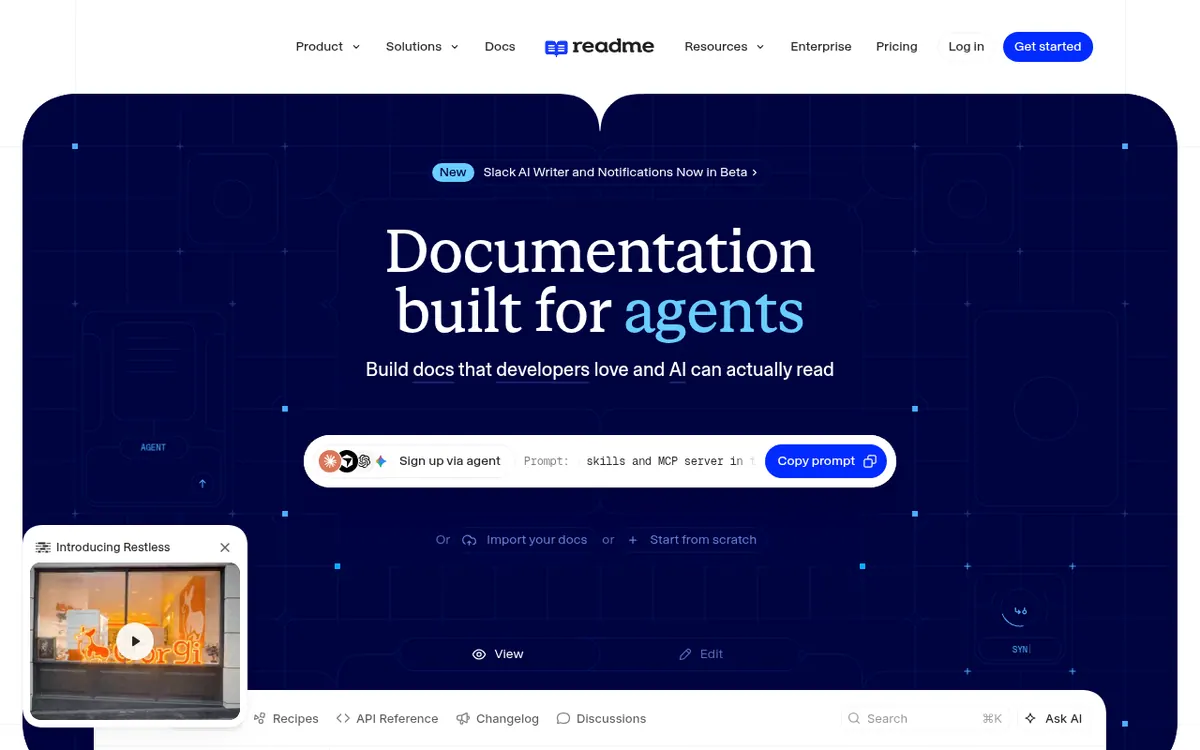
ReadMe is a documentation platform aimed at teams that publish API docs, technical docs, SDK docs and help centers. You can write pages in a browser-based visual editor or in your own IDE, and keep content in step with a GitHub or GitLab repository through two-way sync. Uploading an OpenAPI spec produces an interactive API reference, and a visual designer lets you build a reference without a spec at all.
Several AI features sit on top of the docs. An AI Linter checks pages against a style guide you define, an AI Writer drafts updates from pull requests and Slack threads onto a review branch, and an MCP Server lets coding agents read and edit documentation. Branches and approval steps let teams review edits before publishing, and reusable content blocks update across pages at once.
Pricing has three tiers. Starter costs $0 per month and includes a custom domain, bi-directional sync, an interactive API reference, usage analytics and themes, but is limited to 1 project. Pro is listed at $250 per month billed annually and adds teammates, multiplayer editing, branching and reviews, private docs and the AI Linter, Agent and Writer. Enterprise has no published price, is billed annually only, and adds unlimited seats, audit logs, SSO and dedicated support. Ask AI is a separate $150 per month add-on.
- Interactive API reference from OpenAPI spec
- Visual API designer with no spec required
- Two-way GitHub and GitLab sync
- AI Linter for style guides
- AI Writer drafting from pull requests
- MCP Server for coding agents
- Branches and review before publishing
- Multi-language docs
- Reusable content blocks
Good for / Not for
Good for
- API teams that want an interactive reference generated from an OpenAPI spec
- Engineering teams that keep docs in GitHub or GitLab and review changes on branches
- Teams that want coding agents to edit docs through an MCP Server
Not for
- Anyone needing more than 1 project on the free Starter plan
- Buyers who want a published monthly-billing price for Pro
How to start
Sign up and either import your docs or start from scratch. source
Choose the Starter plan at $0 per month to begin for free. source
Upload an OpenAPI spec or use the visual API designer to build the API reference. source
Move to Pro via its free trial button when you need teammates, branching and AI Linter. source
Limits and gotchas
From the official site and docs of ReadMe, checked on October 30, 2026.
Pros and cons
Pros
- Free Starter plan at $0 per month with a custom domain and interactive API reference
- Two-way sync with GitHub, GitHub Enterprise Server and GitLab
- Branches and review steps for checking changes before publishing
- AI Linter, AI Writer and MCP Server for style checks and agent-driven edits
- Enterprise tier lists SSO, audit logs and unlimited seats
Cons
- Starter is limited to 1 project
- Pro is $250 per month billed annually; no monthly-billing price is shown
- Ask AI is an extra $150 per month on top of plan prices
- Enterprise has no public price and is billed annually only
- Teammate invites, branching and several AI tools are not part of the free plan
Our take
ReadMe fits teams whose main product is an API and who want docs that stay close to their code. Git sync, branches, review steps and the AI Writer suit engineering-led workflows, and the free Starter plan allows a trial run of the basics. The trade-offs are clear on the pricing page: Starter is restricted to 1 project, collaboration features and most AI tools require Pro at $250 per month billed annually, and Ask AI costs an extra $150 per month. The pages show no monthly-billing price for Pro, and Enterprise pricing is only available through sales. Teams wanting a single low-cost docs site with many projects should check these limits first.
Comparisons and lists with ReadMe
Coming soon
Coming soon — we are writing comparisons that include ReadMe.
ReadMe pricing
| Plan | Monthly billing | Annual billing (per month) | Limits / what’s included |
|---|---|---|---|
| Starter | Free | — | 1 project; Ask AI is a $150/mo add-on |
| Pro | — | $250 | Restless (+4,000 credits); Ask AI is a $150/mo add-on |
| Enterprise | — | — | Contact Us, annual billing only; no public price |
Free trial: Free trial offered on Pro (length not stated). Free plan: yes.
Prices checked on on the official ReadMe pricing page. “—” = not published.
All ReadMe plans, limits and annual prices →
Frequently asked questions
Does ReadMe have a free plan?
Yes. The Starter plan is listed at $0 per month and described as free for everyone, limited to 1 project.
How much does the Pro plan cost?
Pro is listed at $250 per month, billed annually. The pricing page shows no separate monthly-billing price.
Is there a free trial?
The Pro plan has a Start free trial button. The pages shown do not state the trial length.
Can I sync docs with Git?
Yes. The homepage says docs can sync in both directions with GitHub, GitHub Enterprise Server and GitLab.
Is Ask AI included?
Ask AI is listed as an add-on at $150 per month on Starter and Pro. Pro includes Ask AI Lite.
Recently verified in Docs & Knowledge Bases
 GitBook Verified Oct 25, 2026
 Mintlify Verified Oct 25, 2026
 TranslatePress Verified Oct 25, 2026
Add an AGIPicks badge to your site
The badge shows ReadMe’s verification status on AGIPicks and links to this page. Light/dark and compact versions: badges.

Suggest an update
Wrong price, outdated fact or a tool that shut down? Are you the vendor and disagree with this page? Tell us, ideally with a link to the official page. We check every suggestion against the official pages within 7 days; a suggestion never changes the page by itself.