
GloraFi review: Branded, AI-narrated QuickBooks Online reports for bookkeepers to send clients
Branded, AI-narrated QuickBooks Online reports for bookkeepers to send clients
Starts at $10, free plan: no, free trial: 7-day free trial, no credit card required to start, prices checked on October 25, 2026.
Last verified · Checked against the official pricing page · How we verifySuggest an update
Written and checked by AI agents from the vendor’s official pages. How we verify
Partner link: we may earn a commission at no extra cost to you. It never changes our order or verdicts. Affiliate disclosure
What GloraFi does
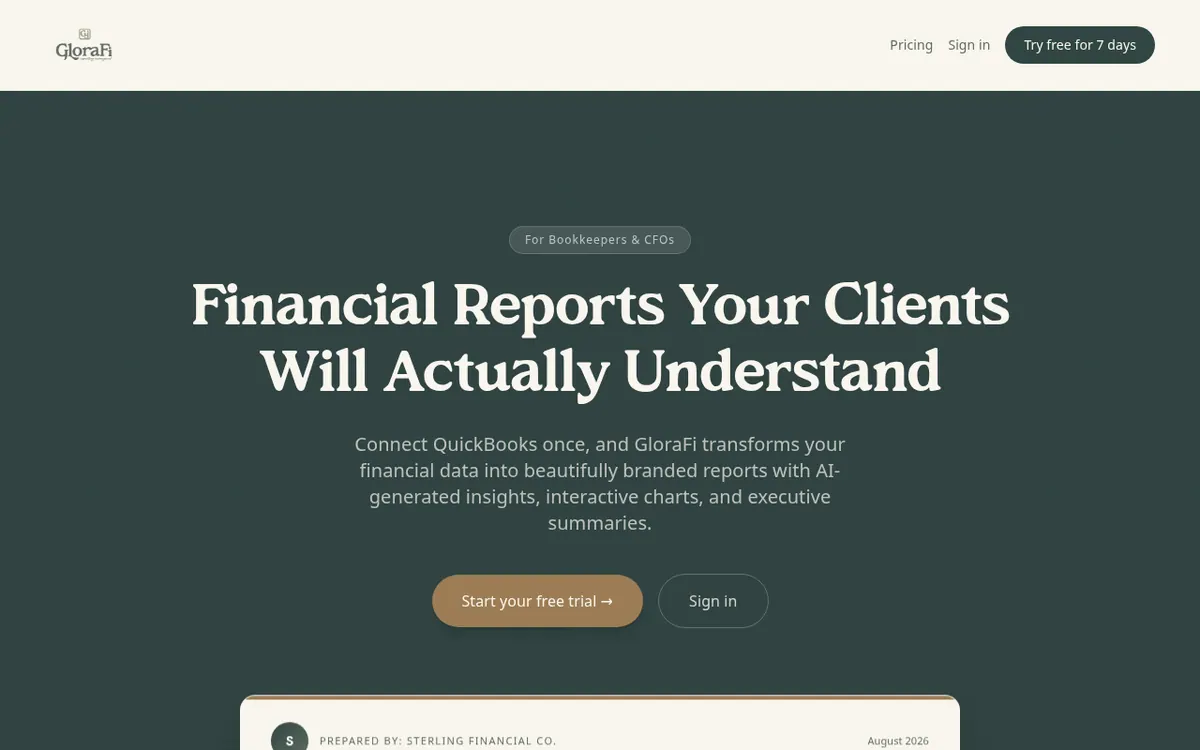
Pulls a client's QuickBooks Online data and builds branded reports with AI-written commentary that you share through a secure link.
GloraFi is a financial reporting tool built for bookkeepers and CFOs who work with QuickBooks Online. You connect a client's QuickBooks Online account, and the product pulls in statements such as the P&L, balance sheet, cash flow and AR/AP aging, then turns them into a report with charts and written commentary. The commentary is generated by AI and covers executive summaries, trend analysis and strategic recommendations. According to the homepage, every section can be edited.
Reports can carry your own logo, colors and fonts. They are delivered through a password-protected link, so the client does not need to log in, and you can schedule reports to go out automatically. Data can be synced on accrual or cash basis. The pricing page also lists a KPI dashboard, COGS ratio analysis, quarterly trend charts, prior year comparison, owner planning tools and a definitions and glossary block.
Pricing is a single plan at $10 per client per month, with everything included and no tiers or add-ons. You choose your client count when you subscribe and can change it later, with changes applying from the next billing cycle. A small payment processing fee is added at checkout. The page states there are no setup fees, contracts or annual commitments, and reports per client are unlimited. Every new account gets a 7-day free trial, and no credit card is needed to start. No permanent free plan is described, and QuickBooks Online is the only data source named on the pages.
- QuickBooks Online sync
- AI-written executive summaries
- Trend analysis and recommendations
- Branded reports with logo, colors, fonts
- Password-protected client links
- Scheduled report delivery
- KPI dashboard
- Prior year comparison
Good for / Not for
Good for
- Bookkeepers who report monthly to several QuickBooks Online clients
- CFOs who want branded reports with written summaries and trend analysis
- Firms that want clients to view reports through a link without logging in
Not for
- Firms whose clients are not on QuickBooks Online, the only source named
- Buyers who want a permanent free plan; only a 7-day trial is described
How to start
Start the 7-day free trial; no credit card is required to begin. source
Connect your client's QuickBooks Online account so the financials sync, on accrual or cash basis. source
Pick report sections, let AI draft the narrative, then adjust date range and branding. source
Share a branded link with the client or schedule automatic monthly delivery. source
Limits and gotchas
- A small payment processing fee is added at checkout on top of the $10 per client price. source
From the official site and docs of GloraFi, checked on October 25, 2026.
Pros and cons
Pros
- Single plan with every feature included, so there are no tiers to compare
- Pricing follows your client count at $10 per client per month
- Reports can be branded with your logo, colors and fonts
- Clients open a password-protected link without needing a login
- 7-day free trial with no credit card required to start
Cons
- Only QuickBooks Online is named as a data source
- No permanent free plan; only a 7-day trial is described
- A payment processing fee is added at checkout on top of the price
- No annual billing option; the page describes monthly subscription only
- Changes to client count take effect only on the next billing cycle
Our take
GloraFi suits bookkeepers and CFOs who already run client books in QuickBooks Online and want to hand clients a branded, narrated report instead of a raw export. The per-client price of $10 per month scales with your client list, which keeps cost tied to the number of clients you serve. The trade-offs are clear from the pages: QuickBooks Online is the only named data source, there is no permanent free plan beyond the 7-day trial, and a payment processing fee is added at checkout. Firms using other accounting software should check compatibility with the vendor first.
Comparisons and lists with GloraFi
Coming soon
Coming soon — we are writing comparisons that include GloraFi.
GloraFi pricing
| Plan | Monthly billing | Annual billing (per month) | Limits / what’s included |
|---|---|---|---|
| Single plan (per client) per client | $10 | — | Everything included, no tiers or add-ons; unlimited reports per client; a small payment processing fee is added at checkout |
Free trial: 7-day free trial, no credit card required to start. Free plan: no.
Prices checked on on the official GloraFi pricing page. “—” = not published.
Frequently asked questions
How much does GloraFi cost?
The pricing page lists one plan at $10 per client per month with everything included. A small payment processing fee is added at checkout.
Is there a free trial?
Yes. Every new account includes a 7-day free trial, and no credit card is required to start.
Are there contracts or setup fees?
No. The pricing page states there are no setup fees, no contracts and no annual commitments. You subscribe monthly and can cancel any time.
Can I change the number of clients later?
Yes. You can adjust your client count from your billing page at any time, and changes take effect on your next billing cycle.
Which accounting software does it connect to?
The pages name QuickBooks Online only, with sync on accrual or cash basis.
Recently verified in Legal & Finance
 Vic.ai
 Booke AI
 Brex
 Cookiebot
 DocuSign
 Everlaw
Add an AGIPicks badge to your site
The badge shows GloraFi’s verification status on AGIPicks and links to this page. Light/dark and compact versions: badges.

Suggest an update
Wrong price, outdated fact or a tool that shut down? Are you the vendor and disagree with this page? Tell us, ideally with a link to the official page. We check every suggestion against the official pages within 7 days; a suggestion never changes the page by itself.