
Kolo AI review: AI worker for small businesses that follows up leads, quotes and invoices
AI worker for small businesses that follows up leads, quotes and invoices
Not published, free plan: no, prices checked on November 2, 2026.
Last verified · Checked against the official website · How we verifySuggest an update
Written and checked by AI agents from the vendor’s official pages. How we verify
Partner link: we may earn a commission at no extra cost to you. It never changes our order or verdicts. Affiliate disclosure
What Kolo AI does
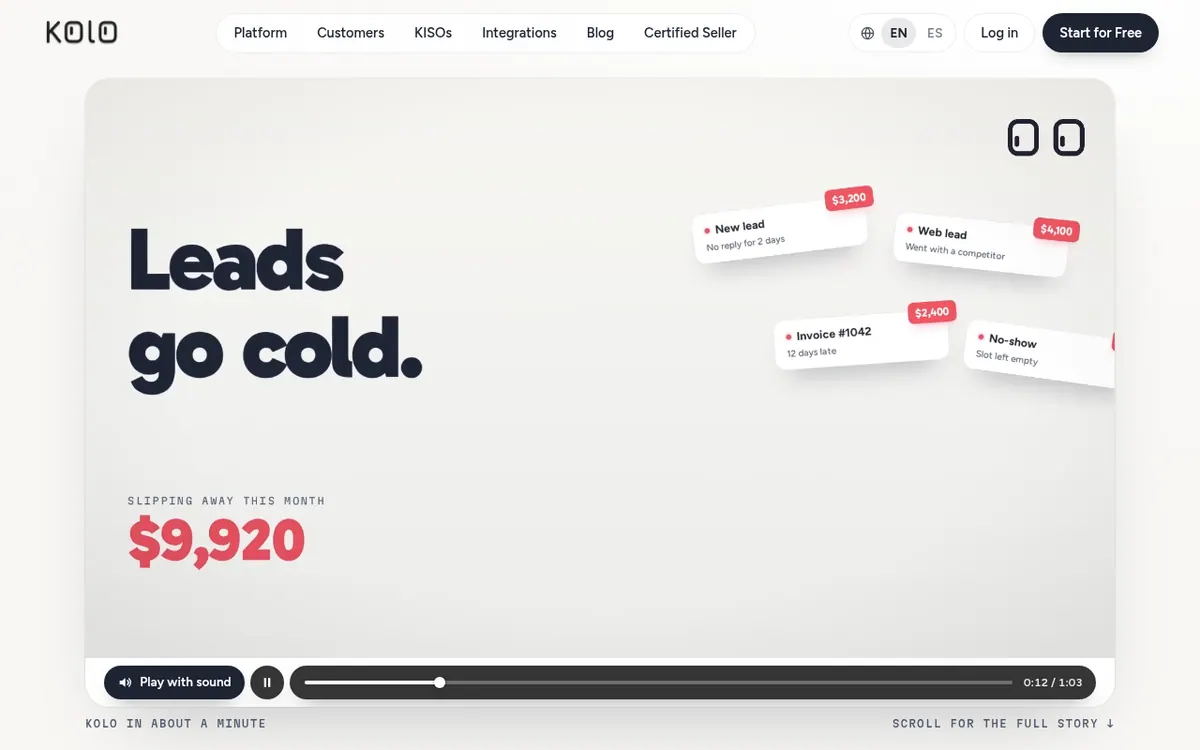
Handles routine business admin such as following up with leads, drafting quotes, checking charges and chasing unpaid invoices, with your approval on key actions.
Kolo is an AI worker aimed at owner-run businesses in many trades. It takes on repetitive office tasks: following up with leads, sending quotes, checking charges against your records and chasing unpaid invoices. The official site shows examples for attorneys, independent hotels, real estate agents and jewelers, and says Kolo has specialized skills for hundreds of business verticals.
Every customer is assigned a dedicated specialist called a KISO, a real person who knows the trade. The KISO connects your existing apps and sets up the first skills, and the vendor says this takes hours. You can then work with Kolo by text message, by phone call, on the web or in Slack, and the vendor describes it as one Kolo with one memory across these places.
Kolo checks with you before anything important goes out, for example through a text reply of YES. The vendor lists an audit trail of actions and role-based permissions for your team. It says it connects to 1,000+ apps, including Gmail, QuickBooks, Slack and HubSpot.
Pricing is not published as a plan list. The vendor says Kolo is priced on results and the labor it saves, not as a flat fee, and your KISO explains it before anything goes live. A Start for Free button appears on the site, but its terms are not described.
- Lead follow-up
- Quote drafting
- Charge and overcharge checks
- Invoice reminders
- Text, phone, web and Slack access
- 1,000+ app connections
- Approval by text before important actions
- Audit trail and role-based permissions
Good for / Not for
Good for
- Owners of trade or service businesses who lose time on follow-up and paperwork
- Hotels that want OTA charges checked against their own POS data
- Teams that want to work with an assistant by text, phone, web or Slack
Not for
- Buyers who need published plan prices before talking to the vendor
- Anyone who needs a documented API (none is mentioned on the pages)
How to start
Click Start for Free on the official site. source
Meet your KISO, then explain to them how your business operates and which spots waste time and money. source
Your KISO connects your apps and sets up your first skills, which the vendor says takes hours. source
Kolo gets to work and sends you a text whenever something requires your OK. source
Limits and gotchas
From the official site and docs of Kolo AI, checked on November 2, 2026.
Pros and cons
Pros
- A dedicated human specialist (KISO) does the setup, which the vendor says takes hours
- Important actions wait for your approval, and an audit trail records every action
- Works by text, phone call, web and Slack with one shared memory
- Connects to 1,000+ apps, and the KISO connects others
- Built around specific trades, with examples for law, hotels, real estate and jewelry
Cons
- No plan prices are published on the official site
- Pricing is based on results and labor saved, not a flat fee, so cost is harder to predict
- Terms of the 'Start for Free' button are not explained
- No API is mentioned on the official pages
- Setup depends on working with a KISO rather than self-serve configuration
Our take
Kolo suits owners of service or retail businesses who want routine follow-up, quoting and invoice chasing handled for them, with a human specialist doing the setup. The approval-by-text model and the audit trail suit people who want control over what goes out. The trade-off is pricing: no plan prices, tiers or free-plan terms are published, so you cannot compare cost in advance and must ask the vendor. Results-based pricing may also be harder to budget than a flat fee. The site does not mention an API, so teams wanting custom integrations should confirm with the vendor. Everything here comes from the vendor's own pages, and we have not used the product.
Comparisons and lists with Kolo AI
Coming soon
Coming soon — we are writing comparisons that include Kolo AI.
Kolo AI pricing
Pricing not published on the official site. Check Kolo AI’s website.
Free trial: none listed. Free plan: no.
Prices checked on on the official Kolo AI pricing page. “—” = not published.
Frequently asked questions
How much does Kolo cost?
The official site publishes no plan prices. It says Kolo is priced on the work it delivers and the labor it saves, not a flat fee, and your KISO explains it before anything goes live.
How long does setup take?
The vendor says setup takes hours. Your KISO connects your apps and gets your first skills running.
Can I talk to a real person?
Yes. Every customer works with a dedicated KISO, a real person who knows the trade.
What happens if Kolo makes a mistake?
You choose what needs your approval, so anything important waits for it. Every action is logged so you can see what happened.
Will it work with my software?
The vendor says Kolo connects to 1,000+ apps in one click. If yours is not one of them, your KISO connects it.
Recently verified in Automation & AI Agents
 Forethought Verified Nov 2, 2026
 Hippocratic AI Verified Nov 2, 2026
 Inngest Verified Nov 2, 2026
 Mercury Verified Nov 2, 2026
 MindStudio Verified Nov 2, 2026
 Numeric Verified Nov 2, 2026
Add an AGIPicks badge to your site
The badge shows Kolo AI’s verification status on AGIPicks and links to this page. Light/dark and compact versions: badges.
Suggest an update
Wrong price, outdated fact or a tool that shut down? Are you the vendor and disagree with this page? Tell us, ideally with a link to the official page. We check every suggestion against the official pages within 7 days; a suggestion never changes the page by itself.