
Ramp review: Corporate cards, expenses and bill pay for finance teams, with a free plan
Corporate cards, expenses and bill pay for finance teams, with a free plan
Starts at $15/mo, free plan: yes, free trial: 30-day free trial of Ramp Plus, prices checked on October 29, 2026.
Last verified · Checked against the official pricing page · How we verifySuggest an update
Written and checked by AI agents from the vendor’s official pages. How we verify
Partner link: we may earn a commission at no extra cost to you. It never changes our order or verdicts. Affiliate disclosure
What Ramp does
Combines corporate cards, expense capture, bill payment, travel booking and accounting sync so finance teams manage company spend in one place.
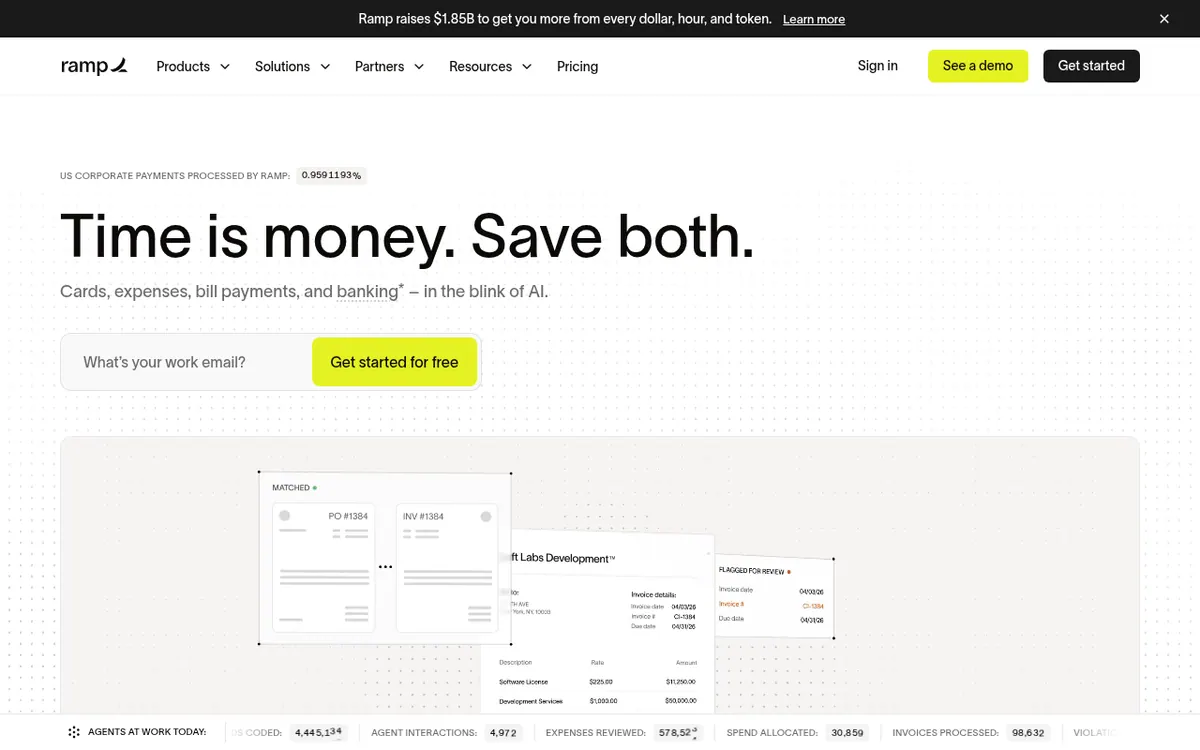
Ramp is a spend management platform that puts corporate cards, expense handling, accounts payable, travel booking and business banking in one place. Companies can issue unlimited physical and virtual cards, collect and match receipts automatically, and complete expenses by SMS or Slack. On the payables side it extracts invoice data with OCR, routes approvals, and pays bills by ACH, card, check or wire.
For accounting, the Free plan connects to QuickBooks Online and Xero, while higher plans add systems such as NetSuite and Sage Intacct. The vendor lists 200+ integrations across accounting, banking, HR, procurement and receipt tools, plus an open API and CSV exports. Larger or international teams can use cards in 30+ currencies and local-currency reimbursements.
Pricing has three tiers. Free is $0/mo/user. Plus is $15/mo/user and adds a platform fee based on team size; the page mentions a 20% saving with annual billing but does not state the resulting price. Plus can be tried with a 30-day free trial. Enterprise has custom pricing, annual billing and contact-sales onboarding. Extras include a $.65 charge per IRS filing for 1099s, and Procurement and Accounts Receivable are sold as add-ons.
- Unlimited physical and virtual corporate cards
- Expenses via SMS or Slack
- Automatic receipt matching
- Invoice OCR and bill payments
- Travel booking
- Accounting integrations
- Cards in 30+ currencies
- Open API and CSV exports
Good for / Not for
Good for
- Small teams wanting a free corporate card and expense setup
- Finance teams syncing spend to QuickBooks Online, Xero, NetSuite or Sage Intacct
- Companies with international staff needing local-currency cards and reimbursements
Not for
- Buyers who need a fully published Enterprise price
- Teams that want to avoid add-ons, since Procurement and Accounts Receivable cost extra
How to start
Limits and gotchas
- Plus adds a platform fee based on team size on top of $15/mo/user. source
- 1099 filing is $.65 per IRS filing; state filing is free. source
- Procurement is an add-on to Plus or Enterprise, and some Accounts Receivable features need an add-on. source
- Enterprise is custom-priced with annual billing and goes through sales. source
From the official site and docs of Ramp, checked on October 29, 2026.
Pros and cons
Pros
- Free plan at $0/mo/user with unlimited cards
- Cards, expenses, bill pay, travel and banking in one platform
- 200+ integrations plus an open API and CSV exports
- Cards in 30+ currencies and local-currency reimbursements on higher plans
- 30-day free trial of the Plus plan
Cons
- Plus adds a platform fee based on team size, and the amount is not published
- No annual per-month price for Plus is shown, only a 20% saving
- Enterprise pricing is custom and requires contacting sales
- Procurement and Accounts Receivable are add-ons, and 1099 filing costs $.65 per IRS filing
Our take
Ramp suits finance teams that want cards, expenses, bill pay and accounting sync handled in one product, and that want to begin without paying: the Free plan costs $0/mo/user and the Plus plan offers a 30-day trial. Growing companies can move up to Plus at $15/mo/user, but should ask what the team-size platform fee comes to, since the pricing page gives no amount. It is a weaker fit if you need only one narrow tool, such as a single expense-reporting app, or if you need fixed, fully published prices for Enterprise, which is quoted as custom. Procurement and Accounts Receivable cost extra, so check which modules you need before comparing it with simpler options.
Comparisons and lists with Ramp
Coming soon
Coming soon — we are writing comparisons that include Ramp.
Ramp pricing
| Plan | Monthly billing | Annual billing (per month) | Limits / what’s included |
|---|---|---|---|
| Free per user | Free | — | Unlimited cards; QuickBooks Online and Xero integrations; basic accounting rules |
| Plus per user | $15 | — | Plus a platform fee based on team size (amount not stated); the page says 'Save 20% with annual billing' but gives no annual per-month price; Procurement and Accounts Receivable are add-ons |
| Enterprise custom | — | — | Custom price, annual billing, contact sales |
Free trial: 30-day free trial of Ramp Plus. Free plan: yes.
Prices checked on on the official Ramp pricing page. “—” = not published.
All Ramp plans, limits and annual prices →
Frequently asked questions
Does Ramp have a free plan?
Yes. Ramp Free is $0/mo/user and is aimed at smaller teams. Ramp Plus can also be tried with a 30-day free trial.
How much does Ramp Plus cost?
Plus is $15/mo/user, plus a platform fee based on team size. The page says annual billing saves 20% but does not state the annual price or the fee amount.
Is there a limit on cards?
No. The vendor says you can issue unlimited virtual and physical cards at no extra cost.
Which accounting tools does Ramp connect to?
Free includes QuickBooks Online and Xero. Plus adds NetSuite and Sage Intacct, and Enterprise adds Workday and Oracle Fusion Cloud. The vendor lists 200+ integrations overall.
Does Ramp offer an API?
The integrations page mentions an open API and custom CSV exports for tools that are not directly supported.
Recently verified in Legal & Finance
 Vic.ai
 Booke AI
 Brex
 Cookiebot
 DocuSign
 Everlaw
Add an AGIPicks badge to your site
The badge shows Ramp’s verification status on AGIPicks and links to this page. Light/dark and compact versions: badges.

Suggest an update
Wrong price, outdated fact or a tool that shut down? Are you the vendor and disagree with this page? Tell us, ideally with a link to the official page. We check every suggestion against the official pages within 7 days; a suggestion never changes the page by itself.