
SoundBoost.ai review: AI mastering and stem splitting in the browser, with iOS and Android apps
AI mastering and stem splitting in the browser, with iOS and Android apps
Prices not verified, free plan: yes.
Not yet verified · How we verifySuggest an update
What SoundBoost.ai does
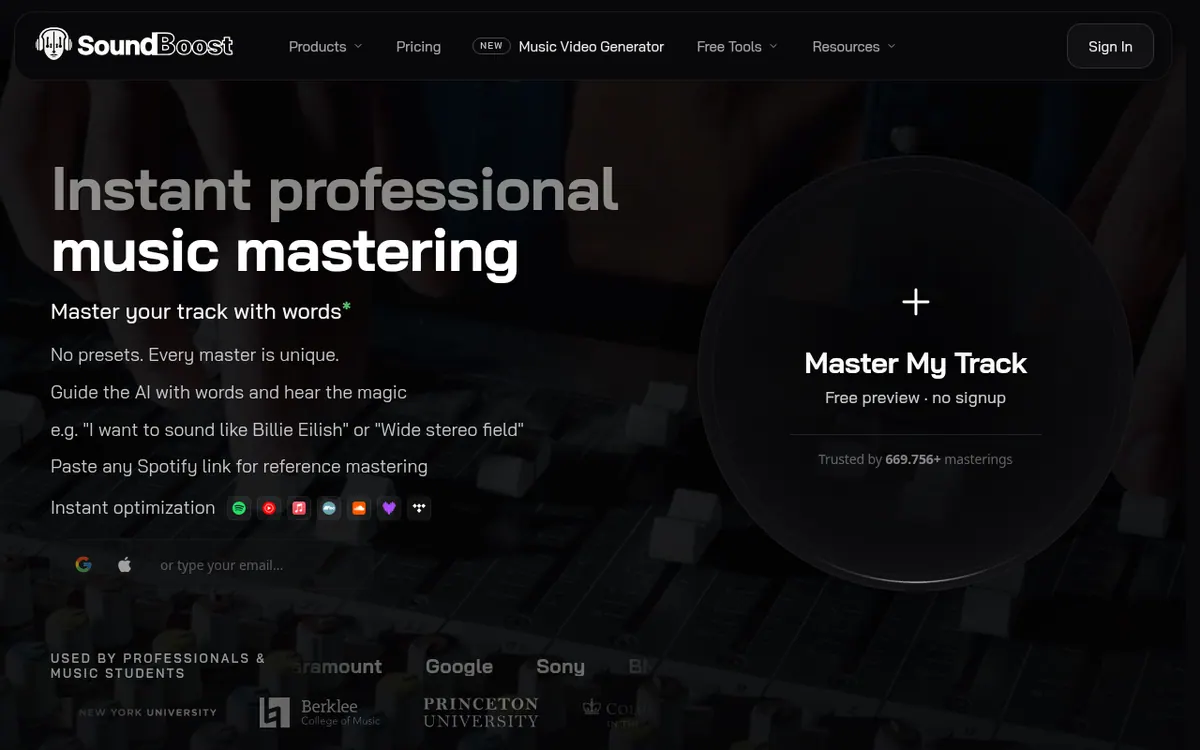
Masters an uploaded song from a text description or a Spotify reference track, and also splits stems and removes vocals.
SoundBoost.ai is an online service for mastering music tracks with AI. It runs in the browser, so nothing needs to be downloaded or installed as a plugin. The vendor also lists iOS and Android apps for working away from a desktop.
Mastering can be steered with plain-language text prompts. You can also link a Spotify song as a reference, or pick one of six AI mastering engineer personas: Default, Sophia, Alex, Marcus, Luna and Kai. Each master can be compared in A/B against earlier revisions. Finished tracks can be exported and converted to MP3, WAV, FLAC, OGG, AAC or M4A, in 16, 24 or 32-bit at 44.1 or 48k.
Other tools on the site include a stem splitter and vocal remover for vocals, drums, bass and instruments. A Loudness Penalty and Device Simulation tool previews how Spotify, YouTube, Apple Music, cars, laptops and phones would treat a mix. A music video generator outputs MP4 at 1080p with a commercial licence for YouTube and social media.
On pricing, the homepage says a free vocal remover and stem splitter are available. Unlimited includes unlimited mastering and stem splits, with 15 revisions per track. Unlimited Plus adds bulk mastering, unlimited revisions, full-length previews, drum separation, piano and guitar stems and a priority queue, but no price is shown for it. The vendor says it does not train its AI on user music. The site is operated by DIKTATORIAL Inc.
- AI mastering guided by natural-language prompts
- Spotify song as a reference for mastering
- Six selectable AI mastering engineer personas
- Stem splitter and vocal remover
- A/B comparison against earlier revisions
- Export to MP3, WAV, FLAC, OGG, AAC or M4A
- Loudness Penalty and Device Simulation preview
- Music video generator with 1080p MP4 output
Good for / Not for
Good for
- Musicians and bedroom producers who want to steer a master with words
- Artists who want to match a reference track's loudness, width and tone
- Producers who need stems or acapellas for remixing and practice
Not for
- Teams that need an API, since none is mentioned on the pages
- Users who want a permanent free plan, since the pricing page lists only a paid subscription
How to start
Upload a track on the homepage and try the free preview, which needs no signup. source
Describe the sound in a prompt or paste a Spotify link as a reference, then compare revisions with A/B. source
Choose monthly ($24) or yearly ($6 per month) billing for Unlimited Plus to unlock the full feature set. source
Limits and gotchas
From the official site and docs of SoundBoost.ai, checked on November 2, 2026.
Pros and cons
Pros
- Runs in the browser with no downloads or plugins, and iOS and Android apps are also listed
- Mastering can be guided by text prompts, a linked Spotify reference or one of six engineer personas
- A free vocal remover and stem splitter are offered, and memberships include unlimited mastering credits
- Loudness Penalty and Device Simulation preview plus export to MP3, WAV, FLAC, OGG, AAC or M4A
- Vendor states it does not train its AI on user music
Cons
- Unlimited allows 15 revisions per track; unlimited revisions need Unlimited Plus
- No price is published for Unlimited Plus
Our take
SoundBoost.ai suits musicians and producers who want to master tracks in a browser or phone app and steer the result with text prompts, a Spotify reference or a chosen engineer persona. The loudness preview and format export cover the checks that come before release. The trade-offs are on the pricing side. Unlimited caps revisions at 15 per track, so heavy iterators may need Unlimited Plus. Anyone who needs an API or desktop software will find neither mentioned on the official pages.
Comparisons and lists with SoundBoost.ai
Coming soon
Coming soon — we are writing comparisons that include SoundBoost.ai.
SoundBoost.ai pricing
Prices not verified — the official pricing could not be confirmed; check the vendor's site: official pricing page.
Frequently asked questions
Which devices can I use it on?
It runs in a web browser with no downloads or plugins, and the homepage also mentions an iOS and Android app.
Does it train its AI on my music?
The vendor states on its homepage that it does not train its AI on your music.
How many revisions do I get per track?
The Unlimited plan includes 15 revisions per track. Unlimited Plus is listed with unlimited revisions.
Recently verified in AI Music
 Suno
 Mubert
 Udio
 AIVA
Add an AGIPicks badge to your site
The badge shows SoundBoost.ai’s verification status on AGIPicks and links to this page. Light/dark and compact versions: badges.

Suggest an update
Wrong price, outdated fact or a tool that shut down? Are you the vendor and disagree with this page? Tell us, ideally with a link to the official page. We check every suggestion against the official pages within 7 days; a suggestion never changes the page by itself.