Aider review: Terminal pair programming with LLMs for new or existing codebases
Terminal pair programming with LLMs for new or existing codebases
Prices not verified.
Not yet verified · How we verifySuggest an update
Partner link: we may earn a commission at no extra cost to you. It never changes our order or verdicts. Affiliate disclosure
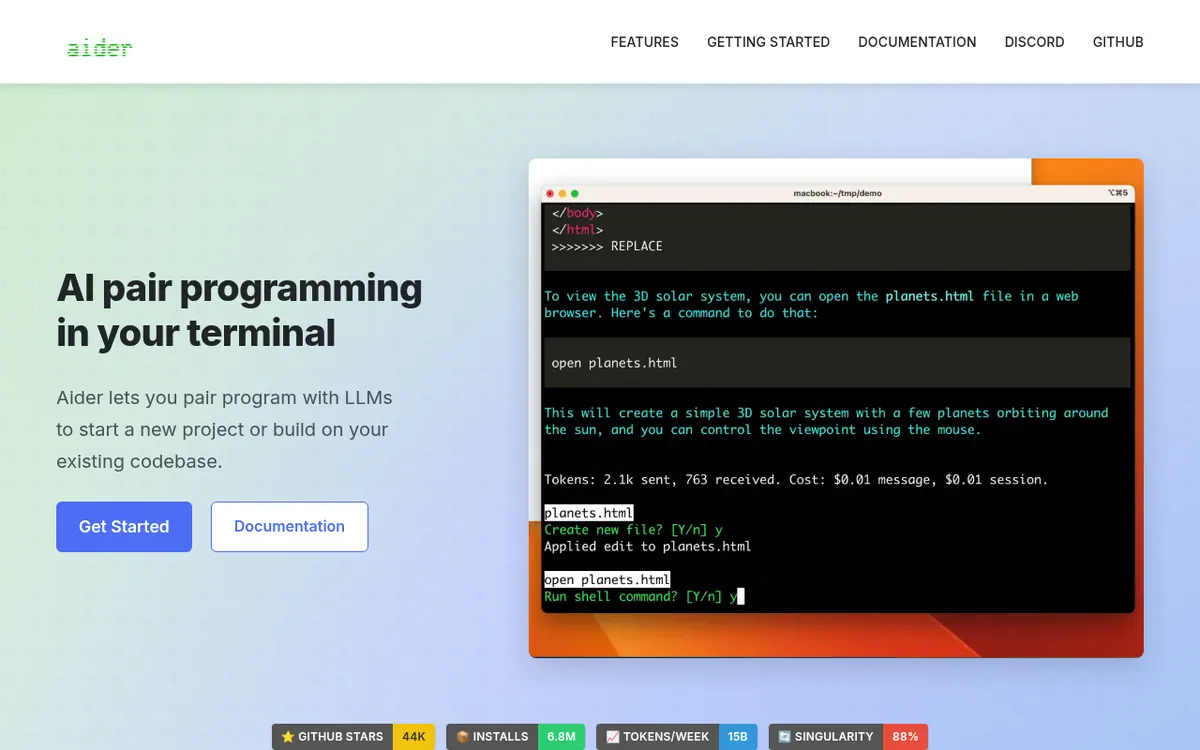
What Aider does
Aider is a terminal-based tool for pair programming with large language models. You start it from inside a project directory and can use it to begin a new project or to extend code that already exists.
The vendor says it builds a map of the whole codebase to help in larger projects, and that it handles 100+ code languages, with python, javascript, rust, ruby and go named as examples. Changes are committed to git automatically with commit messages, so the usual git tools can show diffs and undo what the AI did.
Other listed abilities include use from an IDE or editor through comments in your code, adding images and web pages to the chat as context, voice requests for features, tests or bug fixes, and automatic linting and testing after edits, with fixes for problems those tools detect. A copy/paste mode also lets it work with an LLM through its browser chat.
Aider connects to cloud models and almost any other LLM, including local ones. The getting-started commands install it through pip and pass a provider API key on the command line.
- Cloud and local LLM support
- Codebase map for larger projects
- 100+ code languages
- Automatic git commits
- Use from an IDE via code comments
- Images and web pages as context
- Voice-to-code requests
- Automatic linting and testing
- Copy/paste to LLM web chat
Pros and cons
Pros
- Connects to several cloud LLMs and to local models
- Builds a map of the whole codebase to help in larger projects
- Commits each change to git automatically, so edits can be diffed and undone
- Runs linting and testing after changes and can fix reported problems
- Supports 100+ code languages plus voice, image and web page input
Cons
- Terminal-first workflow may not suit people who want a graphical app
- Setup examples require supplying your own model provider API key
- Supported platforms and usage limits are not stated on the official pages
Our take
Aider suits developers who already work in a terminal and with git and want an assistant that edits real project files and records each change as a commit. Support for local models helps if you do not want to depend on one provider. People who want a graphical app or a clearly priced subscription may find it a weaker match.
Comparisons and lists with Aider
Coming soon
Coming soon — we are writing comparisons that include Aider.
Aider pricing
Prices not verified — the official pricing could not be confirmed; check the vendor's site: official website.
Frequently asked questions
How does Aider handle changes to my code?
It commits changes automatically with commit messages, and you can use familiar git tools to diff, manage and undo the AI changes.
How do I install it?
The homepage shows running python -m pip install aider-install, then aider-install, changing into your project directory, and starting aider with a model and an API key.
Can I use it inside my editor?
The homepage says you can use aider from within your IDE or editor and ask for changes by adding comments to your code.
Can it work with local models?
Yes. The homepage says it can connect to almost any LLM, including local models.
Recently verified in Automation & AI Agents
 Forethought Verified Nov 2, 2026
 Hippocratic AI Verified Nov 2, 2026
 Inngest Verified Nov 2, 2026
 Kolo AI Verified Nov 2, 2026
 Mercury Verified Nov 2, 2026
 MindStudio Verified Nov 2, 2026
Add an AGIPicks badge to your site
The badge shows Aider’s verification status on AGIPicks and links to this page. Light/dark and compact versions: badges.

Suggest an update
Wrong price, outdated fact or a tool that shut down? Are you the vendor and disagree with this page? Tell us, ideally with a link to the official page. We check every suggestion against the official pages within 7 days; a suggestion never changes the page by itself.