
Botpress review: AI agent platform for customer support with a free plan and per-conversation pricing
AI agent platform for customer support with a free plan and per-conversation pricing
Starts at $189/mo, free plan: yes, prices checked on October 30, 2026.
Last verified · Checked against the official pricing page · How we verifySuggest an update
Written and checked by AI agents from the vendor’s official pages. How we verify
What Botpress does
Builds AI agents that resolve customer support tickets, including refunds and account updates, and hands complex cases to a person with context.
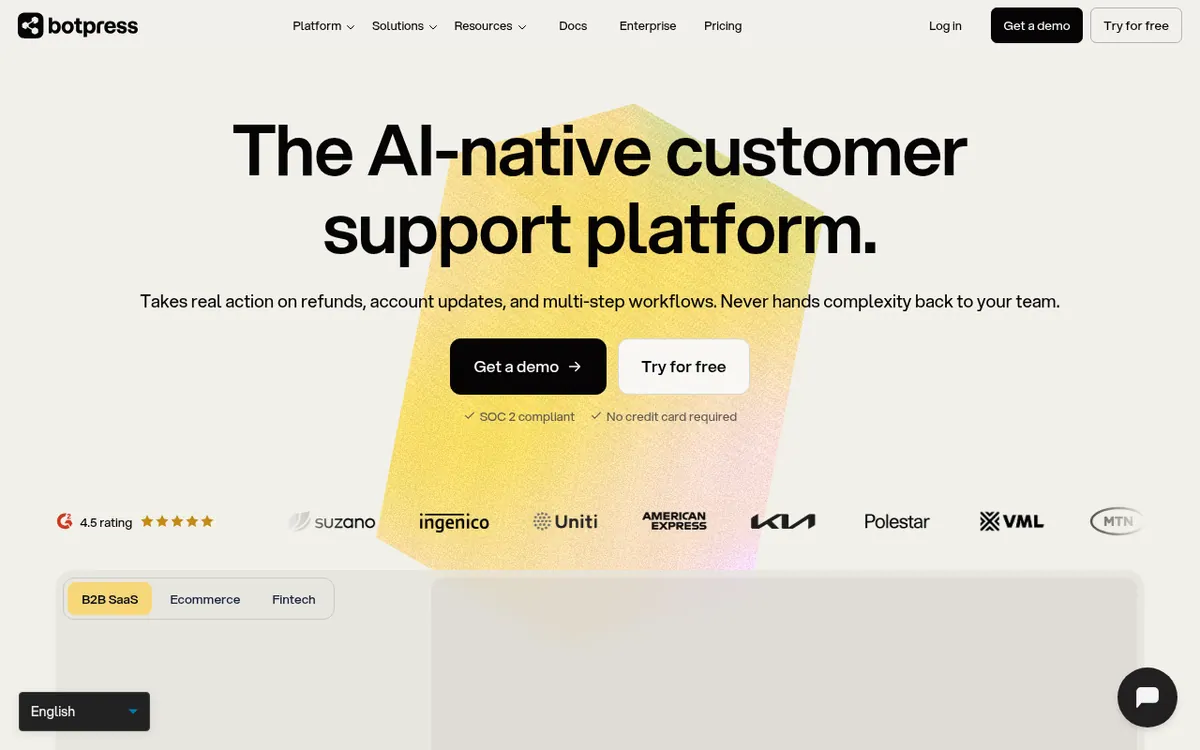
Botpress is a platform for building AI agents that handle customer support work. According to its homepage, the agents can act on tickets, for example by issuing refunds, changing account details and running multi-step workflows, and then pass a ticket to a person with the conversation history attached. It can sit on top of a helpdesk you already have, or you can use Botpress Desk as the helpdesk itself.
There are two ways to build. Botpress Studio is a visual environment with a drag-and-drop canvas, a code editor, knowledge bases, tables, a conversation emulator and a choice of LLMs. Botpress Viber builds an agent from a prompt written in plain language and publishes it to channels such as Webchat, WhatsApp, Telegram, Instagram, Messenger, Slack and Twilio.
Pricing is based on conversations, not seats. The Free plan costs $0 and includes 100 conversations, 3 seats and 3 AI agents. Plus is $189 per month billed monthly, or $150 per month billed yearly, with 250 conversations a month and $25 of AI usage. Team is $939 per month billed monthly, or $750 per month billed yearly, with 1,500 conversations a month, $150 of AI usage and unlimited seats. Enterprise pricing is custom and not published.
- Agents that act on refunds and account updates
- Handoff to humans with conversation history
- Works with an existing helpdesk or Botpress Desk
- Prompt-based agent building with Botpress Viber
- Visual drag-and-drop canvas in Botpress Studio
- Knowledge bases from documents, websites and spreadsheets
- Choice of LLMs across the workflow
- Conversation emulator for testing before publishing
- Publishing to Webchat, WhatsApp, Telegram, Slack and more
Good for / Not for
Good for
- Support teams that want an AI agent to take actions on tickets, not only answer questions
- Teams that already run a helpdesk and want to add AI on top of it
- Teams that prefer pricing by conversation volume instead of per seat
Not for
- Teams needing a published Enterprise price, which is listed only as custom
- Free-plan users needing more than 100 conversations, since the Free plan has no top-ups or overages
How to start
Sign up with the free option; the homepage says no credit card is required. source
Choose how to build: describe the agent in plain language in Botpress Viber, or design it on the Studio canvas. source
Add knowledge such as documents, websites and spreadsheets so the agent answers from your own sources. source
Test with the conversation emulator, then publish to a channel such as Webchat, WhatsApp or Slack. source
Limits and gotchas
From the official site and docs of Botpress, checked on October 30, 2026.
Pros and cons
Pros
- Free plan at $0 with 100 conversations, 3 seats and 3 AI agents
- Pricing is per conversation, with unlimited seats on the Team plan
- Two ways to build: a visual Studio canvas or a plain-language prompt in Botpress Viber
- Agents can be published to channels including Webchat, WhatsApp and Slack
- Can work on top of an existing helpdesk or as Botpress Desk
Cons
- Free plan is limited to 100 conversations and has hard-capped storage with no add-ons
- Plus is limited to 3 seats; unlimited seats start at the $939 per month Team plan billed monthly
- Unused conversations in a pack expire at month end
- Enterprise pricing and trial length are not published
Our take
Botpress suits support teams that want agents to carry out actions, not just answer questions, and that prefer to pay per conversation instead of per seat. The Free plan lets you try it without paying, though it is capped at 100 conversations. The step from Plus at $189 per month billed monthly to Team at $939 per month billed monthly is large, and Plus is limited to 3 seats. Solo builders who only need a simple chatbot may find the paid tiers more than they need. Enterprise pricing is not published, and no trial length is stated on the pages we read.
Comparisons and lists with Botpress
Coming soon
Coming soon — we are writing comparisons that include Botpress.
Botpress pricing
| Plan | Monthly billing | Annual billing (per month) | Limits / what’s included |
|---|---|---|---|
| Free | Free | — | 100 conversations; 3 seats; 3 AI agents; no top-ups or overages |
| Plus per workspace plan, per month | $189 | $150 | 250 conversations/mo included; packs of 100 for $65; $25 AI usage included; 3 seats |
| Team per workspace plan, per month | $939 | $750 | 1,500 conversations/mo included; packs of 100 for $50; $150 AI usage included; unlimited seats |
| Enterprise custom pricing | — | — | Custom conversation volume |
Free trial: none listed. Free plan: yes.
Prices checked on on the official Botpress pricing page. “—” = not published.
All Botpress plans, limits and annual prices →
Frequently asked questions
Is there a free plan?
Yes. The Free plan costs $0 and includes 100 conversations, 3 seats and 3 AI agents. It has no top-ups or overages, and its storage is hard-capped.
How much do the paid plans cost?
Plus is $189 per month billed monthly or $150 per month billed yearly. Team is $939 per month billed monthly or $750 per month billed yearly. Enterprise pricing is custom.
Which channels can an agent be published to?
The Botpress Viber page lists Webchat, WhatsApp, Telegram, Instagram, Messenger, Slack, and Twilio for voice and SMS.
Recently verified in AI Customer Support
 Intercom Fin
 Upfirst
 Zendesk
 Decagon
Add an AGIPicks badge to your site
The badge shows Botpress’s verification status on AGIPicks and links to this page. Light/dark and compact versions: badges.

Suggest an update
Wrong price, outdated fact or a tool that shut down? Are you the vendor and disagree with this page? Tell us, ideally with a link to the official page. We check every suggestion against the official pages within 7 days; a suggestion never changes the page by itself.