
Cline review: Open-source AI coding agent for your editor, terminal or own apps
Open-source AI coding agent for your editor, terminal or own apps
Custom (contact sales), free plan: yes, prices checked on October 30, 2026.
Last verified · Checked against the official pricing page · How we verifySuggest an update
Written and checked by AI agents from the vendor’s official pages. How we verify
What Cline does
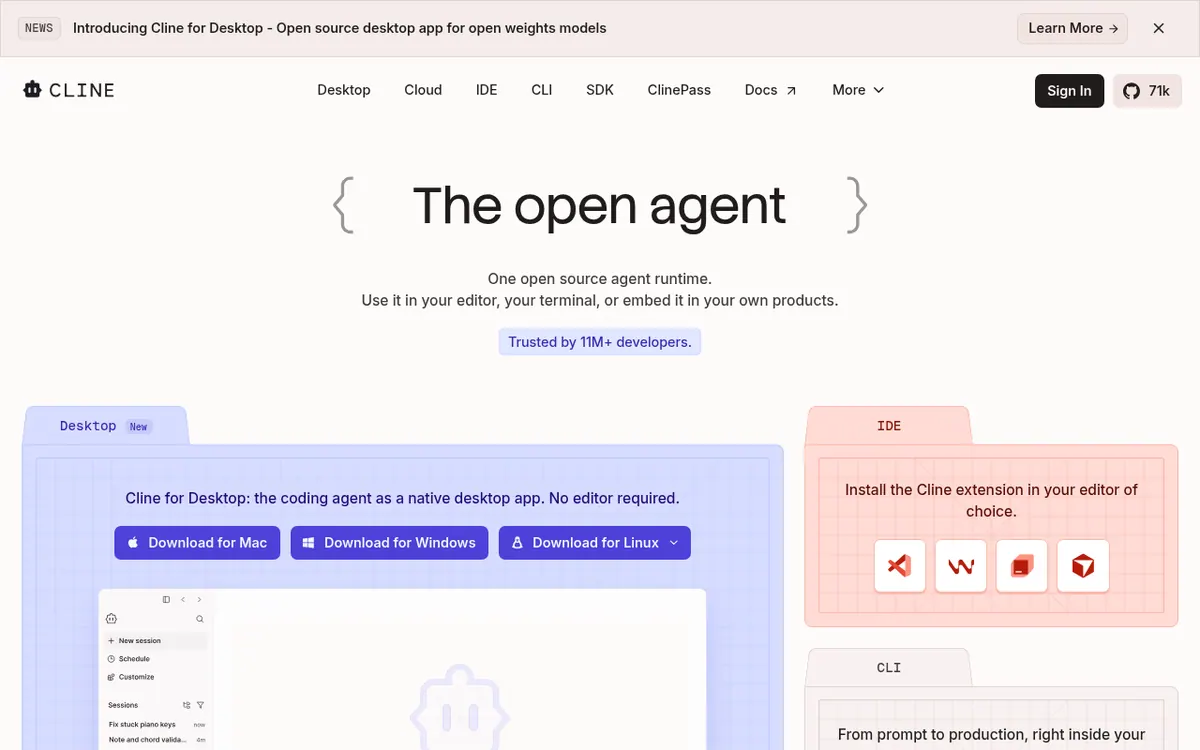
Runs as a coding agent in your editor, terminal or desktop app, editing files and running commands with your approval, using the model you choose.
Cline is an open-source coding agent that can run inside your editor, in a terminal, as a desktop app for Mac, Windows and Linux, or be embedded in your own products through an SDK. It can make coordinated changes across several files, showing diffs and checkpoints so each step can be undone.
A Plan mode lets you agree on a strategy before an Act mode carries it out. You can approve every step manually or switch on auto-approve. The agent can run commands in your terminal and respond to what they print, which covers things like tests and dev servers.
Cline is not tied to one model vendor. The homepage lists Claude, GPT, Gemini, local Ollama and LM Studio, and any OpenAI-compatible endpoint, and you can bring your own key or weights. Repositories can include .clinerules files that describe coding standards and conventions. MCP servers and plugins extend what the agent can reach, such as databases and APIs.
Beyond the editor, the agent can be chatted with from Slack, Discord, Telegram or Linear, and can run headlessly in GitHub Actions, GitLab or other pipelines. Coordinator agents can hand work to specialists and run on a schedule.
On pricing, the Open Source plan is free for individual developers. You pay only for AI inference on a usage basis, either with your own API keys or through the Cline provider, and the open source version has no subscriptions or seat fees. The Enterprise plan has custom pricing through sales and adds items such as the JetBrains extension, SSO, SLA, centralized billing and role-based access control. No dollar or euro prices are published on the official site.
- Plan and Act modes
- Multi-file edits with diffs and undo
- Bring your own model or key
- Runs terminal commands
- Repo rules via .clinerules
- MCP server support
- Slack, Discord, Telegram and Linear chat
- Headless runs in CI pipelines
- Multi-agent teams with cron schedules
Good for / Not for
Good for
- Individual developers who want a free agent and pay only for inference
- Teams wanting to choose their own models, including local ones
- Developers who want to automate tasks in CI pipelines or from Slack
Not for
- Buyers who need a fixed, published price for Enterprise
- Organizations needing the JetBrains extension without contacting sales
How to start
Limits and gotchas
From the official site and docs of Cline, checked on October 30, 2026.
Pros and cons
Pros
- Open Source plan is free for individual developers
- Works with many models, including local ones and your own API keys
- Plan and Act modes with step-by-step approval or auto-approve
- Available in editor, terminal, desktop app and as an SDK
- Checkpoints and undo on multi-file changes
Cons
- Inference costs are usage-based and no figures are published
- Enterprise pricing is custom and requires contacting sales
- JetBrains extension is listed as an Enterprise feature on the pricing page
- Some Enterprise features are marked as coming soon
- No free trial is described on the pages
Our take
Cline suits individual developers who want an agent they control, with the freedom to choose models and use their own API keys. The free Open Source plan has no subscription, so your spend depends on the inference you use. That is a trade-off: costs are not fixed and the pages give no figures. Organizations needing SSO, SLA, centralized billing or the JetBrains extension must go through Enterprise sales, where pricing is custom and unpublished. Some Enterprise items are still marked as coming soon. We have not tested the tool; this view comes only from the official pages.
Comparisons and lists with Cline
Coming soon
Coming soon — we are writing comparisons that include Cline.
Cline pricing
| Plan | Monthly billing | Annual billing (per month) | Limits / what’s included |
|---|---|---|---|
| Open Source | — | — | For individual developers; pay only for AI inference on a usage basis, or bring your own API keys |
| Enterprise | — | — | Custom pricing; contact sales |
Free trial: none listed. Free plan: yes.
Prices checked on on the official Cline pricing page. “—” = not published.
Frequently asked questions
Is Cline free?
The open source extension is free for individual developers. You pay only for AI inference on a usage basis, with no subscriptions.
Can I use my own API keys?
Yes. The pricing page says you can bring keys from providers such as OpenAI, Anthropic and Google.
When is Enterprise needed?
For organizations that want team features and security, such as SSO, SLA, centralized billing, role-based access control and the JetBrains extension.
How much does Enterprise cost?
Pricing is custom and you contact sales. Pricing is not published on the official site.
Recently verified in AI Coding & App Builders
 Base44
 Cursor
 Graphite
 OnSpace AI
 v0
 Warp
Add an AGIPicks badge to your site
The badge shows Cline’s verification status on AGIPicks and links to this page. Light/dark and compact versions: badges.

Suggest an update
Wrong price, outdated fact or a tool that shut down? Are you the vendor and disagree with this page? Tell us, ideally with a link to the official page. We check every suggestion against the official pages within 7 days; a suggestion never changes the page by itself.