
Cursor review: Coding agent for desktop, terminal, web and Slack that plans, writes and reviews code
Coding agent for desktop, terminal, web and Slack that plans, writes and reviews code
Starts at $8/mo, free plan: yes, prices checked on November 2, 2026.
Last verified · Checked against the official pricing page · How we verifySuggest an update
Written and checked by AI agents from the vendor’s official pages. How we verify
What Cursor does
Coding agents plan, write and review code from a desktop editor, CLI, browser or Slack, and cloud agents can run tasks in parallel.
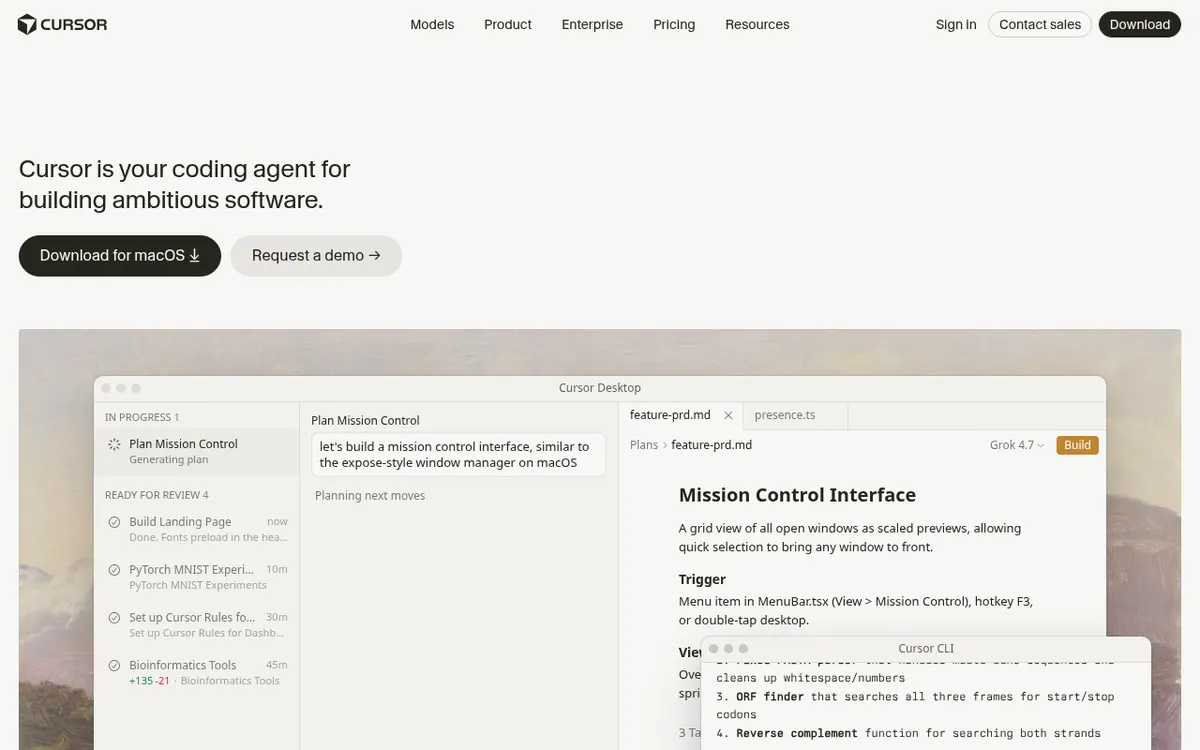
Cursor is a coding agent from Anysphere, Inc. You give it a task, and agents plan, write and review code while you decide direction. It is offered as a desktop editor, a command-line agent, a browser and phone interface for cloud agents, and as integrations such as Slack and GitHub pull request reviews.
The product pages describe agents that can run in parallel, cloud agents that build, test and demo work for you to review, subagents that explore a codebase, and a search feature called Instant Grep for large repositories. For complex jobs it asks clarifying questions and builds a plan first. It can run terminal commands in a sandbox by default, take @-mentions and images as context, and be extended with plugins, skills and MCP connections. Team rules let you teach it conventions. You can pick models from OpenAI, Anthropic, Gemini, SpaceXAI and Cursor.
Pricing starts with a Free plan at $0 per month with limited usage. Plus is $8 per month and covers Grok models only. Premium is $30 per month, Super is $100 and Ultra is $200, giving 4x, 15x and 50x the usage of Plus. Teams is listed at $30 +/user/month, and Enterprise is custom. Third-party models are billed separately by usage, and the allowance refreshes weekly.
- Delegate tasks to coding agents
- Cloud agents that build, test and demo
- Terminal CLI agent
- Slack and GitHub PR review integration
- Multi-model choice
- Instant Grep codebase search
- Plan mode with clarifying questions
- Plugins, skills and MCP connections
Good for / Not for
Good for
- Developers who want to hand whole coding tasks to agents and review the results
- Teams that want agents reachable from Slack and GitHub PR reviews
Not for
- Anyone needing third-party model usage included in the plan price
- Users looking for a free trial, since none is stated
How to start
Limits and gotchas
- Free plan has limited agent and Chat requests; the usage allowance refreshes weekly. source
- Third-party model usage is billed separately from plan prices. source
- Plus includes Grok models only. source
- Subscriptions are sold only directly; purchases from resellers are unauthorized and may be suspended. source
From the official site and docs of Cursor, checked on November 2, 2026.
Pros and cons
Pros
- Agents plan, write and review code, with cloud agents that build, test and demo work for review
- Works from desktop, CLI, browser or phone, plus Slack and GitHub PR reviews
- Lets you choose among models from OpenAI, Anthropic, Gemini, SpaceXAI and Cursor
- A Free plan at $0 per month allows trying it before paying
- Privacy mode is stated to keep code data from being used for training
Cons
- Free plan has limited agent and Chat requests
- Third-party models are billed separately from plan prices
- Plus is limited to Grok models only
- Pricing page mixes Grok and X features into plan lists, which can confuse comparison
- No free trial is mentioned, and only a macOS download is shown
Our take
Cursor suits developers and teams who want to delegate whole tasks to agents rather than only get inline suggestions, and who like switching between editor, terminal, Slack and browser. The tiered plans let an individual begin on the $0 Free plan and move up as agent use grows. It fits less well if you need predictable all-in costs: third-party models are billed separately, and usage is pooled and measured against Plus. The pricing page also mixes Grok and X features into the plan lists, which makes comparison harder. Only a macOS download is shown on the pages we read, and no trial is mentioned.
Comparisons and lists with Cursor
Coming soon
Coming soon — we are writing comparisons that include Cursor.
Cursor pricing
| Plan | Monthly billing | Annual billing (per month) | Limits / what’s included |
|---|---|---|---|
| Free per month | Free | — | Limited AI usage; limited agent requests and limited Chat requests |
| Plus per month | $8 | — | Shared AI usage pool; only Grok models are available on this plan |
| Premium per month | $30 | — | 4x more usage compared to Plus; third-party models billed separately by usage |
| Super per month | $100 | — | 15x more usage compared to Plus; third-party models billed separately by usage |
| Ultra per month | $200 | — | 50x more usage compared to Plus; third-party models billed separately by usage |
| Teams per user, from (listed as $30 +/user/month) | $30 | — | 4-50x Plus pooled usage |
Free trial: none listed. Free plan: yes.
Prices checked on on the official Cursor pricing page. “—” = not published.
All Cursor plans, limits and annual prices →
Frequently asked questions
Does Cursor have a free plan?
Yes. The Free plan costs $0 per month and includes limited AI usage, with limited agent requests and limited Chat requests.
How much do the paid plans cost?
Plus is $8 per month, Premium $30, Super $100 and Ultra $200. Teams is listed at $30 +/user/month and Enterprise is custom. Prices exclude taxes.
Are third-party models included in the plan price?
No. Third-party model usage in Cursor is billed separately by usage and is not part of the monthly prices shown.
Where can I use Cursor?
The pages describe a desktop editor, a CLI, cloud agents in the browser or on a phone, a native iOS app in public beta, and Slack and GitHub integrations.
Is my code used for training?
The pricing page says that with privacy mode enabled, code data is guaranteed not to be used for training by Cursor or its model providers.
Recently verified in AI Coding & App Builders
 Base44
 Graphite
 OnSpace AI
 v0
 Warp
 Windsurf
Add an AGIPicks badge to your site
The badge shows Cursor’s verification status on AGIPicks and links to this page. Light/dark and compact versions: badges.

Suggest an update
Wrong price, outdated fact or a tool that shut down? Are you the vendor and disagree with this page? Tell us, ideally with a link to the official page. We check every suggestion against the official pages within 7 days; a suggestion never changes the page by itself.