
ConnectWise review: IT service, endpoint and security tools for MSPs and IT teams; quote-based pricing
IT service, endpoint and security tools for MSPs and IT teams; quote-based pricing
Not published, free plan: no, free trial: Free trials are offered; length not stated, prices checked on October 29, 2026.
Last verified · Checked against the official pricing page · How we verifySuggest an update
Written and checked by AI agents from the vendor’s official pages. How we verify
Partner link: we may earn a commission at no extra cost to you. It never changes our order or verdicts. Affiliate disclosure
What ConnectWise does
Provides MSPs and IT teams with ticketing and billing (PSA), endpoint monitoring and patching (RMM), remote access, backup and security tools.
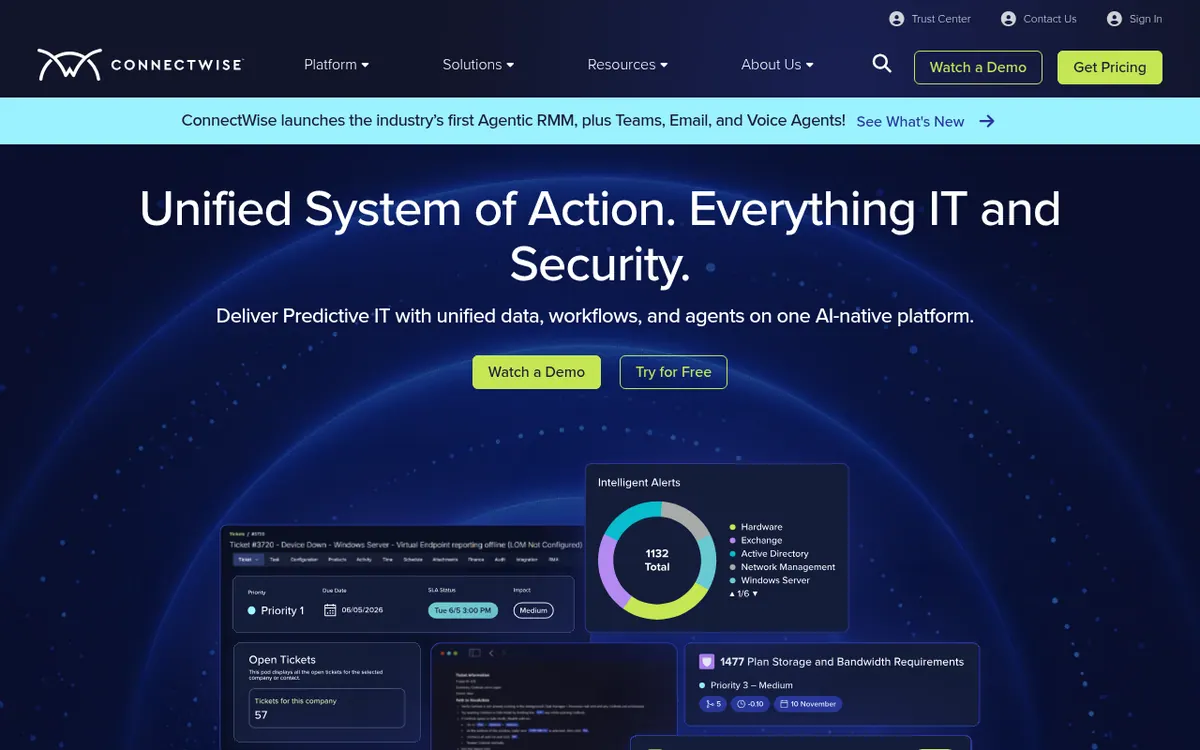
ConnectWise is a suite of IT management products aimed at managed service providers (MSPs) and in-house IT teams. The official site groups it into endpoint management, service desk ticketing, backup, cybersecurity, remote access and AI workflows.
ConnectWise PSA covers tickets, time tracking, projects, sales, procurement and billing. It is sold in two packages: PSA Essentials for core service delivery, and PSA Pro, which adds sales and quoting, finance and contracts, procurement and inventory, and RPA Bot Automation. ConnectWise RMM handles monitoring, automated patching, alerts, remote troubleshooting through ScreenConnect, and scripting in PowerShell, bash and batch. The RMM page also says it offers an API library for pulling alerts, scripts, device data and ticket details into other tools.
Pricing is not published on the official site. The pricing page is a contact form where the vendor says it will reach out to learn about your needs. The site mentions free trials, including one for its AI agents, but gives no trial length. No free plan is stated, and the pages do not say which operating systems or devices the products run on.
- Automated patching
- Remote access with ScreenConnect
- PSA ticketing and time tracking
- Automated billing reconciliation
- RMM scripting in PowerShell, bash and batch
- SIEM and managed EDR
- Cloud and on-prem backup
- Open APIs for integrations
Good for / Not for
Good for
- MSPs that want ticketing, time tracking and billing in one PSA
- IT teams that need automated patching and scripted remediation across endpoints
- Providers that also want remote access and security tools from the same vendor
Not for
- Buyers who need public, self-serve pricing, since prices are given only on contact
- Anyone needing a stated free plan, as none appears on the pages
How to start
Limits and gotchas
From the official site and docs of ConnectWise, checked on October 29, 2026.
Pros and cons
Pros
- Covers PSA, RMM, remote access, backup and security under one vendor
- PSA offers two packages, Essentials and Pro, for different levels of business management
- RMM supports PowerShell, bash and batch scripting and open APIs for integrations
- Free trials are mentioned on the official site, including one for AI agents
Cons
- No prices are published; the pricing page is a contact form
- No free plan is stated on the official pages
- Trial length is not stated
- Supported platforms (web, mobile, desktop) are not listed on the pages reviewed
- RPA Bot Automation is tied to the higher PSA Pro package
Our take
ConnectWise suits MSPs and IT departments that want ticketing, endpoint management, remote access and security from one vendor rather than separate point tools. The PSA packages and the range of products let you start with one area and add others. The trade-offs are practical. Prices are only available through the sales team, so you cannot compare costs up front. The trial length is not stated, and no free plan is mentioned. The pages do not list supported platforms, so check those in a demo. Small teams wanting a quick self-serve tool with visible pricing may find the contact-sales route slower than they would like.
Comparisons and lists with ConnectWise
Coming soon
Coming soon — we are writing comparisons that include ConnectWise.
ConnectWise pricing
Pricing not published on the official site. Check ConnectWise’s website.
Free trial: Free trials are offered; length not stated. Free plan: no.
Prices checked on on the official ConnectWise pricing page. “—” = not published.
Frequently asked questions
How much does ConnectWise cost?
Pricing not published on the official site. The pricing page is a contact form where the vendor says it will reach out to understand your needs.
Is there a free trial?
The official site invites visitors to start a free trial, including one for its AI agents, and the RMM page has a Start a Free Trial button. No trial length is stated.
What are the PSA packages?
PSA Essentials covers core service delivery, time tracking, customer management and insights. PSA Pro adds sales and quoting, finance and contracts, procurement and inventory, and RPA Bot Automation.
Does ConnectWise RMM support scripting and APIs?
Yes. The RMM FAQ says it supports PowerShell, bash and batch scripts and integrates with ConnectWise products and third-party tools through open APIs.
Recently verified in Automation & AI Agents
 Forethought Verified Nov 2, 2026
 Hippocratic AI Verified Nov 2, 2026
 Inngest Verified Nov 2, 2026
 Kolo AI Verified Nov 2, 2026
 Mercury Verified Nov 2, 2026
 MindStudio Verified Nov 2, 2026
Add an AGIPicks badge to your site
The badge shows ConnectWise’s verification status on AGIPicks and links to this page. Light/dark and compact versions: badges.

Suggest an update
Wrong price, outdated fact or a tool that shut down? Are you the vendor and disagree with this page? Tell us, ideally with a link to the official page. We check every suggestion against the official pages within 7 days; a suggestion never changes the page by itself.