
Coursebox review: AI course builder that turns prompts or documents into courses, with an optional LMS
AI course builder that turns prompts or documents into courses, with an optional LMS
Prices not verified, free plan: yes.
Not yet verified · How we verifySuggest an update
Partner link: we may earn a commission at no extra cost to you. It never changes our order or verdicts. Affiliate disclosure
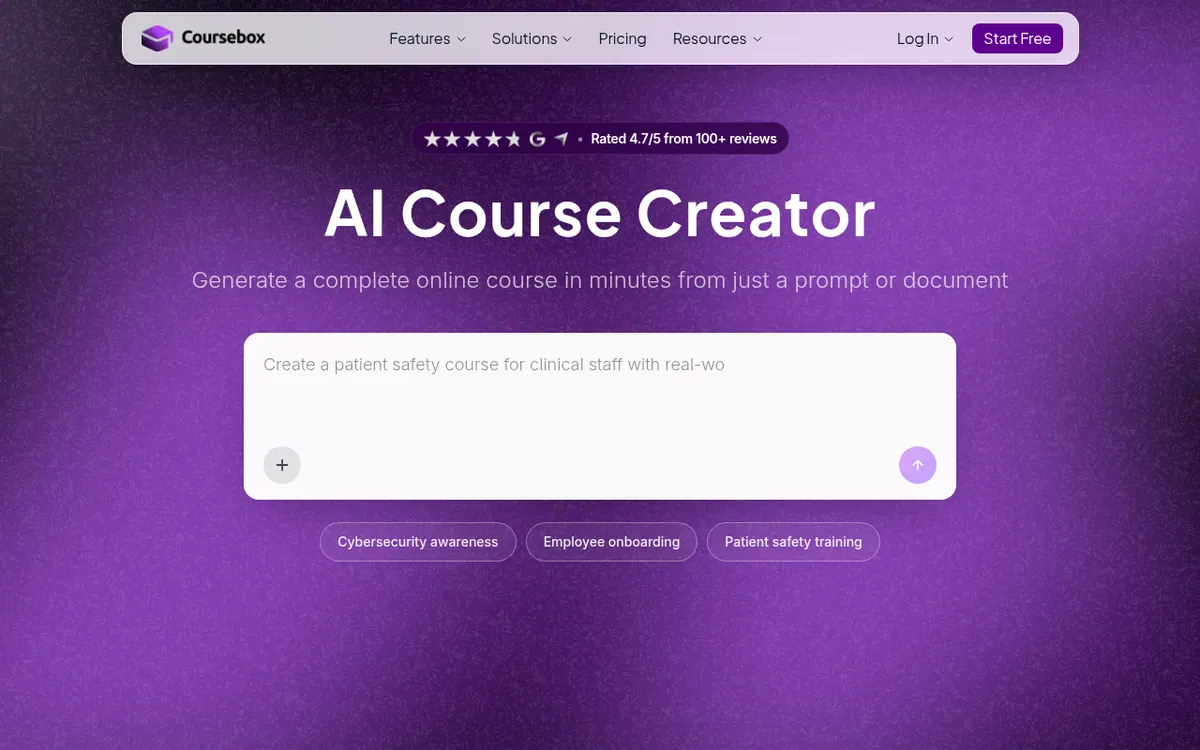
What Coursebox does
Coursebox is a course creation platform. You describe a topic or upload a PDF, Word or PowerPoint file, and the AI drafts a full course that you can then edit by hand or by chatting with it. Courses can include quizzes, presenter-led videos with a choice of 500+ avatars, branching scenarios, AI-generated images and an AI tutor trained on the course content.
Beyond authoring, the product covers delivery. You can export courses as SCORM or LTI for an existing LMS, sell them through payment providers such as Stripe or PayPal, and brand the learner experience with your own logo, colours and domain. Every plan, including the free one, allows unlimited learners.
Pricing is freemium. Enterprise is priced on request under an annual agreement with a minimum 2-year term and adds SSO, API access and an uptime SLA. Paid plans include allowances of AI page credits, images, tutor messages, video minutes and voice minutes.
- Document to course generation
- AI quiz and assessment creation
- AI presenter videos with avatars
- Branching scenarios
- AI tutor per course
- SCORM and LTI export
- Course selling with payment providers
- White-label branding and own domain
Official video
Document to course: turn any document into a course | Coursebox 2.4 live session · by Coursebox ·
The player loads only when you press play.
Pros and cons
Pros
- Builds courses from prompts or uploaded PDF, Word and PowerPoint files
- Covers quizzes, AI video, scenarios, images and an AI tutor in one tool
- SCORM and LTI export plus selling through Stripe, PayPal and others
- Self-serve plans can be cancelled anytime, according to the pricing page
Cons
- Free plan allows only 3 AI-generated courses and shows a Coursebox watermark
- Enterprise requires a signed agreement with a minimum 2-year term and SSO is a paid add-on
Our take
Coursebox suits trainers, creators and training teams who want to go from a document or idea to a draft course quickly, then deliver or sell it from the same place. The free plan lets you try the builder before paying, though its small course limit and watermark mean real use needs a paid plan. Costs rise with extra admin seats, and the branded LMS is a separate add-on on Pro. Enterprise buyers must accept a multi-year contract.
Comparisons and lists with Coursebox
Coming soon
Coming soon — we are writing comparisons that include Coursebox.
Coursebox pricing
Prices not verified — the official pricing could not be confirmed; check the vendor's site: official pricing page.
Frequently asked questions
Are learners limited?
No. The pages state unlimited learners on every plan, including Free.
Can I sell courses?
Yes. The homepage says you can sell on every plan, taking payments via Stripe, PayPal or Paystack, or through Shopify or WooCommerce.
Can I cancel a plan?
On self-serve plans, yes. The pricing page says you can cancel anytime from account settings. Enterprise is sold under a signed agreement with a minimum 2-year term.
Recently verified in AI Education
 LexPrep Verified Nov 2, 2026
 Speak Verified Nov 2, 2026
 ClickMeeting Verified Oct 30, 2026
 MagicSchool Verified Oct 30, 2026
- Quantt Verified Oct 30, 2026
 Talkio AI Verified Oct 29, 2026
Add an AGIPicks badge to your site
The badge shows Coursebox’s verification status on AGIPicks and links to this page. Light/dark and compact versions: badges.

Suggest an update
Wrong price, outdated fact or a tool that shut down? Are you the vendor and disagree with this page? Tell us, ideally with a link to the official page. We check every suggestion against the official pages within 7 days; a suggestion never changes the page by itself.