
DataSnipper review: Agentic audit and finance testing built around Excel, with traceable evidence
Agentic audit and finance testing built around Excel, with traceable evidence
Not published, free plan: no, prices checked on October 29, 2026.
Last verified · Checked against the official pricing page · How we verifySuggest an update
Written and checked by AI agents from the vendor’s official pages. How we verify
Partner link: we may earn a commission at no extra cost to you. It never changes our order or verdicts. Affiliate disclosure
What DataSnipper does
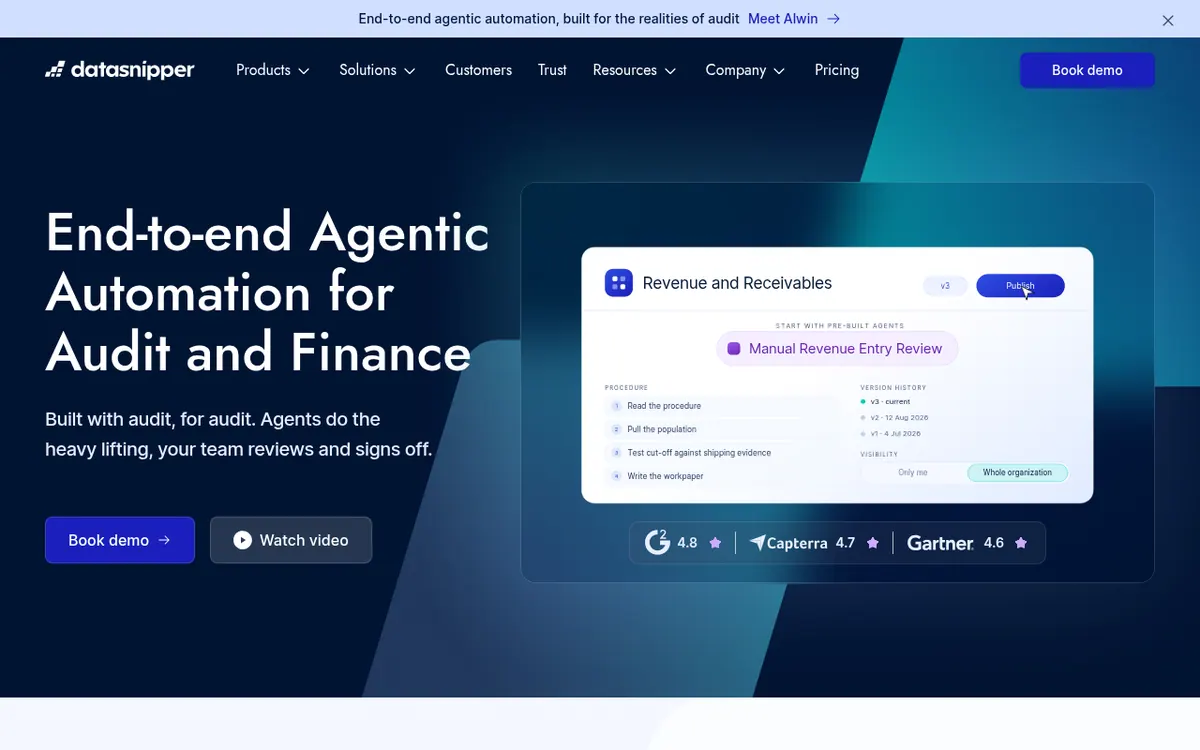
DataSnipper is a platform for audit and finance teams that automates evidence testing while people keep review and sign-off. It started in Excel and, through Alwin, now offers a second web-based surface for work that goes beyond spreadsheets.
The entry tier, Start, covers automated matching and extractions inside DataSnipper for Excel, including Document Matching, Form Extraction, Version Comparison, Single Sign On and Snips. Accelerate adds AI features such as Excel Agents, Disclosure Agents, DocuMine, AI Extractions, Agent Builder and prebuilt agents, plus integrations. Elevate lets agents run complete procedures in the cloud and adds Alwin, Planning Mode, Audit Workbench, Review Workflow and Client Spaces.
Agents work in the background and in parallel, so a reviewer can close the laptop and come back later. The vendor states that one task handles more than 500 documents and returns a workpaper whose snips point to the exact place in each source file. Two add-on modules exist: Financial Statement Suite and UpLink, the latter for collecting client documents.
The vendor describes the platform as SOC 2 compliant and says it does not train on customer data. Pricing is not published on the official site: the pricing page directs visitors to book a demo or contact sales, so no plan prices, free plan or trial are listed.
- Excel-based document matching and form extraction
- Excel Agents producing workpapers with source-linked snips
- Agent Builder for custom shared agents
- Prebuilt agents for audit and finance workflows
- Cloud agents running in parallel in the background
- Review notes on cells with agent rework
- UpLink client document requests
- Financial Statement Suite checks
Official video
Meet Alwin by DataSnipper · by DataSnipper ·
The player loads only when you press play.
Pros and cons
Pros
- Snips link each conclusion to the exact spot in the source document
- Agents run in the cloud in the background, so work continues while you are away
- Library of prebuilt agents plus Agent Builder for custom, shareable agents
- Vendor states SOC 2 compliance and no training on customer data
- Review notes go onto cells and the agent handles the rework
Cons
- No prices are published; the plans require a demo or sales contact
- No free plan or free trial is stated on the official pages
- Financial Statement Suite and UpLink are add-on modules
- The most automated features, such as Alwin, are only in the Elevate tier
- Pages do not list an API or specific operating systems
Our take
DataSnipper suits audit, tax, internal control and finance teams that already work in Excel and want automated testing where every conclusion links back to a source document. The agent library and the review workflow point to organizations that want governance around AI work, not just a chatbot. The trade-off is transparency on cost: no prices, free plan or trial are published, so budgeting starts with a sales conversation. The most automated features, including Alwin, sit in the Elevate tier, and Financial Statement Suite and UpLink are separate add-ons. Individuals or small teams who want to try a tool on their own before talking to anyone will not find a self-serve path on the official pages.
Comparisons and lists with DataSnipper
Coming soon
Coming soon — we are writing comparisons that include DataSnipper.
DataSnipper pricing
Pricing not published on the official site. Check DataSnipper’s website.
Free trial: none listed. Free plan: no.
Prices checked on on the official DataSnipper pricing page. “—” = not published.
Frequently asked questions
How much does DataSnipper cost?
Pricing is not published on the official site. The pricing page offers Start, Accelerate and Elevate and directs visitors to book a demo or contact sales.
Is there a free plan or free trial?
The official pages do not mention a free plan or a trial.
What is the difference between the tiers?
Start covers automated matching and extractions in Excel. Accelerate adds AI features such as Excel Agents, Disclosure Agents, DocuMine, AI Extractions and Agent Builder. Elevate adds Alwin, Planning Mode, Audit Workbench, Review Workflow and Client Spaces.
Does DataSnipper train AI on my data?
The vendor lists No training on your data among its security points and describes the platform as SOC 2 compliant.
How many documents can one task handle?
The Alwin page says a task handles more than 500 documents across any file type.
Recently verified in Automation & AI Agents
 Forethought Verified Nov 2, 2026
 Hippocratic AI Verified Nov 2, 2026
 Inngest Verified Nov 2, 2026
 Kolo AI Verified Nov 2, 2026
 Mercury Verified Nov 2, 2026
 MindStudio Verified Nov 2, 2026
Add an AGIPicks badge to your site
The badge shows DataSnipper’s verification status on AGIPicks and links to this page. Light/dark and compact versions: badges.

Suggest an update
Wrong price, outdated fact or a tool that shut down? Are you the vendor and disagree with this page? Tell us, ideally with a link to the official page. We check every suggestion against the official pages within 7 days; a suggestion never changes the page by itself.