
Dzine review: AI creative workspace for images, video and lip sync, built for creators and teams
AI creative workspace for images, video and lip sync, built for creators and teams
Starts at $8.99/mo, free plan: yes, prices checked on October 25, 2026.
Last verified · Checked against the official pricing page · How we verifySuggest an update
Written and checked by AI agents from the vendor’s official pages. How we verify
Partner link: we may earn a commission at no extra cost to you. It never changes our order or verdicts. Affiliate disclosure
What Dzine does
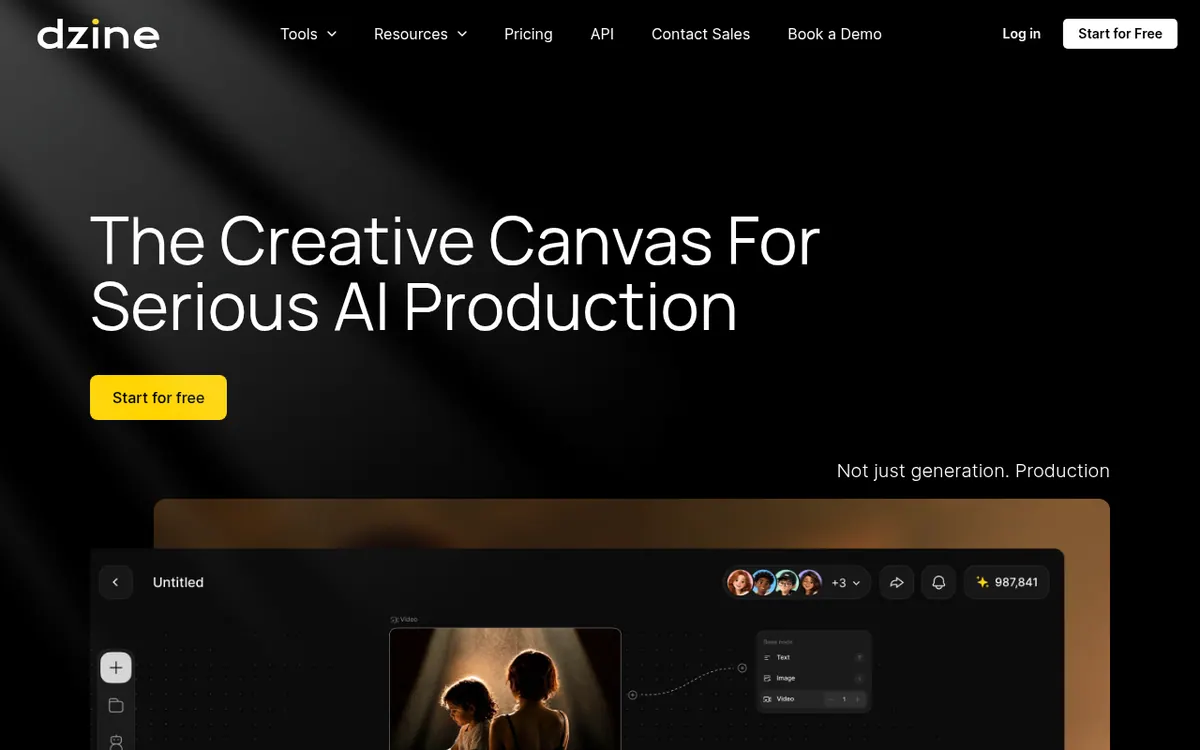
Dzine is an AI creative workspace where individuals and teams generate and edit images and videos in one place. Its tool menu covers image generation, text-to-video and image-to-video, lip sync, enhancement, and a range of photo filters. You can upload your own pictures as references to steer style, composition and characters, and build reusable character assets from a single reference.
For teams, the site describes shared canvases, shared asset libraries, member management and credit controls that admins can monitor. It also advertises a record of references, prompts, model choices, edits and contributors, plus checks that flag potential copyright, likeness or trademark risks.
Pricing is credit-based. Individual plans are Beginner at $8.99 per month billed monthly ($7 per month billed yearly), Creator at $24.99 per month billed monthly ($20 billed yearly), Master at $59.99 per month billed monthly ($50 billed yearly) and Master Pro at $149.99 per month billed monthly ($120 billed yearly). Team plans are priced per seat, starting with a Free tier at $0. New free users receive 100 Credits after sign-up, valid for 12 months. Master and Master Pro offer unlimited images under a Fair Usage Policy. Top-up Credits can be bought on Creator and above, subscription payments are non-refundable, and subscriptions renew automatically unless canceled.
- Image generation and editing
- Text-to-video and image-to-video creation
- Lip sync for speech on faces
- Image and video enhancement
- Reusable character assets
- Real-time team collaboration
- Record of prompts, models, edits and contributors
- Copyright, likeness and trademark risk flags
Pros and cons
Pros
- Image, video, enhancement and lip sync tools in one workspace
- Free sign-up credits (100 Credits) let you try it without paying
- Team features: shared asset library, member management, credit distribution
- Master and Master Pro include unlimited images under a Fair Usage Policy
- Annual billing lowers the monthly price on every individual plan
Cons
- Subscription payments are non-refundable
- Beginner has no credit rollover and cannot buy Top-up Credits
- Unlimited images are bound by a Fair Usage Policy
- Usage rights vary by tool, model, plan and content, so terms need review for commercial work
- Platforms, trial length and API details are not stated on the official pages
Our take
Dzine suits creators and small production teams who want image, video and lip sync tools in a single workspace and who value shared assets and credit oversight. The credit model means heavy video work is limited by the plan's monthly allowance, while the Master tiers add unlimited images under a Fair Usage Policy. It is less suited to anyone who needs refunds, since payments are non-refundable, or who needs commercial rights without checking terms, because the site says usage rights vary. The official pages do not list platforms, a trial length or API details, so confirm those before committing.
Comparisons and lists with Dzine
Coming soon
Coming soon — we are writing comparisons that include Dzine.
Dzine pricing
| Plan | Monthly billing | Annual billing (per month) | Limits / what’s included |
|---|---|---|---|
| Beginner per month | $8.99 | $7 | 1000 Credits / mo; Asset Library (10 GB); 8 Concurrent Jobs; no credit rollover |
| Creator per month | $24.99 | $20 | 6,000 Credits / mo; Asset Library (10 GB); 8 Concurrent Jobs; credit rollover up to 3 months |
| Master per month | $59.99 | $50 | 9,000 Credits / mo; Unlimited Images under Fair Usage Policy; Asset Library (100 GB); 15 Concurrent Jobs |
| Master Pro per month | $149.99 | $120 | 30,000 Credits / mo; Unlimited Images under Fair Usage Policy; Asset Library (200 GB); 18 Concurrent Jobs |
| Teams Free per seat | Free | $0 | Public Generation; Non-Commercial Use |
| Teams Creator per seat | $24.99 | $20 | 6,000 credits per seat/mo; 8 Concurrent Jobs per seat; Cloud storage space 3 TB |
| Teams Master per seat | $59.99 | $50 | 9,000 credits per seat/mo; 15 Concurrent Jobs per seat; Cloud storage space 50 TB |
Free trial: none listed. Free plan: yes.
Prices checked on on the official Dzine pricing page. “—” = not published.
All Dzine plans, limits and annual prices →
Frequently asked questions
Does Dzine have a free plan?
New free users receive 100 Credits after sign-up, valid for 12 months. The Teams section also lists a Free tier at $0 per seat per month, limited to public generation and non-commercial use.
How much do the individual plans cost?
Beginner is $8.99 per month billed monthly or $7 per month billed yearly. Creator is $24.99 monthly or $20 yearly. Master is $59.99 monthly or $50 yearly. Master Pro is $149.99 monthly or $120 yearly.
Do unused credits roll over?
Beginner has no rollover. Creator, Master and Master Pro roll over unused subscription Credits for up to 3 months.
Can I get a refund?
No. The pricing page says all subscription payments, monthly or annual, are non-refundable, and subscriptions renew automatically unless canceled.
Can I use Dzine for commercial work?
The site says usage rights may vary by tool, model, plan and content, so review the applicable terms before commercial delivery.
Recently verified in AI Image Generation
 Backlog by Nulab Inc Verified Nov 2, 2026
 Based Labs Verified Nov 2, 2026
- Ideogram Verified Nov 2, 2026
 Playground Verified Nov 2, 2026
 Recraft Verified Nov 2, 2026
 Krea Verified Oct 30, 2026
Add an AGIPicks badge to your site
The badge shows Dzine’s verification status on AGIPicks and links to this page. Light/dark and compact versions: badges.

Suggest an update
Wrong price, outdated fact or a tool that shut down? Are you the vendor and disagree with this page? Tell us, ideally with a link to the official page. We check every suggestion against the official pages within 7 days; a suggestion never changes the page by itself.