
Recraft review: AI image and vector generator with custom styles, mockups and editing tools
AI image and vector generator with custom styles, mockups and editing tools
Custom (contact sales), free plan: yes, prices checked on November 2, 2026.
Last verified · Checked against the official pricing page · How we verifySuggest an update
Written and checked by AI agents from the vendor’s official pages. How we verify
What Recraft does
Generates and edits images, editable vectors and mockups from text, with reusable custom styles and an API for developers.
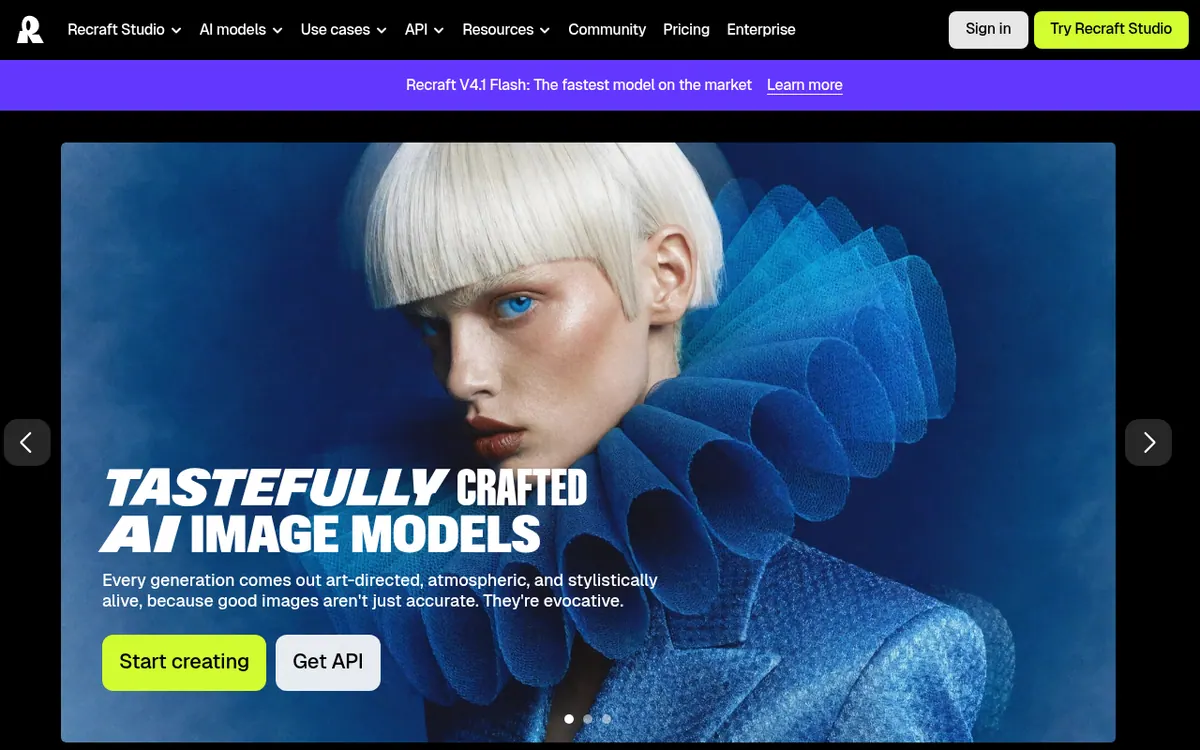
Recraft is an AI design platform built around image generation, with a particular focus on vector output. Its official pages describe a text-to-image model plus a studio where you can generate and edit images, vectors and mockups, using Recraft's own models and other third-party models. Listed tools include an image vectorizer, vector generator, photo editor, upscaler, background remover and AI eraser, and the site points to use cases such as logos, icons, ads, characters and stock images.
A notable feature is custom styles: you drop in your own images and Recraft turns them into a reusable, editable style. An API offers programmatic access to image and vector generation, editing, background removal, inpainting, outpainting and batch jobs, billed separately in API Units.
Pricing is freemium. The Free plan costs $0 and is for personal use only, with 3 generations per style per day, all images public and no commercial use. Basic is $10 per month billed yearly with 1,000 credits per month, commercial rights and private generations. Pro is $16 per month billed yearly with 2,000 credits per month and adds video generation. Teams is $18 per month per seat billed yearly, adding a shared workspace, SSO and 24/7 support. Prices exclude VAT, and the page says annual payment saves 20%. Subscription credits do not roll over, while top-up credits do not expire.
- Text-to-image generation
- Editable vector graphics generation
- Custom styles from your own images
- Mockup generator
- Image vectorizer, upscaler, background remover and AI eraser
- Access to third-party image models on paid plans
- Video generation on Pro
- API for image and vector generation and editing
Official video
Introducing V4 Styles · by Recraft ·
The player loads only when you press play.
Good for / Not for
Good for
- Designers who need editable vector graphics such as logos and icons
- Creators who want a reusable custom style built from their own images
- Teams needing a shared workspace with shared custom styles and SSO
- Developers building image or vector generation into their own tools via the API
Not for
- Commercial work on the Free plan, which has no commercial use and public images
- Buyers who need a published monthly-billing price, since the page shows only yearly-billing per-month prices
How to start
Start on the Free plan ($0), which gives limited free credits for exploring the features. source
Generate images in the studio, which also offers editing tools and a style library with custom style creation. source
Upgrade to Basic for commercial rights and private generations, or to Pro for video generation. source
For programmatic use, check the API; usage is billed in API Units per request. source
Limits and gotchas
- On the Free plan, you get only Recraft models, with a limit of 3 generations daily for each style, 3 daily image uploads, and a maximum of 2 images in every generation. source
- Subscription credits do not roll over; top-up credits never expire. source
- Credit costs vary by action and model used. source
- Displayed prices exclude VAT. source
- API Units are paid for in advance, and unless the law requires otherwise, they cannot be cancelled or refunded. source
From the official site and docs of Recraft, checked on November 2, 2026.
Pros and cons
Pros
- Generates editable vector graphics, not only raster images
- Custom styles can be built from your own uploaded images
- Paid plans include commercial rights and private generations
- Includes an API for image and vector generation, editing and batch jobs
- Pro adds video generation and Teams adds a shared workspace with SSO
Cons
- Free plan is limited: 3 generations per style per day, public images, no commercial use
- Subscription credits do not roll over between billing cycles
- Credit costs vary by action and model, so usage cost is hard to predict from the plan page
- Pricing page shows only yearly-billing per-month prices; monthly billing prices are not stated
- Teams pricing is per seat, and prices exclude VAT
Our take
Recraft suits designers, marketers and small teams who want vector-ready output and reusable custom styles in one place, and developers who need an API for image pipelines. The Free plan is enough to look around, but it is limited, public and not licensed for commercial work, so anyone producing client or business assets needs a paid plan. The pricing page shows only yearly-billing per-month prices, so monthly billing costs are not confirmed. Credit costs vary by action and model, which makes budgeting harder to predict from the plan page alone. Teams are billed per seat. Those who want only raster photography may not need the vector focus.
Comparisons and lists with Recraft
Coming soon
Coming soon — we are writing comparisons that include Recraft.
Recraft pricing
| Plan | Monthly billing | Annual billing (per month) | Limits / what’s included |
|---|---|---|---|
| Free | Free | — | Limited free credits; 3 generations per style per day; 3 image uploads daily; up to 2 images per generation; all images public; no commercial use; Recraft models only |
| Basic per month, billed annually | — | $10 | 1,000 credits per month; up to 20 images per generation; up to 5 parallel generations; commercial rights and private generations; credit top-ups |
| Pro per month, billed annually | — | $16 | 2,000 credits per month; video generation; up to 10 parallel generations for images and for video; credit top-ups |
| Teams per seat | — | $18 | 2,000 credits per month per seat; shared workspace; SSO; premium 24/7 support; credit top-ups |
Free trial: none listed. Free plan: yes.
Prices checked on on the official Recraft pricing page. “—” = not published.
All Recraft plans, limits and annual prices →
Frequently asked questions
Does Recraft have a free plan?
Yes. The Free plan costs $0 with limited free credits, 3 generations per style per day, public images and no commercial use.
How much do paid plans cost?
Basic is $10 per month billed yearly, Pro is $16 per month billed yearly, and Teams is $18 per month per seat billed yearly. Prices exclude VAT.
Can I use generated images commercially?
Paid plans grant commercial rights and keep images private. Free plan images are public and not licensed for commercial use.
Does Recraft offer an API?
Yes. It provides programmatic access to image and vector generation, editing, background removal, inpainting, outpainting and batch jobs, billed in API Units.
Do unused credits carry over?
Subscription credits reset each billing cycle and do not roll over. Top-up credits are bought separately and never expire.
Recently verified in AI Image Generation
 Backlog by Nulab Inc Verified Nov 2, 2026
 Based Labs Verified Nov 2, 2026
- Ideogram Verified Nov 2, 2026
 Playground Verified Nov 2, 2026
 Krea Verified Oct 30, 2026
- Leonardo.ai Verified Oct 30, 2026
Add an AGIPicks badge to your site
The badge shows Recraft’s verification status on AGIPicks and links to this page. Light/dark and compact versions: badges.

Suggest an update
Wrong price, outdated fact or a tool that shut down? Are you the vendor and disagree with this page? Tell us, ideally with a link to the official page. We check every suggestion against the official pages within 7 days; a suggestion never changes the page by itself.