
Hex review: AI analytics workspace where teams ask data questions in plain language
AI analytics workspace where teams ask data questions in plain language
Starts at $36, free plan: yes, free trial: 14-day free trial of the Team plan, no payment card required, prices checked on October 30, 2026.
Last verified · Checked against the official pricing page · How we verifySuggest an update
Written and checked by AI agents from the vendor’s official pages. How we verify
What Hex does
Lets people ask data questions in plain language and builds analyses and dashboards, with a governed context layer for AI answers.
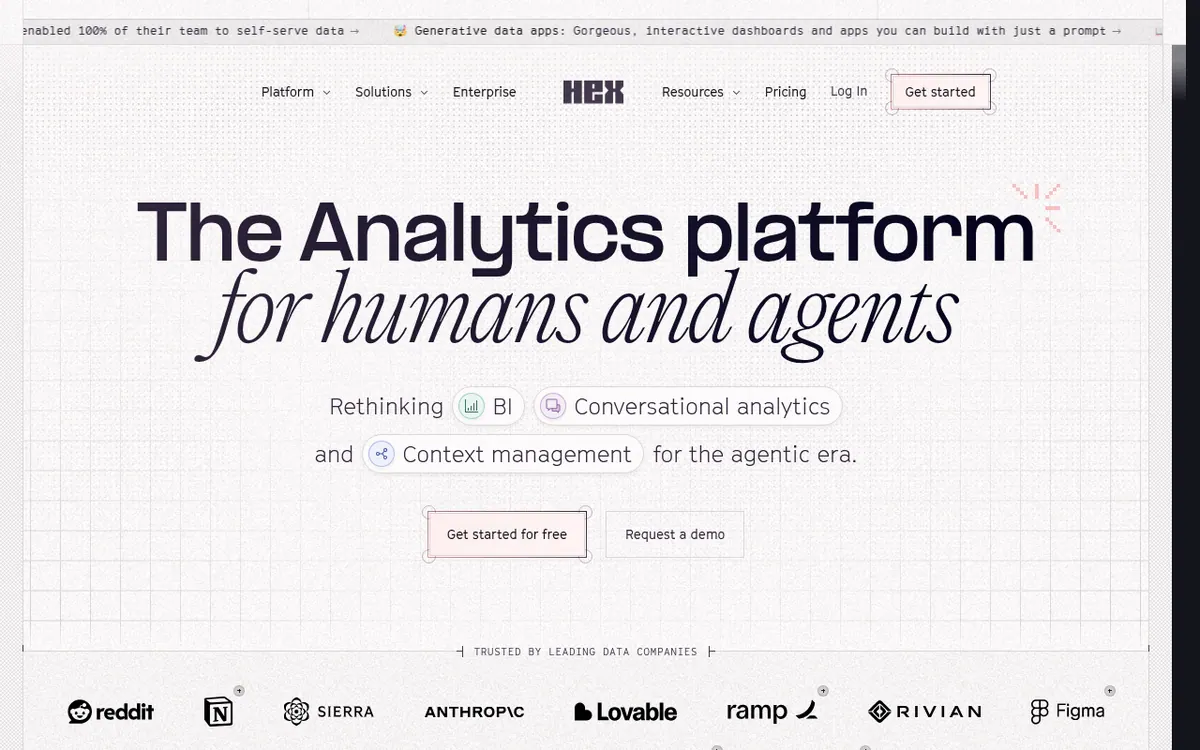
Hex is an analytics platform that combines notebooks, dashboards and AI agents in one workspace. Business users can ask questions in plain language, including from Slack or through an MCP server, while data practitioners can open the same work for deeper analysis. A context layer, managed through Context Studio, grounds the agent's answers in semantic models and business definitions, and data teams can observe what people are asking.
The product can build dashboards from a prompt, connects to common warehouses, lakehouses and databases, and can build semantic models natively or sync them from dbt MetricFlow, Snowflake Semantic Views and Cube. A public API is available for custom integrations, and projects can be exported to GitHub or GitLab. The vendor also says agents can migrate Tableau and Looker dashboards.
Pricing is freemium and per seat. Community is free. Professional costs $36 per Editor per month and Team costs $75 per Editor per month, both shown without a separate yearly price. Enterprise pricing is custom and goes through sales. Professional includes up to 5 published apps and 30-day version history, while Team has unlimited published apps. AI features use credits that come as monthly per-seat grants and do not roll over. The Team plan can be tried free for 14 days without a payment card.
- Plain-language questions on your data
- Context Studio for governing AI agent answers
- Slack and MCP access
- Dashboards built from a prompt
- Warehouse, lakehouse and database connections
- Semantic models, native or synced from dbt, Snowflake and Cube
- Tableau and Looker dashboard migration by agents
- Thread-level observability of token spend
- Export to GitHub or GitLab
- Public API
Official video
Introducing Generative Chart Controls · by Hex ·
The player loads only when you press play.
Good for / Not for
Good for
- Data teams that want business users to self-serve answers without SQL
- Teams that want to ask data questions from Slack or MCP-connected tools
- Teams moving from traditional BI dashboards who want agent help migrating them
Not for
- Teams needing a published Enterprise price up front, as it is custom
- Users wanting a yearly-billed price, as none is shown on the pricing page
How to start
Start on the free Community plan, which allows connecting any data source and a Hex agent trial. source
Connect Hex to your data warehouse and start working with it right away. source
The Team plan can be tried for 14 days at no cost, and you don't need to enter a payment card. source
To open a thread in Slack, mention @Hex; third-party tools can instead connect through the MCP server. source
Limits and gotchas
From the official site and docs of Hex, checked on October 30, 2026.
Pros and cons
Pros
- Free Community plan, so you can start without paying
- Plain-language questions through Hex, Slack or an MCP server
- Context Studio lets data teams see what is being asked and manage context
- Connects to dbt, Snowflake, BigQuery and Databricks, with a public API
- Team plan can be tried for 14 days without a payment card
Cons
- Professional and Team are priced per Editor, so costs grow with builders
- No yearly-billed price is shown on the pricing page
- Enterprise pricing is custom and not published
- Professional is capped at up to 5 published apps
- AI credits are monthly per-seat grants that do not roll over
Our take
Hex looks like a fit for data teams that want business users to self-serve through chat while the team keeps control of definitions and sees what is being asked. The per-Editor pricing and credit grants matter if many people need to build things, and the Enterprise price is not published. Teams that only need a small, simple charting tool may find the platform broader than needed. The pages also do not state any native mobile or desktop apps, so evaluate it as a web-and-integrations product, and confirm credit amounts with the vendor before committing.
Comparisons and lists with Hex
Coming soon
Coming soon — we are writing comparisons that include Hex.
Hex pricing
| Plan | Monthly billing | Annual billing (per month) | Limits / what’s included |
|---|---|---|---|
| Community | — | — | Hex agent trial, small compute, connect any data source, all cell types |
| Professional per Editor | $36 | — | Hex agent, standard credits, up to 5 published apps, 30-day version history, medium compute |
| Team per Editor | $75 | — | Extended credits, unlimited published apps, unlimited version history, scheduled runs and alerts |
| Enterprise | — | — | Custom pricing via sales; audit logs, premium credits, OIDC SSO, BYOK, dedicated support |
Free trial: 14-day free trial of the Team plan, no payment card required. Free plan: yes.
Prices checked on on the official Hex pricing page. “—” = not published.
All Hex plans, limits and annual prices →
Frequently asked questions
How much does Hex cost?
Community is free. Professional is $36 per Editor per month and Team is $75 per Editor per month. Enterprise pricing is custom through sales. The pricing page shows no separate yearly-billed price.
Is there a free trial?
Yes. The Team plan can be tried free for 14 days with no payment card required. After the trial you move to a paid plan or are downgraded to the free Community plan.
Can non-technical people use Hex without SQL?
According to the vendor, yes. Anyone can ask questions in plain language in Hex, Slack or through MCP and get AI-generated analysis without writing SQL or Python.
Are there discounts for students or non-profits?
Students and educators at universities and bootcamps can use the Professional plan for free. A discounted program exists for qualified non-profits; the vendor asks you to contact support.
How do credits work?
AI features consume credits based on the effort required. Professional and Team include monthly per-seat credit grants that refresh monthly and do not roll over, and add-on credits can be purchased.
Recently verified in AI Analytics & Data
 Akkio Verified Oct 30, 2026
- Julius AI Verified Oct 30, 2026
 Rows Verified Oct 30, 2026
 Simple Analytics Verified Oct 30, 2026
 C3 AI Verified Oct 29, 2026
 Two Minute Reports Verified Oct 24, 2026
Add an AGIPicks badge to your site
The badge shows Hex’s verification status on AGIPicks and links to this page. Light/dark and compact versions: badges.

Suggest an update
Wrong price, outdated fact or a tool that shut down? Are you the vendor and disagree with this page? Tell us, ideally with a link to the official page. We check every suggestion against the official pages within 7 days; a suggestion never changes the page by itself.