Leavo review: Leave, time tracking, shift planning and overtime in one HR platform for teams
Leave, time tracking, shift planning and overtime in one HR platform for teams
Custom (contact sales), free plan: no, free trial: 30-day free trial, no credit card, prices checked on October 26, 2026.
Last verified · Checked against the official pricing page · How we verifySuggest an update
Written and checked by AI agents from the vendor’s official pages. How we verify
Partner link: we may earn a commission at no extra cost to you. It never changes our order or verdicts. Affiliate disclosure
What Leavo does
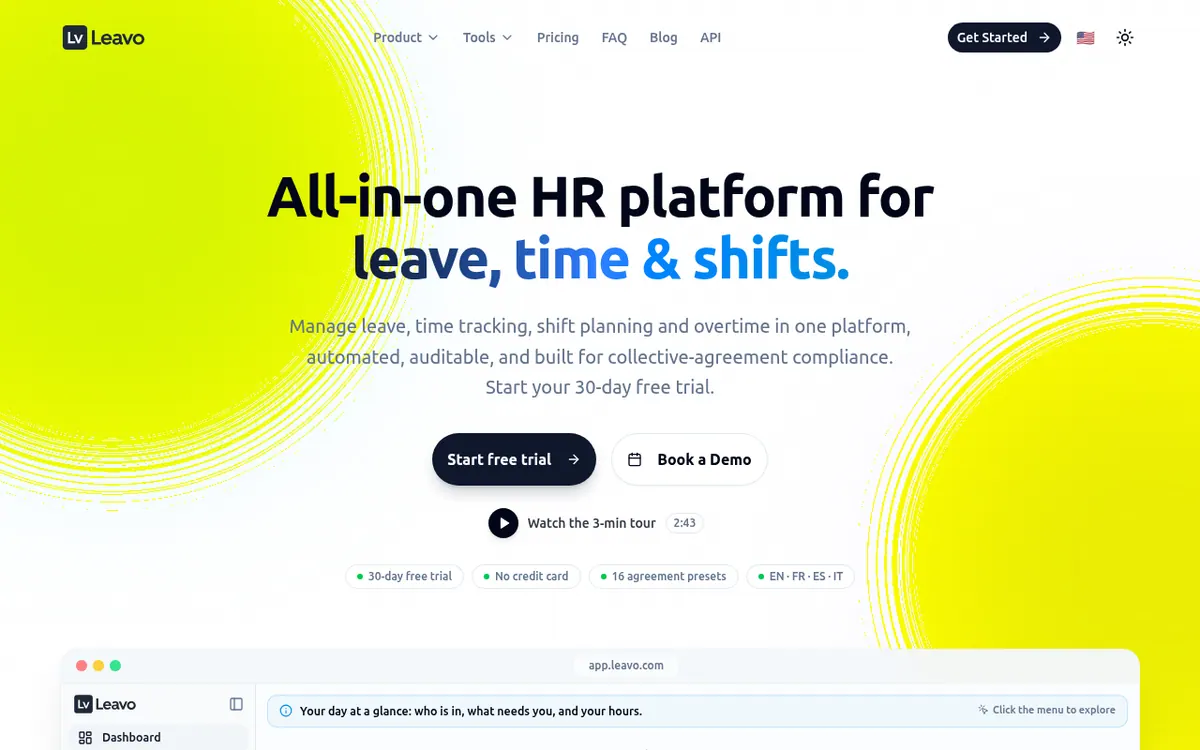
Handles leave requests, time tracking, shift planning and overtime banking in one web platform, with an AI assistant and optional collective-agreement checks.
Leavo is a web-based HR platform from Cappsule Sarl, a company based in Geneva. It combines leave management, time tracking, shift planning and an hours balance for overtime, so requests, timesheets, schedules and banked hours stay connected instead of living in spreadsheets, email threads and separate clock systems.
Leave requests follow approval routes built around teams and reporting lines, and balances recalculate live. Public holidays are filled in by country and region, with coverage for 100+ countries. A built-in compliance layer ships with Swiss and French collective-agreement presets, and you can define your own agreement for any country or sector. It can run in enforce mode, where a shift or timesheet breaking working-time or rest rules cannot be saved, or in advisory mode. Today it checks working-time and rest rules; wage and night-limit checks are described as planned, not yet available. The vendor also lists an immutable audit trail of edits.
Leavo AI is an assistant that answers questions about balances, teams and policies and can book leave from chat or voice input. It works in English, French, Spanish and Italian. Its usage is capped by a monthly quota that depends on the plan and is shared across the company.
Pricing is per user and there are two plans. Professional is listed at $2.50 per user per month and Premium at $4.17 per user per month; these appear next to yearly totals, so they read as yearly-billed rates, and no monthly-billed price is shown. The pricing page's meta description instead says $3 and $5 per user per month, so check the live page before buying. Both plans allow unlimited team members. Premium adds unlimited organizations, the maximum AI quota, extra AI credit packs, a dedicated account manager and priority support. Every plan starts with a 30-day free trial without a credit card.
- Leave requests with approval routes and live balances
- Time tracking with validation and badge or clock devices
- Shift planning with publish and lock
- Hours balance and overtime banking
- Collective-agreement compliance in enforce or advisory mode
- AI assistant by chat or voice
- Public holidays for 100+ countries
- Immutable audit trail
Good for / Not for
Good for
- Teams replacing spreadsheets, email approvals and separate clock tools with one system
- Organizations under Swiss or French sector agreements that want working-time and rest rules enforced
- Companies with several locations that need public holidays for 100+ countries
Not for
- Buyers who need wage or night-limit compliance checks today (listed as roadmap)
- Buyers who need a permanent free plan; the pages describe a 30-day trial
- Buyers who need confirmed mobile apps or a public API; the pages do not state them
How to start
Limits and gotchas
- The AI assistant pauses when the monthly quota is used up, until the next billing cycle. source
- Extra AI credit packs can be bought on Premium only. source
- Enforcement covers working-time and rest rules; wage and night-limit checks are on the roadmap. source
- Bank transfer billing is for Professional and Premium and must be set up by contacting the vendor. source
- The meta description quotes $3 and $5 per user per month, while the page shows $2.50 and $4.17. source
From the official site and docs of Leavo, checked on October 26, 2026.
Pros and cons
Pros
- Leave, time tracking, shift planning and overtime banking sit in one platform
- Compliance can block shifts or timesheets that break working-time or rest rules
- Both plans allow unlimited team members, priced per user
- 30-day free trial with no credit card required
- Immutable audit trail and holiday data for 100+ countries
Cons
- Compliance enforcement covers working-time and rest rules only; wage and night-limit checks are on the roadmap
- Ready-made presets cover Swiss and French sectors; more countries are only announced
- No permanent free plan is clearly stated; the entry point is a 30-day trial
- AI assistant pauses when the monthly quota runs out; extra credit packs are Premium only
- Pages do not confirm mobile apps, a public API or third-party integrations
Our take
Leavo suits teams that want leave, hours, shifts and overtime handled in one system, especially organizations bound by Swiss or French sector agreements where working-time and rest rules should be checked automatically. Per-user pricing and unlimited members on both plans keep the cost model simple, though the price shown looks like a yearly-billed rate and the page metadata quotes $3 and $5 instead. It fits less well if you need presets outside those two countries today, need wage or night-limit checks (both on the roadmap), or want a permanent free tier, since the pages describe a 30-day trial. Heavy AI users should watch the monthly quota, as extra credits are Premium only. Mobile apps and integrations are not confirmed on the official pages.
Comparisons and lists with Leavo
Coming soon
Coming soon — we are writing comparisons that include Leavo.
Leavo pricing
| Plan | Monthly billing | Annual billing (per month) | Limits / what’s included |
|---|---|---|---|
| Professional per user | — | $2.50 | Shown with the yearly total ($450 a year for 15 members), so $2.50 is the yearly-billed per-month rate; no monthly-billed price is shown. Unlimited team members; 1 organization; AI assistant with higher quota. |
| Premium per user | — | $4.17 | Shown with the yearly total ($750 a year for 15 members), so $4.17 is the yearly-billed per-month rate; no monthly-billed price is shown. Everything in Professional plus unlimited organizations, maximum AI quota, extra AI credit packs, dedicated account manager, priority support. |
Free trial: 30-day free trial, no credit card. Free plan: no.
Prices checked on on the official Leavo pricing page. “—” = not published.
All Leavo plans, limits and annual prices →
Frequently asked questions
How much does Leavo cost?
Professional is listed at $2.50 per user per month and Premium at $4.17 per user per month. The pricing page shows them beside yearly totals, so they read as yearly-billed rates; no monthly-billed price is shown. The page's meta description quotes $3 and $5 per user per month instead, so confirm the current price on the live page.
Is there a free trial?
Yes. Every plan starts with a 30-day free trial that gives full access and unlimited members, with no credit card required.
Which payment methods are accepted?
Card payments via Stripe (Visa, Mastercard, American Express) and bank transfer by invoice on the Professional and Premium plans.
What happens when the AI quota runs out?
The AI assistant pauses until the quota resets in the next billing cycle. On Premium, the company owner can buy extra credit packs that go into a shared pool.
What does the compliance feature cover?
It enforces working-time and rest rules and ships with Swiss (CCT) and French (CCN) sector presets; you can also build your own agreement. Wage and night-limit checks and more country presets are on the roadmap.
Recently verified in HR & Recruiting
 Hyreflow Verified Nov 2, 2026
 Textio Verified Nov 2, 2026
 Eightfold AI Verified Oct 30, 2026
 Final Round AI Verified Oct 30, 2026
 Kickresume Verified Oct 30, 2026
 Paradox Verified Oct 30, 2026
Add an AGIPicks badge to your site
The badge shows Leavo’s verification status on AGIPicks and links to this page. Light/dark and compact versions: badges.

Suggest an update
Wrong price, outdated fact or a tool that shut down? Are you the vendor and disagree with this page? Tell us, ideally with a link to the official page. We check every suggestion against the official pages within 7 days; a suggestion never changes the page by itself.