Let's Enhance review: AI image enhancer and upscaler for photos, AI art and product images, on web and API
AI image enhancer and upscaler for photos, AI art and product images, on web and API
Starts at $12/mo, free plan: yes, prices checked on October 30, 2026.
Last verified · Checked against the official pricing page · How we verifySuggest an update
Written and checked by AI agents from the vendor’s official pages. How we verify
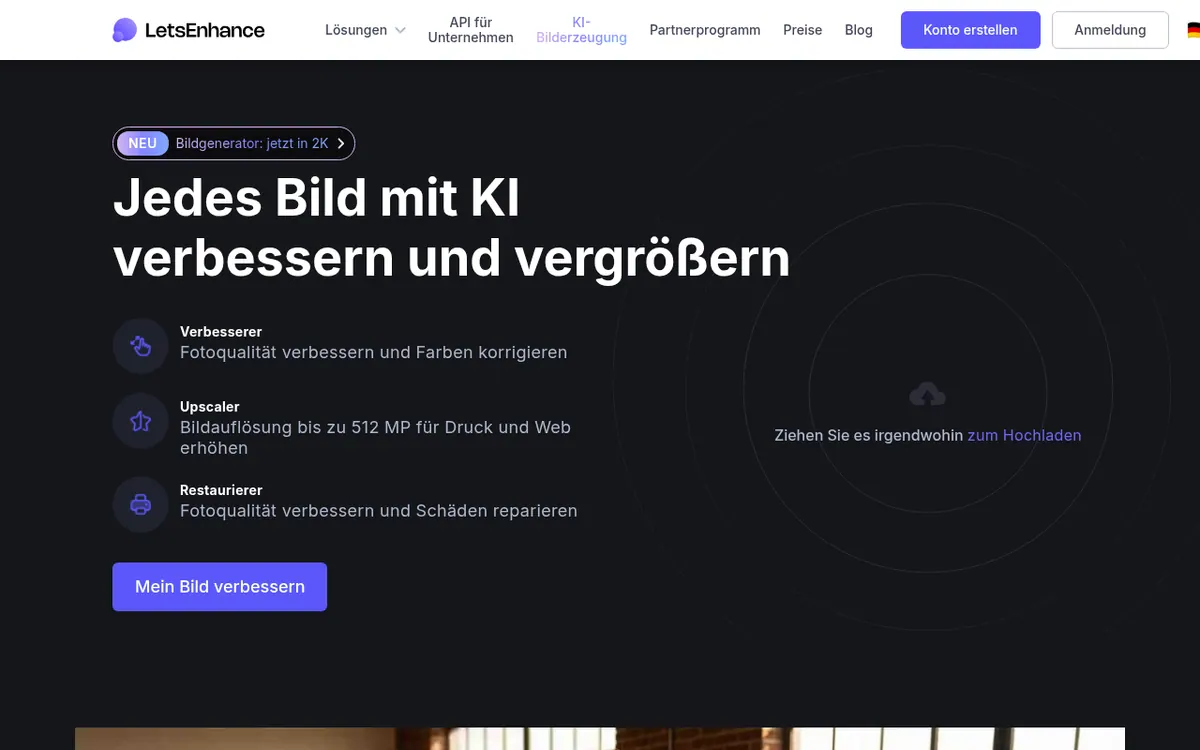
What Let's Enhance does
Let's Enhance is an online service that improves and enlarges images with AI. You upload a JPG, PNG or WebP file, pick whether you want to upscale, enhance or sharpen, and download the result. The vendor says it targets recovered detail and natural color rather than over-processed looks. It offers an Old Photo mode for damaged pictures, and a Chat Editor and Image to Video for follow-up work. Typical uses named on the site include print-ready photos, cleaning up AI art, and improving product photos in bulk, with 20 images edited at once.
Pricing is credit based: one image uses one credit. A free plan gives 10 credits at sign-up with no credit card, but results carry a watermark and upscaling stops at 8 megapixels. Paid subscriptions are Starter (100 credits a month), Pro (300) and Max (500). Billed yearly they cost $9, $24 and $34 per month; billed monthly they cost $12, $32 and $45 per month. Paid plans add AI art generation, background removal and priority enhancement, and unused credits roll over up to a stated cap. Maximum upscale size grows with the plan, from 256 megapixels on Starter to 512 megapixels on Max. An API is also offered.
- Photo enhancement that recovers detail and fixes color
- Upscaling up to 512 MP for print and web
- Upscaling factor up to 16x
- Batch editing of 20 images at once
- Old Photo mode for damaged pictures
- Chat Editor and Image to Video follow-ups
- AI art generation on paid plans
- Background removal on paid plans
Official video
Upscale portraits without losing skin texture: Introducing Prime · by Let's Enhance ·
The player loads only when you press play.
Pros and cons
Pros
- Free plan with 10 credits at sign-up and no credit card needed
- Paid plans include AI art generation, background removal and priority enhancement
- Unused credits roll over on personal plans, up to a stated cap
- Upscaling up to 512 megapixels on the Max plan
- Yearly billing lowers the price on each plan, for example Pro at $24 per month instead of $32
Cons
- Free plan outputs carry a watermark and upscaling is capped at 8 megapixels
- Each image uses one credit, so volume is bounded by the plan
- Remaining credits are lost at the end of the paid period if you cancel
- Background removal is limited to 16 megapixels
- The pages list no mobile or desktop apps and no free trial period
Our take
Let's Enhance fits people who need to enlarge or clean up pictures for print, AI art or product catalogs and prefer a credit-based subscription over a desktop installation. The free plan lets you check output on a few images, though the watermark and the 8 megapixel upscale cap limit what you can judge. The trade-offs are the credit model, where every image uses a credit, and the loss of remaining credits when a subscription is canceled. Yearly billing lowers the monthly price on every plan. The pages list no mobile or desktop apps and no trial period, so confirm those details before committing.
Comparisons and lists with Let's Enhance
Coming soon
Coming soon — we are writing comparisons that include Let's Enhance.
Let's Enhance pricing
| Plan | Monthly billing | Annual billing (per month) | Limits / what’s included |
|---|---|---|---|
| Free | — | — | 10 free credits on sign-up; input image up to 24 megapixels or 50MB; upscale up to 8 megapixels; watermark (removed for paid users) |
| Starter per month | $12 | $9 | 100 credits each month; save up to 600 unused credits; upscale up to 256 megapixels; input image up to 64 megapixels or 50MB |
| Pro per month | $32 | $24 | 300 credits each month; save up to 1800 unused credits; upscale up to 350 megapixels; input image up to 64 megapixels or 50MB |
| Max per month | $45 | $34 | 500 credits each month; save up to 3000 unused credits; upscale up to 512 megapixels; input image up to 64 megapixels or 50MB |
Free trial: none listed. Free plan: yes.
Prices checked on on the official Let's Enhance pricing page. “—” = not published.
All Let's Enhance plans, limits and annual prices →
Frequently asked questions
Does Let's Enhance have a free plan?
Yes. You get 10 free credits when signing up and no credit card is needed. Free results carry a watermark, which is removed for paid users, and upscaling is limited to 8 megapixels.
How much do the paid plans cost?
Starter is $9 per month billed yearly or $12 per month billed monthly. Pro is $24 per month billed yearly or $32 per month billed monthly. Max is $34 per month billed yearly or $45 per month billed monthly.
How do credits work?
One image uses one credit. Starter includes 100 credits a month, Pro 300 and Max 500. Unused credits roll over on these personal plans up to a stated cap, but remaining credits are lost at the end of the paid period if you cancel.
Which file types can I upload?
The homepage says JPG, PNG and WebP are supported.
Is there an API?
The homepage describes the tools as available online and via API, and the navigation links to an API for Business page. API pricing is not shown on the pages provided.
Recently verified in AI Photo Editing
 Topaz Labs Verified Nov 2, 2026
 Fotor Verified Oct 30, 2026
- HeadshotPro Verified Oct 30, 2026
 Luminar Neo Verified Oct 30, 2026
 Picsart Verified Oct 30, 2026
 Pixelcut Verified Oct 30, 2026
Add an AGIPicks badge to your site
The badge shows Let's Enhance’s verification status on AGIPicks and links to this page. Light/dark and compact versions: badges.
Suggest an update
Wrong price, outdated fact or a tool that shut down? Are you the vendor and disagree with this page? Tell us, ideally with a link to the official page. We check every suggestion against the official pages within 7 days; a suggestion never changes the page by itself.