
Pixelcut review: AI photo and video editor with background removal, upscaling and batch edits
AI photo and video editor with background removal, upscaling and batch edits
Starts at $10/mo, free plan: yes, prices checked on October 30, 2026.
Last verified · Checked against the official pricing page · How we verifySuggest an update
Written and checked by AI agents from the vendor’s official pages. How we verify
What Pixelcut does
Edits photos and video with AI: removes backgrounds, upscales, extends and retouches images, and runs batch edits across many files.
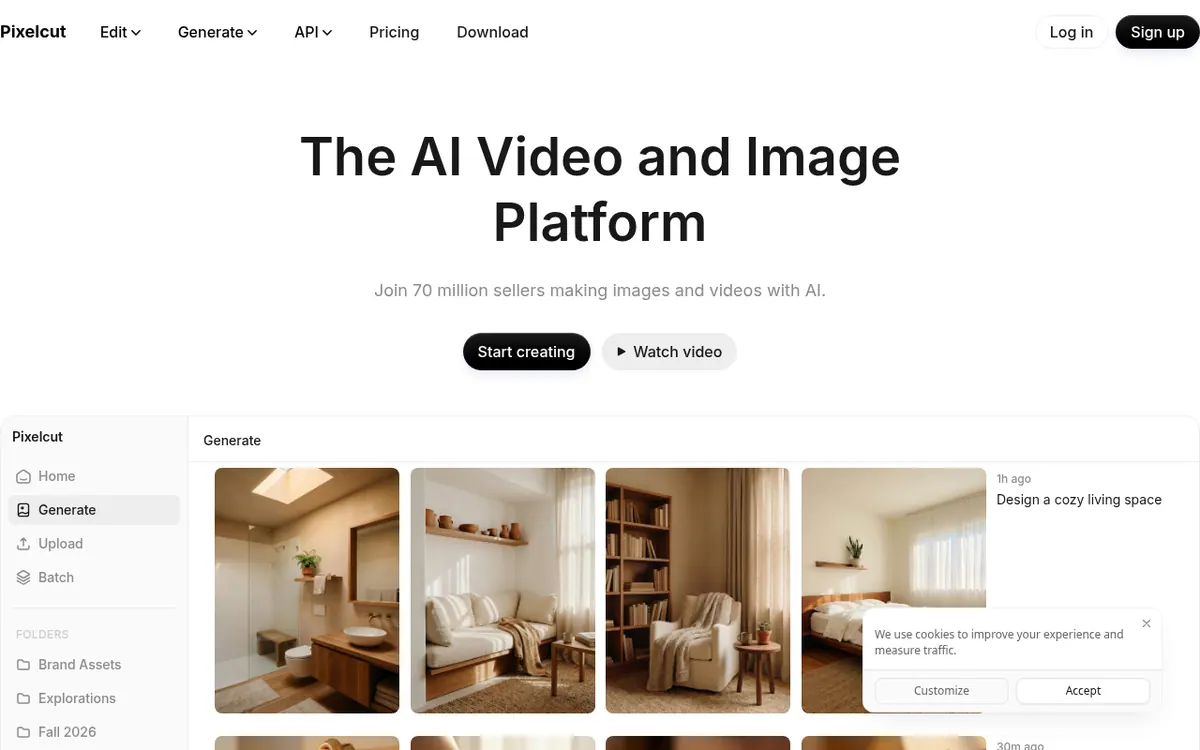
Pixelcut is an AI photo editor that runs in the browser and in mobile apps. Its homepage lists background removal for both images and video, upscaling up to 16x resolution with a choice of models, and an expand tool that extends an image past its original frame. It also has AI retouching, where you can erase objects or edit with generative fill, and batch editing that applies changes across hundreds of files at once.
For video and content creation, the site describes talking videos for promoting a brand, custom personas that stay consistent across content, and a creative agent that plans and carries out tasks on your behalf.
Pricing is freemium. The Free plan is listed at $0 and includes limited background removal, limited upscaling and export without a watermark. Pro is listed at $8 per month billed yearly and includes 600 AI credits monthly, a 3-person team and 1,000 batch exports monthly. Business is listed at $24 per month billed yearly and includes 3,600 AI credits monthly, a 10-person team and 2,000 batch exports monthly. The pricing page also shows $10 for Pro and $30 for Business next to these figures. The pages do not state a free trial length.
Credits are used when you create or edit images with certain advanced AI models. Video models draw credits based on 5 seconds of generated video. Pixelcut works in mobile and desktop browsers, and the pricing page points to apps on the App Store and Google Play.
- Background removal for images and video
- Upscaling up to 16x resolution
- Expand images beyond their frame
- AI retouch with erase and generative fill
- Batch editing across hundreds of files
- Talking-video ads
- Custom personas consistent across content
- Creative agent that plans and runs tasks
Good for / Not for
Good for
- People who need background removal for images and video in one tool
- Users who want to apply the same edits to hundreds of files at once
- Small teams that fit within a 3-person (Pro) or 10-person (Business) team size
Not for
- Anyone who needs unrestricted background removal or upscaling on the free plan, which is limited
- Buyers who need an API or desktop apps, since the official pages do not mention them
How to start
Start on the Free plan, which is $0 and includes limited background removal, limited upscaling and export without a watermark. source
You can launch Pixelcut in a desktop or mobile browser, or get it through Google Play or the App Store. source
Upgrade to Pro or Business if you need more AI credits, a bigger team or more batch exports. source
Limits and gotchas
- Pro includes 600 AI credits, a 3-person team and 1,000 batch exports monthly. source
- Business includes 3,600 AI credits, a 10-person team and 2,000 batch exports monthly. source
- Credits are used for certain advanced AI models, especially third-party ones. source
- Credit usage for video models is based on 5 seconds of generated video. source
From the official site and docs of Pixelcut, checked on October 30, 2026.
Pros and cons
Pros
- Free plan at $0 with export without a watermark
- Background removal covers both images and video
- Batch editing across hundreds of files at once
- Works in browsers on mobile and desktop, plus iOS and Android apps
- Paid plans include team sizes: 3 people on Pro, 10 on Business
Cons
- Free plan limits background removal and upscaling
- Advanced AI models, especially third-party ones, consume credits
- The advertised $8 and $24 per month are billed yearly; no monthly-billing price is stated
- Monthly caps apply: 600 AI credits on Pro, 3,600 on Business
- No API or desktop app is mentioned on the official pages
Our take
Pixelcut fits people who want one AI editor for everyday image work such as background removal, upscaling, retouching and batch edits, with some talking-video content on top. The Free plan lets you look at the basics before paying, though background removal and upscaling are limited there. Paid plans come with monthly credit allowances and batch export caps, so heavy users of advanced AI models should check how quickly credits would be used, since third-party models consume them. The prices shown are billed yearly, and the pages state no monthly-billing price. We have not tested the product; this summary rests only on the official pages. Buyers who need an API, or desktop apps for Mac or Windows, will find nothing about them on those pages.
Comparisons and lists with Pixelcut
Coming soon
Coming soon — we are writing comparisons that include Pixelcut.
Pixelcut pricing
| Plan | Monthly billing | Annual billing (per month) | Limits / what’s included |
|---|---|---|---|
| Free per month, billed yearly | — | $0 | Limited Background Removal; Limited Upscale; Free export without watermark |
| Pro per month | $10 | $8 | 600 AI Credits Monthly; 3 Person Team; 1,000 Batch Exports Monthly |
| Business per month | $30 | $24 | 3,600 AI Credits Monthly; 10 Person Team; 2,000 Batch Exports Monthly |
Free trial: none listed. Free plan: yes.
Prices checked on on the official Pixelcut pricing page. “—” = not published.
All Pixelcut plans, limits and annual prices →
Frequently asked questions
Is Pixelcut free?
Yes. The pricing page says Pixelcut offers a free version. The Free plan is $0 and includes limited background removal, limited upscaling and export without a watermark.
How much do the paid plans cost?
Pro is listed at $8 per month billed yearly and Business at $24 per month billed yearly. The page also shows $10 and $30 beside them, without stating a monthly-billing price.
Can I use Pixelcut on my phone?
Yes. The pricing page says you can use Pixelcut Pro in mobile and desktop browsers, or download the app from the App Store or Google Play.
What are credits used for?
Credits are used when you create or edit images with certain advanced AI models, especially third-party ones. Video model usage is based on 5 seconds of generated video.
How many credits and batch exports do paid plans include?
Pro includes 600 AI credits and 1,000 batch exports monthly. Business includes 3,600 AI credits and 2,000 batch exports monthly.
Recently verified in AI Photo Editing
 Topaz Labs Verified Nov 2, 2026
 Fotor Verified Oct 30, 2026
- HeadshotPro Verified Oct 30, 2026
- Let's Enhance Verified Oct 30, 2026
 Luminar Neo Verified Oct 30, 2026
 Picsart Verified Oct 30, 2026
Add an AGIPicks badge to your site
The badge shows Pixelcut’s verification status on AGIPicks and links to this page. Light/dark and compact versions: badges.

Suggest an update
Wrong price, outdated fact or a tool that shut down? Are you the vendor and disagree with this page? Tell us, ideally with a link to the official page. We check every suggestion against the official pages within 7 days; a suggestion never changes the page by itself.