
Lindy review: AI teammate for teams that works across Slack, email and your business tools
AI teammate for teams that works across Slack, email and your business tools
Starts at $29.99/mo, free plan: yes, free trial: $50 in free credits, lasting 7 days, no credit card required, prices checked on October 30, 2026.
Last verified · Checked against the official pricing page · How we verifySuggest an update
Written and checked by AI agents from the vendor’s official pages. How we verify
What Lindy does
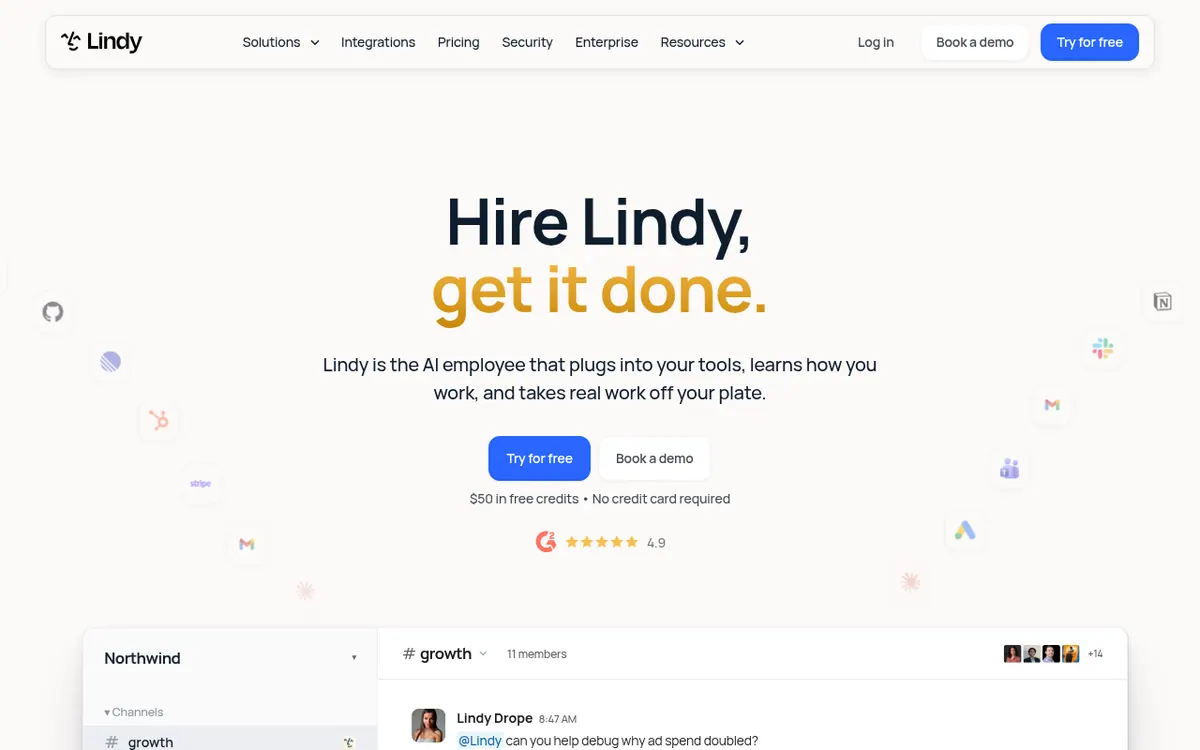
Lindy is presented by its vendor as an AI employee for a whole team. Instead of only answering questions, it is meant to take on jobs such as pulling reports, updating a CRM, clearing an inbox or putting together a slide deck, using the tools your company already runs. It connects to Gmail, Slack, Notion, HubSpot and 1,500+ more apps, and it supports MCP.
You can reach it in Slack, iMessage, email and your browser. It keeps memory in plain files that you can open and edit, comes with 40+ skills, and lets you save your own way of doing a task so teammates reuse it. Recurring work can run on a schedule, and it can record meetings, write notes and share a meeting library. Actions with outside impact, like sending an email, wait for approval.
Pricing is credit-based. A Free plan gives $50 in credits with no credit card, and those credits last 7 days. The Team plan starts at $29.99 per user per month for 3,000 credits, with credits pooled across the team and larger monthly bundles available. Extra credits can be topped up at $10 per 1,000 credits. Enterprise has custom credits and billing and adds HIPAA with a signed BAA, SSO & SCIM and audit logs. Monthly credits do not roll over.
- 1,500+ app integrations plus MCP
- 40+ built-in skills, plus custom ones
- Scheduled routines
- Editable plain-file memory
- Meeting recording, notes and shared library
- Email replies drafted in your voice
- Works in Slack, iMessage, email and browser
- Approval required for outside-impact actions
Official video
Announcing Lindy Teammate · by Lindy ·
The player loads only when you press play.
Pros and cons
Pros
- Connects to 1,500+ apps and supports MCP
- Memory and skills are editable plain files and shared across the team
- Routines run recurring work on a schedule
- Actions with outside impact wait for approval
- Free plan with $50 in credits and no credit card required
Cons
- Free credits last only 7 days
- Every active user in the workspace is billed per seat
- Monthly credits do not roll over
- Bigger jobs use more credits, so cost depends on usage
- No annual pricing or public API details on the official pages
Our take
Lindy suits teams that already live in Slack, email and a stack of SaaS tools and want one shared assistant that remembers context, follows saved skills and runs routines. The shared credit pool and admin controls fit small groups that want to budget usage in one place. It is a weaker fit for solo users who want a permanently free tool, since the free credits last only 7 days, or for anyone who needs predictable flat costs, because every active user is billed and heavier jobs consume more credits. The official pages publish no annual discount and no API details, so check those before committing.
Comparisons and lists with Lindy
Coming soon
Coming soon — we are writing comparisons that include Lindy.
Lindy pricing
| Plan | Monthly billing | Annual billing (per month) | Limits / what’s included |
|---|---|---|---|
| Free | Free | — | $50 in credits for free; free credits last 7 days; no credit card required |
| Team per user, from (3,000 credits each) | $29.99 | — | 3,000 credits every month; credits pooled across the team; top up at $10 per 1,000 credits |
| Enterprise | — | — | Custom credits and billing; HIPAA compliance & signed BAA, SSO & SCIM, audit logs |
Free trial: $50 in free credits, lasting 7 days, no credit card required. Free plan: yes.
Prices checked on on the official Lindy pricing page. “—” = not published.
All Lindy plans, limits and annual prices →
Frequently asked questions
Is there a free plan?
Yes. The Free plan gives $50 in credits with no credit card required, but those free credits last 7 days.
How much does Lindy cost?
Paid usage starts with the Team plan at $29.99 per user per month for 3,000 credits. Enterprise has custom credits and billing.
What happens when credits run out?
Lindy pauses credit-using actions until credits reset at the start of the next cycle. Admins can top up at $10 per 1,000 credits.
Do unused credits roll over?
Monthly credits do not roll over. Top-up credits stay available until you use them.
Will Lindy act without my approval?
According to its pricing page, actions with outside impact, such as sending an email, wait for approval. Read-only lookups from approved sources do not need it.
Recently verified in Automation & AI Agents
 Forethought Verified Nov 2, 2026
 Hippocratic AI Verified Nov 2, 2026
 Inngest Verified Nov 2, 2026
 Kolo AI Verified Nov 2, 2026
 Mercury Verified Nov 2, 2026
 MindStudio Verified Nov 2, 2026
Add an AGIPicks badge to your site
The badge shows Lindy’s verification status on AGIPicks and links to this page. Light/dark and compact versions: badges.

Suggest an update
Wrong price, outdated fact or a tool that shut down? Are you the vendor and disagree with this page? Tell us, ideally with a link to the official page. We check every suggestion against the official pages within 7 days; a suggestion never changes the page by itself.