
Make review: AI automation platform linking 3,500+ apps, with agents and optional code
AI automation platform linking 3,500+ apps, with agents and optional code
Custom (contact sales), free plan: yes, prices checked on October 26, 2026.
Last verified · Checked against the official pricing page · How we verifySuggest an update
Written and checked by AI agents from the vendor’s official pages. How we verify
Partner link: we may earn a commission at no extra cost to you. It never changes our order or verdicts. Affiliate disclosure
What Make does
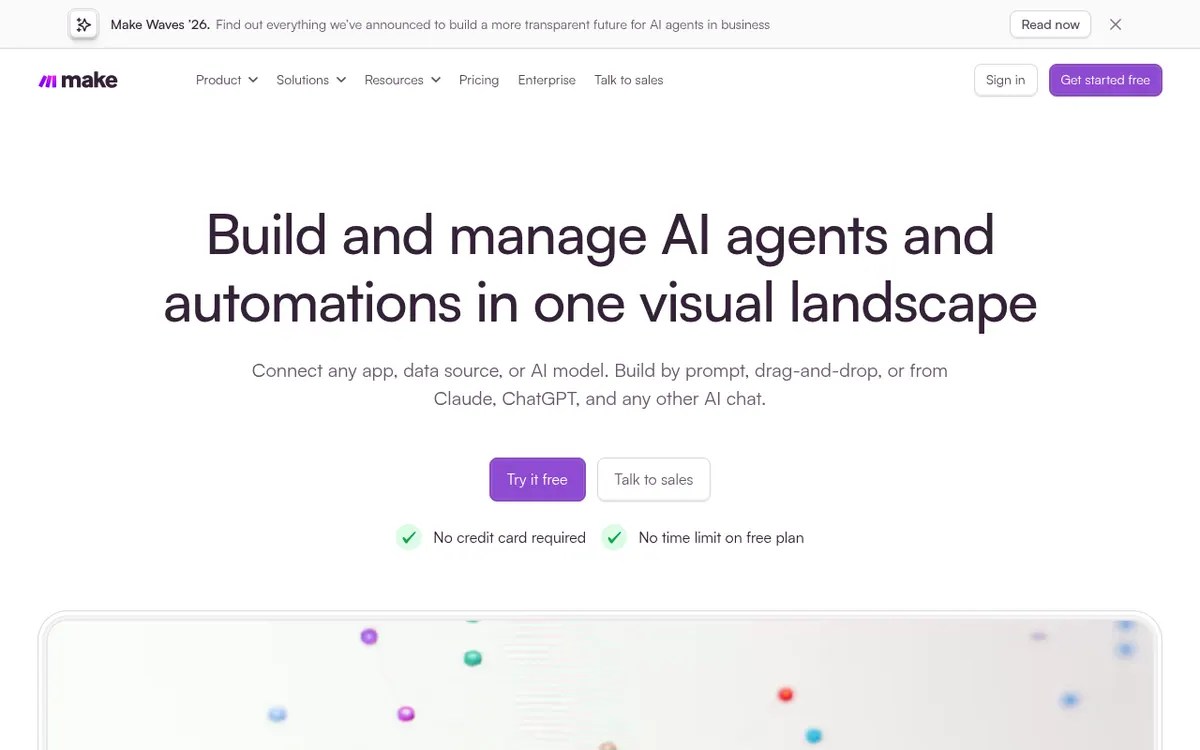
Builds automated workflows and AI agents that connect 3,500+ apps, created by prompt, drag-and-drop or MCP, with optional code.
Make is an AI automation platform for building workflows that move data between apps. You can create them by writing a prompt, by dragging and dropping, or through MCP, and you can add JavaScript or Python when a step needs custom logic. The vendor says it connects to 3,500+ apps out of the box, and anything with an API can be added as a custom integration.
Beyond plain workflows, the site describes AI agents that you give goals, tools and limits, with their reasoning visible. An MCP server lets you build and run automations from Claude, ChatGPT or Gemini. For troubleshooting, the product page lists error handlers, automatic retries, exception routing and an execution history that shows which step failed and why. For organisations, the homepage lists role-based access, audit logs, real-time analytics, SSO, encryption, and GDPR, SOC 2 Type II and SOC 3. The pricing page also mentions more than 300 REST API endpoints for managing and automating use of the platform itself.
The pricing model is freemium. The Free plan has no time limit and needs no card. It gives 1000 credits per month, 1 MB of data storage and 1 data store. Each action a workflow performs uses credits, and most actions use 1 credit. Credits expire at the end of the term, and extra credits come in bundles of 1,000 or 10,000. Companies under 20 employees can see whether they qualify for a Start-up Plan with 50% off Business. Paid-plan prices were not visible in the reviewed pages (pricing not published in the text we reviewed), so check the official pricing page for current prices.
- Build by prompt, drag-and-drop or MCP
- 3,500+ app integrations
- Custom integrations for any API
- JavaScript or Python code
- AI agents with visible reasoning
- MCP server for Claude, ChatGPT or Gemini
- Error handlers, retries and execution history
- Role-based access and audit logs
- REST API for managing the platform
Good for / Not for
Good for
- Teams that want to link many different apps in visual workflows
- Builders who want optional JavaScript or Python inside a scenario
- Organisations that need role-based access, audit logs and SSO
Not for
- Buyers who need paid-plan prices from the pages reviewed; they were not visible
- Workloads that cannot fit within 1000 credits per month on the Free plan
Compare
How to start
Limits and gotchas
From the official site and docs of Make, checked on October 26, 2026.
Pros and cons
Pros
- Free plan with no time limit and no card required, according to the vendor
- Connects to 3,500+ apps, plus custom integrations for anything with an API
- Can be built by prompt, drag-and-drop or MCP, with optional JavaScript or Python
- Error handlers, automatic retries and execution history help locate failed steps
- Role-based access, audit logs, SSO, and SOC 2 Type II and SOC 3 are listed for governance
Cons
- Paid-plan prices were not visible in the reviewed pages; check the pricing page
- Usage is counted in credits, and most actions use 1 credit each
- Credits expire at the end of the term
- Free plan is limited to 1000 credits per month, 1 MB of storage and 1 data store
- Downgrading stops active scenarios that use features of higher plans
Our take
Make fits teams that want to connect many different apps and choose how to build: by prompt, by drag-and-drop, or with some JavaScript or Python. The listed governance and security features suggest it is meant for use across a company, not only by individuals. The trade-offs are credit-based usage, where unused credits expire at the end of the term, and a Free plan whose 1000 credits per month and single data store are a small allowance. Paid-plan prices were not visible in the pages reviewed, so budgeting means confirming them on the official pricing page. The Free plan needs no card, which lowers the risk of a first try.
Comparisons and lists with Make
Coming soon
Coming soon — we are writing comparisons that include Make.
Make pricing
| Plan | Monthly billing | Annual billing (per month) | Limits / what’s included |
|---|---|---|---|
| Free | — | — | 1000 credits per month, 1 MB of data storage and 1 data store |
Free trial: none listed. Free plan: yes.
Prices checked on on the official Make pricing page. “—” = not published.
Frequently asked questions
Does Make have a free plan?
Yes. The vendor says the Free plan has no time limit and needs no card. It includes 1000 credits per month, 1 MB of data storage and 1 data store.
How much do the paid plans cost?
Paid-plan prices were not visible in the pages reviewed. Check the official pricing page at https://www.make.com/pricing for current prices.
How are credits used?
Each action a scenario performs consumes credits, and most actions consume 1 credit. Credits expire at the end of the term.
Can I buy more credits?
Yes. The pricing page says extra credits are sold in bundles of 1,000 or 10,000 at the fixed price defined in your subscription.
What happens if I downgrade my plan?
According to the pricing page, active scenarios that rely on features of higher plans will be stopped.
Recently verified in Automation & AI Agents
 Forethought Verified Nov 2, 2026
 Hippocratic AI Verified Nov 2, 2026
 Inngest Verified Nov 2, 2026
 Kolo AI Verified Nov 2, 2026
 Mercury Verified Nov 2, 2026
 MindStudio Verified Nov 2, 2026
Add an AGIPicks badge to your site
The badge shows Make’s verification status on AGIPicks and links to this page. Light/dark and compact versions: badges.

Suggest an update
Wrong price, outdated fact or a tool that shut down? Are you the vendor and disagree with this page? Tell us, ideally with a link to the official page. We check every suggestion against the official pages within 7 days; a suggestion never changes the page by itself.