
Meshy AI review: AI 3D model generator that turns text or images into printable and game-ready models
AI 3D model generator that turns text or images into printable and game-ready models
Custom (contact sales), free plan: yes, prices checked on October 25, 2026.
Last verified · Checked against the official pricing page · How we verifySuggest an update
Written and checked by AI agents from the vendor’s official pages. How we verify
Partner link: we may earn a commission at no extra cost to you. It never changes our order or verdicts. Affiliate disclosure
What Meshy AI does
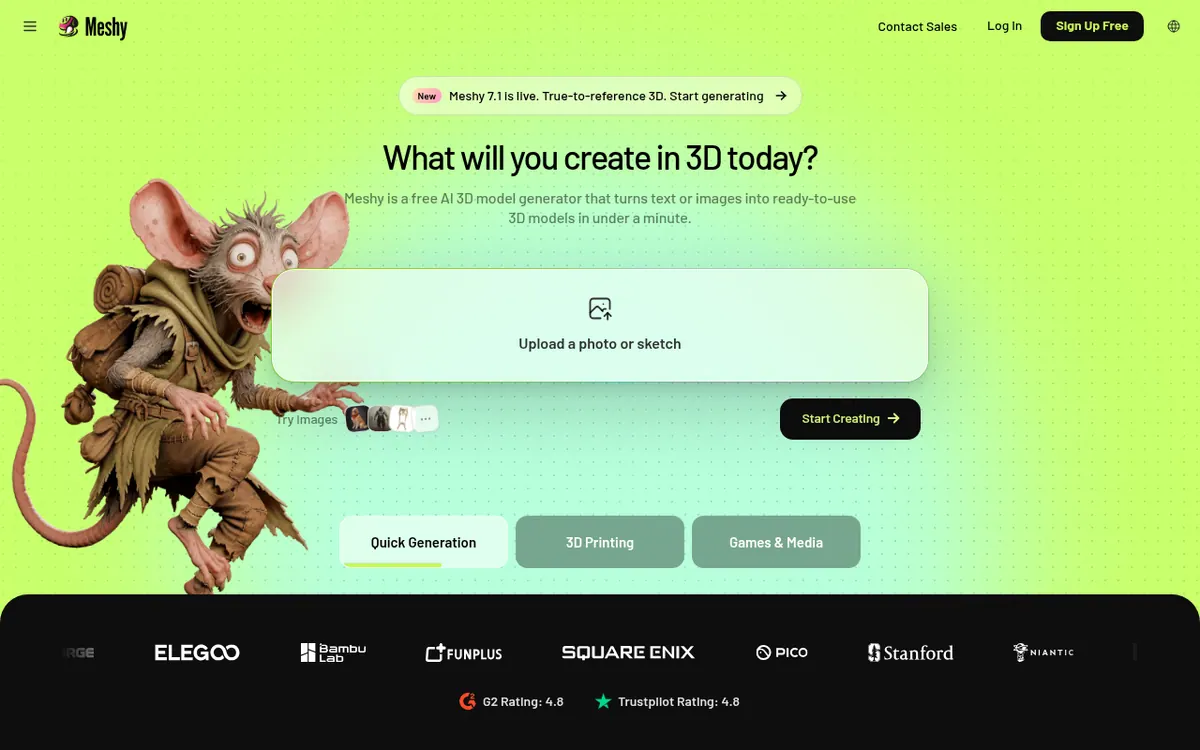
Meshy is an AI 3D model generator that creates 3D models from written descriptions or from uploaded photos, sketches and concept art. Besides plain generation, the workspace covers texturing with PBR maps, rigging of humanoid and quadruped characters, and applying motion presets, so a model can go from idea to animated asset in one place. A 3D Agent lets users chat their way from an idea to a model and batch several concepts.
Printing is a major focus. The site describes its models as watertight and manifold, with a printability check, Auto Split, multi-color preparation and export to STL, OBJ or 3MF for slicers such as Bambu Studio, OrcaSlicer and Ultimaker Cura. For game work, the site lists export to FBX, GLB, OBJ and USDZ, plus compatibility with Unity, Unreal Engine, Godot, Blender and Maya. A Meshy MCP server lets agent clients such as Claude Code and Cursor call the tool, using an API key.
Pricing is organised into Free, Pro, Studio and Enterprise plans, with a monthly or yearly billing toggle and a EUR currency selector. The Free plan needs no credit card. Paid plans are described as offering more credits and faster speed.
- Text to 3D generation
- Image, photo and sketch to 3D
- 3D Agent with batched concepts
- PBR texturing
- Auto-rigging for humanoid and quadruped characters
- Motion presets
- Low Poly Mode
- Slicer export with Auto Split and multi-color prep
- MCP server for agent clients
Pros and cons
Pros
- Free plan that needs no credit card
- Covers generation, texturing, rigging and motion presets in one workspace
- Print-oriented tools: printability check, Auto Split, multi-color prep, slicer export
- Exports to FBX, GLB, OBJ and USDZ for game engines
- MCP server lets AI agent clients use it with an API key
Cons
- Plan prices are not readable on the official pricing page
- Credit allowances per plan are not stated on the pages
- Free trial length is not stated
- MCP server requires Node.js 18 or later and an API key
- Print-readiness and quality claims come only from the vendor
Our take
Meshy suits creators who want one workspace that goes from a prompt or reference image to a textured, optionally rigged model, especially for 3D printing and game assets. The slicer and game-engine export lists are specific and cover many tools. It is a weaker choice if you need to compare costs before signing up, because the readable pricing page shows no amounts, credit allowances or trial length. The vendor's claims about print readiness are its own and are not independently verified here, so check output quality on your own models using the free plan.
Comparisons and lists with Meshy AI
Coming soon
Coming soon — we are writing comparisons that include Meshy AI.
Meshy AI pricing
| Plan | Monthly billing | Annual billing (per month) | Limits / what’s included |
|---|---|---|---|
| Free | — | — | No credit card needed |
Free trial: none listed. Free plan: yes.
Prices checked on on the official Meshy AI pricing page. “—” = not published.
Frequently asked questions
Is there a free plan?
Yes. The pricing page lists a Free plan and says no credit card is needed.
What does Meshy cost?
Pricing not published on the official site in readable form. The pricing page names Free, Pro, Studio and Enterprise plans with monthly and yearly toggles, but no amounts could be read.
Which file formats can I export?
For printing, STL, OBJ and 3MF. For game use, FBX, GLB, OBJ and USDZ.
Can AI agents use Meshy?
Yes. The vendor offers a Meshy MCP server for clients such as Claude Code and Cursor. It needs an API key and Node.js 18 or later.
Recently verified in AI APIs & Models
 Langfuse Verified Nov 2, 2026
 Portkey Verified Nov 2, 2026
 Supermemory Verified Nov 2, 2026
 LangChain Verified Oct 31, 2026
 Hoppscotch Verified Oct 30, 2026
 Hugging Face Verified Oct 30, 2026
Add an AGIPicks badge to your site
The badge shows Meshy AI’s verification status on AGIPicks and links to this page. Light/dark and compact versions: badges.

Suggest an update
Wrong price, outdated fact or a tool that shut down? Are you the vendor and disagree with this page? Tell us, ideally with a link to the official page. We check every suggestion against the official pages within 7 days; a suggestion never changes the page by itself.