
Miro - Affiliate review: Shared online canvas for teams to plan, diagram and run workshops with AI
Shared online canvas for teams to plan, diagram and run workshops with AI
Custom (contact sales), free plan: yes, free trial: 14-day free trial of the Business plan, prices checked on October 30, 2026.
Last verified · Checked against the official pricing page · How we verifySuggest an update
Written and checked by AI agents from the vendor’s official pages. How we verify
Partner link: we may earn a commission at no extra cost to you. It never changes our order or verdicts. Affiliate disclosure
What Miro - Affiliate does
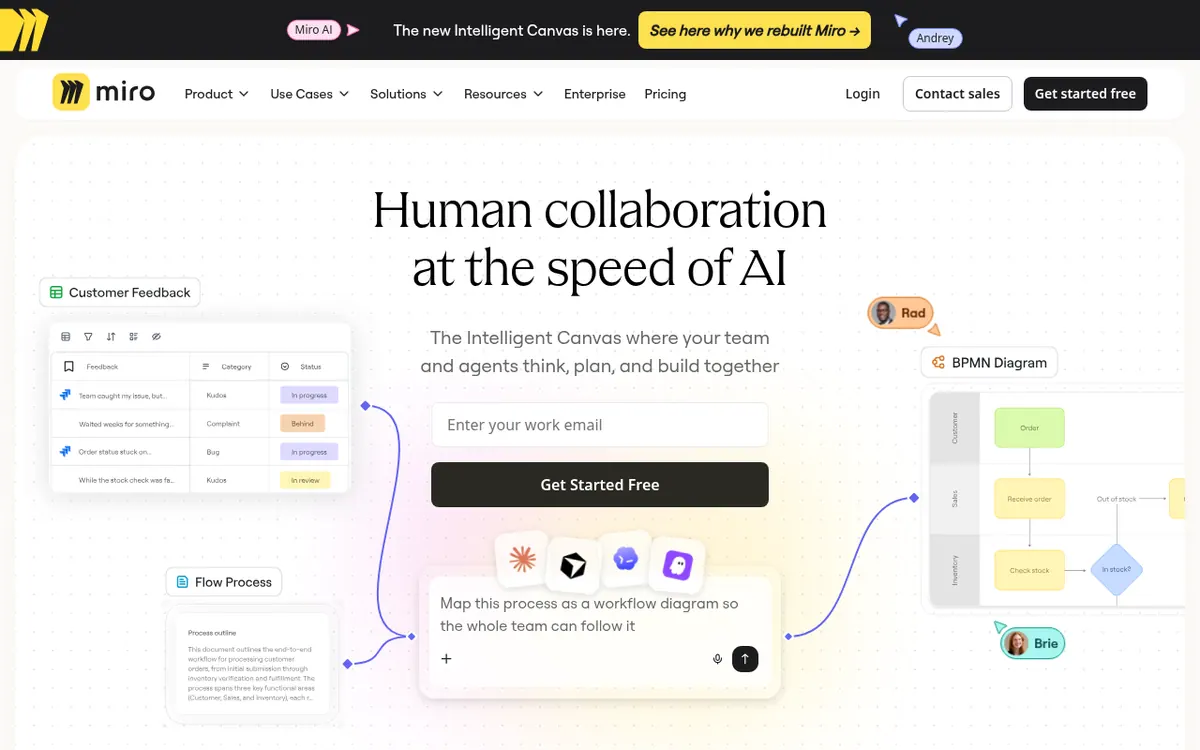
Miro is a shared visual canvas where teams plan work, draw diagrams, run workshops and use AI in one place. Boards can hold docs, tables, timelines, kanban and slides, and the AI features generate diagrams, tables and summaries from your content. Through an MCP server, outside AI tools such as Claude, Cursor or Copilot can connect to boards, and the pricing page lists 250+ integrations with tools like Microsoft, Slack, Google and Adobe.
Pricing is per seat across four plans. Free costs $0 and keeps 3 editable boards, with 10 AI credits per month for trying the AI features. Starter is $8 per month per member, billed yearly, and adds unlimited private boards, visitor editing, high-resolution exports, timer and voting, and 25 AI credits per member per month. Business is $20 per month per member, billed yearly, and adds unlimited workspaces and guests, data tables, interactive prototypes, AI workflows and agents, two-way integrations, SSO and 50 AI credits per member per month. Enterprise has custom pricing, from 30 members, and includes SCIM provisioning, regional data hosting and admin controls for AI.
A free 14-day trial of the Business plan is available. AI credits reset monthly and do not roll over, and MCP calls per day are capped at 100, 500, 2,000 and 10,000 on Free, Starter, Business and Enterprise respectively.
- AI generation of diagrams, tables and summaries
- MCP connection to Claude, Cursor and Copilot
- 250+ app integrations
- Docs, tables, timelines, kanban and slides on the canvas
- Timer, voting and private mode for workshops
- Repeatable AI workflows and agents
- Interactive prototypes from screenshots, code or prompts
- Two-way sync with Jira, Asana, Linear and ClickUp
- SSO through identity providers on Business and above
Pros and cons
Pros
- Free plan at $0 lets a team try the canvas before paying
- Business plan can be tried free for 14 days
- MCP server connects Claude, Cursor, GitHub Copilot and other AI tools to boards
- 250+ integrations and two-way sync with Jira, Asana, Linear, ClickUp and Azure on Business
- Enterprise adds SCIM, audit trails, and data residency in EU, US, Australia and Japan
Cons
- Free plan keeps only 3 editable boards and has no Guest role
- Per-member pricing means cost grows with every added seat
- AI credits are capped per member each month and do not roll over
- Enterprise has no published price; security features like SSO are not on Free or Starter
Our take
Miro fits teams that want diagrams, planning boards and workshop activities in one shared canvas, with AI features and a connection to outside AI tools through MCP. The Free plan works for evaluation, but only 3 boards stay editable and AI is a small trial. Costs scale with headcount because plans are priced per member, and the pricing page publishes only yearly-billed prices at $8 and $20. Teams needing guests, data tables, interactive prototypes or SSO have to move to Business. Enterprise pricing is not public, so large organizations must contact sales to get a number.
Comparisons and lists with Miro - Affiliate
Coming soon
Coming soon — we are writing comparisons that include Miro - Affiliate.
Miro - Affiliate pricing
| Plan | Monthly billing | Annual billing (per month) | Limits / what’s included |
|---|---|---|---|
| Free per month | Free | — | 3 editable boards; 10 AI credits per month to try AI; 100 MCP calls per day |
| Starter per member | — | $8 | 25 AI credits/member/month; 500 MCP calls per day; only the yearly-billed per-month price is shown |
| Business per member | — | $20 | 50 AI credits/member/month; 2,000 MCP calls per day; only the yearly-billed per-month price is shown |
| Enterprise custom pricing, from 30 members | — | — | Starts from 2500 credits per month; 10,000 MCP calls per day |
Free trial: 14-day free trial of the Business plan. Free plan: yes.
Prices checked on on the official Miro - Affiliate pricing page. “—” = not published.
All Miro - Affiliate plans, limits and annual prices →
Frequently asked questions
Is Miro free?
Yes. The Free plan costs $0, has unlimited team members and keeps 3 editable boards, with 10 AI credits per month to try AI features.
How much do the paid plans cost?
Starter is $8 per month per member, billed yearly, and Business is $20 per month per member, billed yearly. Monthly-billed prices are not shown on the pricing page. Enterprise pricing is custom, from 30 members.
Can I try a paid plan before buying?
Yes. The Business plan offers a free 14-day trial with access to the plan's features.
Does Miro work with other AI tools?
Yes. Its MCP server connects Miro to tools such as Claude, Cursor, GitHub Copilot and Gemini CLI, and MCP is available on all plans with different daily call limits.
Is my data used to train Miro's AI?
According to the pricing page FAQ, your data is not used to train Miro AI models.
Recently verified in AI Image Generation
 Backlog by Nulab Inc Verified Nov 2, 2026
 Based Labs Verified Nov 2, 2026
- Ideogram Verified Nov 2, 2026
 Playground Verified Nov 2, 2026
 Recraft Verified Nov 2, 2026
 Krea Verified Oct 30, 2026
Add an AGIPicks badge to your site
The badge shows Miro - Affiliate’s verification status on AGIPicks and links to this page. Light/dark and compact versions: badges.
Suggest an update
Wrong price, outdated fact or a tool that shut down? Are you the vendor and disagree with this page? Tell us, ideally with a link to the official page. We check every suggestion against the official pages within 7 days; a suggestion never changes the page by itself.