
Mockship review: Browser-based screenshot editor that adds device frames and backdrops, free to start
Browser-based screenshot editor that adds device frames and backdrops, free to start
Starts at $9/mo, free plan: yes, prices checked on October 30, 2026.
Last verified · Checked against the official website · How we verifySuggest an update
Written and checked by AI agents from the vendor’s official pages. How we verify
What Mockship does
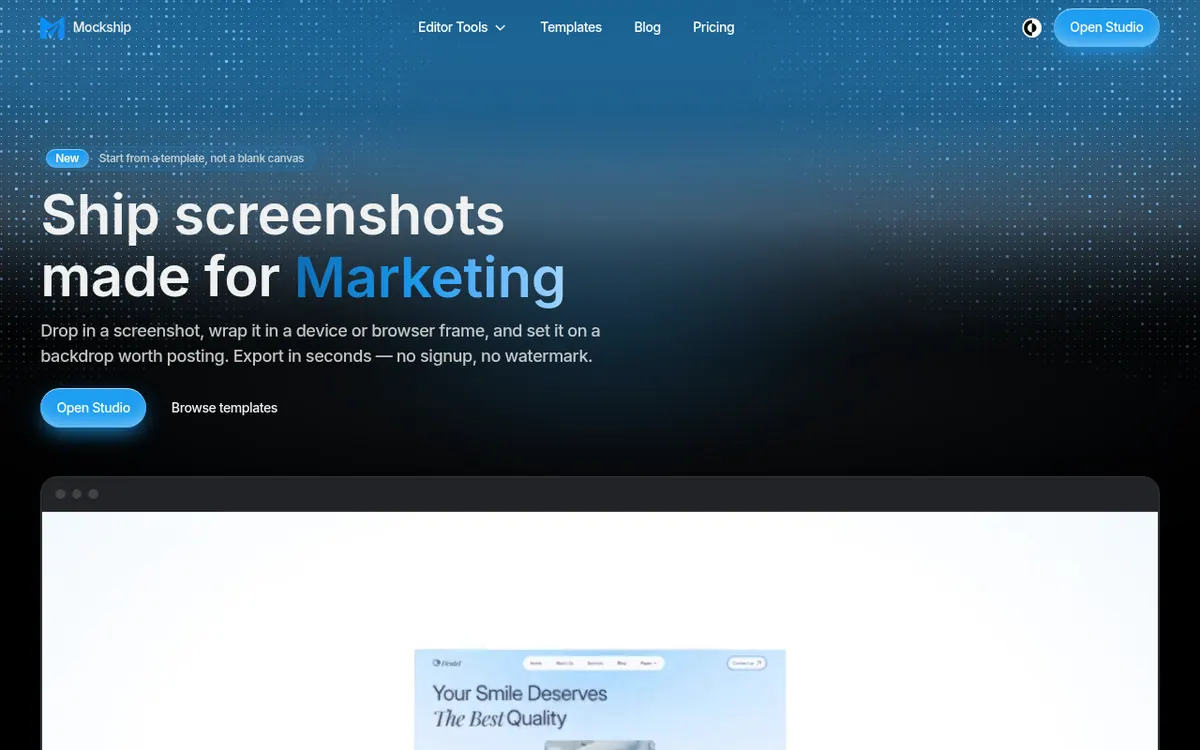
Mockship is a screenshot editor and mockup generator that runs in the browser. You drop in a screenshot, put it inside a device or browser frame, choose a backdrop, and export an image ready to post. According to the site, you do not need an account for this, and free exports carry no watermark.
The library includes 22 device frames, 64 arrangements, 158 backdrops and 20 templates, plus 13 shadow overlays and 14 patterns. Besides phone and laptop bodies, it offers browser windows, full-page captures, post cards built from X or Bluesky links, and carousel slides. Canvas presets cover social networks and the App Store. A brand kit can add your logo, colour and watermark to every export, and designs can be saved and shared through public links.
Pricing has three options. Free costs $0 and covers HD PNG and JPEG export, the 22 device frames, the 64 arrangements and 10 templates. Pro is $9 per month billed monthly and adds 4K and 6K export, WebP, the brand kit, share links, all 20 templates, all 158 premium backdrops and 1 GB of cloud storage. The FAQ also mentions $84 a year for Pro, stated as a yearly total. Lifetime is a one-time payment of $149 for the first 100 buyers, then $199, and includes everything in Pro.
The homepage says exports can be used commercially without attribution.
- Device frames for phones, tablets and laptops
- Browser frames with your own domain
- Full-page screenshot mockups
- X and Bluesky post cards
- Carousel slide export
- Backdrops, shadow overlays and patterns
- Brand kit with logo and watermark
- Public share links and saved designs
Official video
Introducing Mockship – Screenshot Mockup Editor · by Mockship App ·
The player loads only when you press play.
Pros and cons
Pros
- Free plan needs no account, no card and adds no watermark
- 22 device frames, 64 arrangements and 10 templates are included free
- Large library of 158 backdrops, 20 templates and 13 shadow overlays on Pro
- Lifetime option at $149 for the first 100 buyers avoids recurring fees
- Commercial use of exports is allowed with no attribution
Cons
- Free export stops at HD PNG and JPEG; 4K, 6K and WebP require Pro
- Free plan offers only 8 backdrops from most sets
- Brand kit and public share links are Pro-only
- Pro's yearly price is given only as a $84 total, and no free trial is mentioned
- No API or platform beyond the browser studio is stated
Our take
Mockship suits people who regularly turn raw screenshots into launch posts, store listings or landing page visuals and want a quick, browser-based way to do it. The free plan needs no account and no card, so it is easy to try before paying. Its limits are clear from the pages: free export is HD PNG and JPEG only, and most backdrop sets are cut to 8 on the free plan. Anyone who needs 4K, 6K or WebP output, the brand kit or share links must move to Pro at $9 per month billed monthly, or pay once for Lifetime. The pages mention no API and no apps beyond the browser studio, so teams wanting automation or native tools have nothing here to rely on.
Comparisons and lists with Mockship
Coming soon
Coming soon — we are writing comparisons that include Mockship.
Mockship pricing
| Plan | Monthly billing | Annual billing (per month) | Limits / what’s included |
|---|---|---|---|
| Free | Free | — | No account or card needed; PNG and JPEG export at HD; 22 device frames, 64 arrangements; 10 ready-made templates; 8 backdrops from every other set |
| Pro per month | $9 | — | 4K & 6K export, plus WebP; 1 GB cloud storage, unlimited saved designs; all 20 templates; all 158 premium backdrops. Yearly option stated only as a $84 yearly total. |
| Lifetime one-time payment | — | — | $149 once for the first 100 buyers, then $199 once; everything in Pro, no renewal, no expiry |
Free trial: none listed. Free plan: yes.
Prices checked on on the official Mockship pricing page. “—” = not published.
All Mockship plans, limits and annual prices →
Frequently asked questions
Do I need an account to use Mockship?
No. The site says you can open the studio, drop in a screenshot and download it. An account is only needed so Pro features and your saved brand kit follow you between devices.
How much does Pro cost?
Pro is $9 per month billed monthly. The FAQ also lists $84 a year as a yearly total.
What export formats are free?
HD PNG and JPEG are free with no watermark. WebP and the 4K and 6K sizes are part of Pro.
Is there a one-time payment option?
Yes. Lifetime costs $149 once for the first 100 buyers, then $199 once. It includes everything in Pro, with no renewal and no expiry.
Can I use exported images commercially?
Yes. The site says exports are yours to publish, including client work, and no attribution is required.
Recently verified in AI Design & Websites
 10Web
 Elementor
 Glorify
 PageFly
 Pixpa
 Uizard
Add an AGIPicks badge to your site
The badge shows Mockship’s verification status on AGIPicks and links to this page. Light/dark and compact versions: badges.
Suggest an update
Wrong price, outdated fact or a tool that shut down? Are you the vendor and disagree with this page? Tell us, ideally with a link to the official page. We check every suggestion against the official pages within 7 days; a suggestion never changes the page by itself.