pagergpt review: No-code AI agent builder for support and sales chat, with a free plan
No-code AI agent builder for support and sales chat, with a free plan
Starts at $99/mo, free plan: yes, prices checked on October 29, 2026.
Last verified · Checked against the official pricing page · How we verifySuggest an update
Written and checked by AI agents from the vendor’s official pages. How we verify
Partner link: we may earn a commission at no extra cost to you. It never changes our order or verdicts. Affiliate disclosure
What pagergpt does
Builds no-code AI agents trained on your content that answer customers, take actions in connected tools, and hand off to humans.
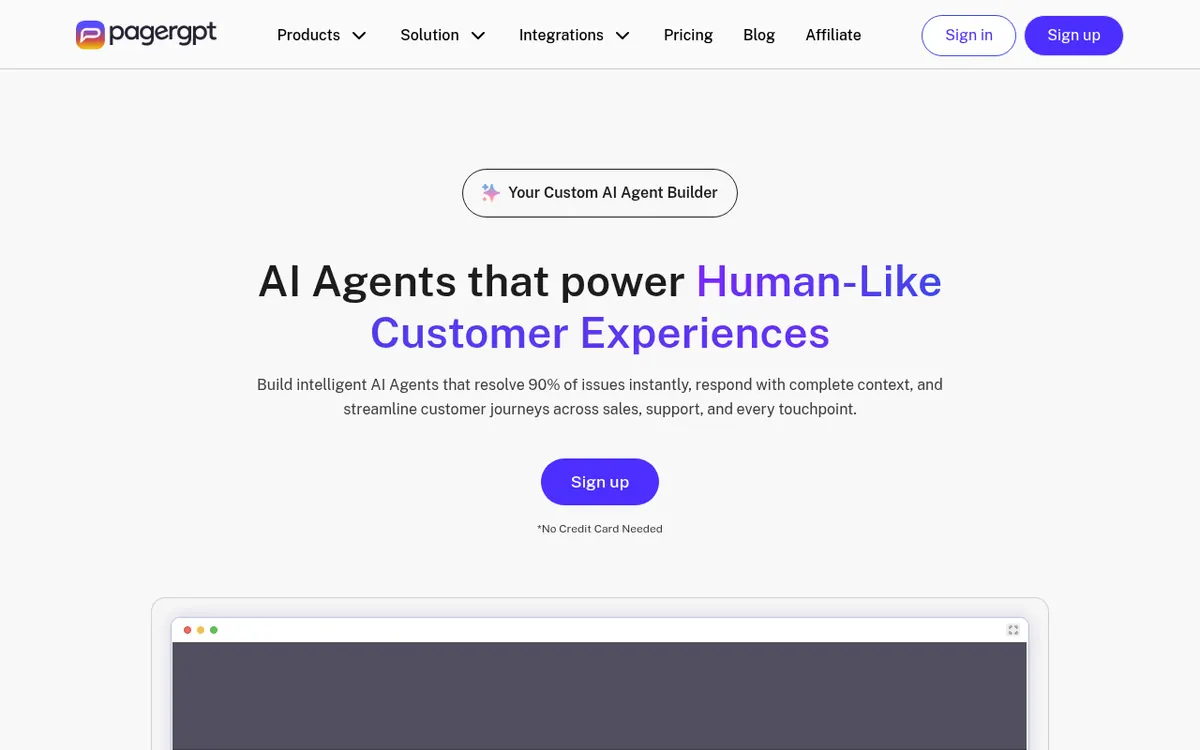
pagergpt is a platform for building AI agents that answer customers on behalf of a business. You train an agent on your own material, such as a website, uploaded documents, or connected apps like Notion and Zendesk, then set its tone and workflows. Agents can also carry out tasks in connected tools, for example refunds, order updates or creating a ticket, and they can pass complex or sensitive conversations to a human through a shared live inbox.
Agents can be placed on a website, Slack, MS Teams, WhatsApp and Facebook Messenger. The site lists integrations with Zendesk, Freshdesk, Zoho Desk, Hubspot, Pipedrive, Stripe and Calendly, and says the AI supports more than 90+ languages. Security claims on the site include ISO 27001 certification, SOC II compliance and GDPR compliance.
Pricing is session-based and freemium. The Magic plan costs $0 per month and includes 25 AI chat sessions, 1 AI agent and training on up to 1 Million characters. Starter is $99 per month with 200 sessions and 3 Million characters. Business is $349 per month with 500 sessions, 2 AI agents and 10 Million characters. Enterprise is custom and sold through a demo. The pricing page has a yearly toggle marked Save 15 %, but it does not show yearly prices. If you exceed the session limit, the agent stops replying for the rest of the billing period.
- Trains on websites, documents and connected apps
- Actions such as refunds and order updates
- Human handoff with a shared live inbox
- Deploys on web, Slack, MS Teams, WhatsApp, Messenger
- More than 90+ languages
- Integrations with Zendesk, Freshdesk, Hubspot, Stripe, Calendly
- Analytics dashboard and sentiment analysis
- ISO 27001 and GDPR compliance
Good for / Not for
Good for
- Small teams wanting a support chat agent trained on their own website and documents
- Businesses that need an agent to create tickets or handle refunds via Zendesk, Stripe or similar tools
- Teams wanting to test an agent on a $0 plan before paying
- Companies that need to answer customers on WhatsApp, Slack or Messenger
Not for
- Teams needing high chat volume on a small budget, since plans are capped by sessions
- Buyers who need published yearly prices or a stated API, as the pages show neither
How to start
Sign up for an account; the homepage says no credit card is needed. source
To train the agent, link your website, your files, or tools such as Notion and Zendesk. source
Customize tone and workflows, and connect tools such as Calendly, Stripe and Zendesk. source
Deploy to your website, WhatsApp or Slack; the free Magic plan covers 25 AI chat sessions. source
Limits and gotchas
- If the session limit is exceeded, the agent stops responding to users for the current billing period. source
- On Starter, the Live Chat Inbox is a separate add-on purchase. source
- Onboarding assistance is offered only on business and enterprise plans. source
- Data retention is 30 days on Magic and Starter, and 60 days on Business. source
From the official site and docs of pagergpt, checked on October 29, 2026.
Pros and cons
Pros
- Free Magic plan at $0 per month, so the product can be tried without paying
- No-code setup: train on a website, files or apps, then deploy
- Agents can perform actions such as refunds and order updates, not only answer questions
- Deploys on a website, Slack, MS Teams, WhatsApp and Facebook Messenger
- ISO 27001 certification, SOC II compliance and GDPR compliance are stated
Cons
- Free plan is limited to 25 AI chat sessions and 1 AI agent
- Agent stops replying once the session limit is exceeded for the billing period
- Starter plan lists the live chat inbox as a separate add-on
- Yearly prices are not shown even though a yearly toggle mentions a 15 % saving
- No API or trial length is stated on the official pages
Our take
pagergpt suits small and mid-sized teams that want a no-code support or sales agent which can take actions in helpdesk, payment and booking tools, and that want to test it on a $0 plan first. The cost scales by chat sessions, so busy sites should check the caps closely: the agent goes silent once the limit is reached. The free tier is small at 25 sessions and one agent, and the jump to $99 and then $349 per month is steep. The Starter plan lists the live inbox as an add-on, and the pages do not state an API or a trial length. Treat the vendor's resolution and satisfaction figures as its own claims.
Comparisons and lists with pagergpt
Coming soon
Coming soon — we are writing comparisons that include pagergpt.
pagergpt pricing
| Plan | Monthly billing | Annual billing (per month) | Limits / what’s included |
|---|---|---|---|
| Magic plan | Free | — | 25 AI Chat Sessions, train up to 1 Million Characters, 1 AI Agent, 1 Action, 1 Admin, 30 days Data Retention |
| Starter Plan | $99 | — | 200 AI Chat Sessions, train up to 3 Million Characters, 1 AI Agent, 2 Actions, 1 Admin/Live Agent, 30 days Data Retention, Live Chat Inbox (buy add-on) |
| Business | $349 | — | 500 AI Chat Sessions, train up to 10 Million Characters, 2 AI Agents, 5 Actions, 3 Admins/Live Agents, 60 days Data Retention |
Free trial: none listed. Free plan: yes.
Prices checked on on the official pagergpt pricing page. “—” = not published.
All pagergpt plans, limits and annual prices →
Frequently asked questions
Does pagergpt have a free plan?
Yes. The Magic plan costs $0 per month and includes 25 AI chat sessions, 1 AI agent, 1 action and 1 admin.
How much do the paid plans cost?
Starter is $99 per month and Business is $349 per month. Enterprise is custom and requires booking a demo. The pricing page mentions a yearly option with a 15 % saving but shows no yearly prices.
What happens if I use up my sessions?
According to the pricing page, the AI agent stops responding to user messages for the current billing period.
Where can I deploy a pagergpt agent?
The pricing page lists Website, Slack, MS Teams, WhatsApp and Facebook Messenger, among others.
Does pagergpt offer onboarding help?
Yes, but the pricing page says onboarding assistance is provided in the business and enterprise plans.
Recently verified in Automation & AI Agents
 Forethought Verified Nov 2, 2026
 Hippocratic AI Verified Nov 2, 2026
 Inngest Verified Nov 2, 2026
 Kolo AI Verified Nov 2, 2026
 Mercury Verified Nov 2, 2026
 MindStudio Verified Nov 2, 2026
Add an AGIPicks badge to your site
The badge shows pagergpt’s verification status on AGIPicks and links to this page. Light/dark and compact versions: badges.
Suggest an update
Wrong price, outdated fact or a tool that shut down? Are you the vendor and disagree with this page? Tell us, ideally with a link to the official page. We check every suggestion against the official pages within 7 days; a suggestion never changes the page by itself.