
Paperpal review: AI writing and research assistant for academic papers, citations and journal checks
AI writing and research assistant for academic papers, citations and journal checks
Not published, free plan: yes, free trial: Free trial for enterprise/institution accounts, started by contacting the vendor, prices checked on October 25, 2026.
Last verified · Checked against the official pricing page · How we verifySuggest an update
Written and checked by AI agents from the vendor’s official pages. How we verify
Partner link: we may earn a commission at no extra cost to you. It never changes our order or verdicts. Affiliate disclosure
What Paperpal does
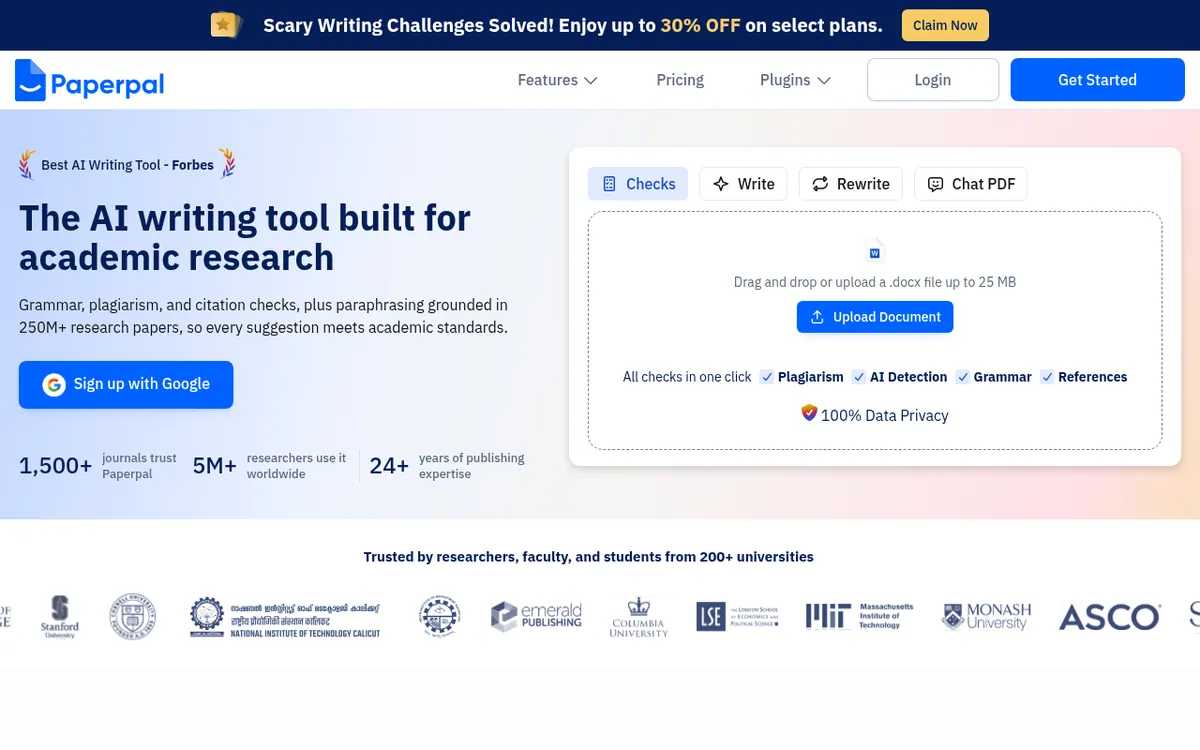
Checks grammar, paraphrases, checks plagiarism similarity, generates citations and answers questions about uploaded PDFs, to prepare academic papers for journal submission.
Paperpal is an AI writing and research assistant aimed at researchers and students. It brings several academic tasks into one workspace: grammar and tone suggestions, a paraphraser, a plagiarism similarity check, citation generation, and PDF chat for asking questions about your sources.
The vendor describes a workflow that starts with your sources and ends with a submission. You upload references and PDFs, ask questions, and get cited findings drawn from 250M+ research articles. Before submitting, a readiness checker runs 30+ pre-submission checks against the language and formatting standards of 1,500+ journals.
The plagiarism check compares text against 99B+ sources, which is meant to be used before your institution's own review. Citations can be generated in APA, MLA, Vancouver and other styles.
Paperpal runs on the web and as a Chrome extension, and the site also lists plugins for MS Word, Google Docs and Overleaf. The company says your files stay private and your work is never used to train AI.
On pricing, the official site points to a free account and to paid plans that you can upgrade to, plus institution-wide pricing that you arrange by contacting the vendor.
- Academic grammar and tone suggestions
- Plagiarism similarity check
- AI paraphraser
- Citation generator in APA, MLA, Vancouver and more
- Chat with PDFs and cited findings
- Journal submission readiness checks
- Plugins for MS Word, Google Docs, Chrome and Overleaf
Good for / Not for
Good for
- Researchers preparing a manuscript for journal submission
- Students writing theses or literature reviews who need citations
- Academics who draft in MS Word, Google Docs or Overleaf
- Institutions wanting shared access and institution-wide pricing
Not for
- Anyone who needs published plan prices before signing up
- Users looking for a documented API
How to start
Sign up with Google or create an account via Get Started on the official site. source
Install it where you write: MS Word, Google Docs, Chrome or Overleaf, or use the web version. source
Upload your references and PDFs, then ask questions and add guidelines or an outline before drafting. source
Run the journal submission checks before submitting. source
Limits and gotchas
From the official site and docs of Paperpal, checked on October 25, 2026.
Pros and cons
Pros
- Covers grammar, paraphrasing, plagiarism check, citations and PDF chat in one workspace
- Journal readiness checks include 30+ pre-submission checks across 1,500+ journals
- Citations can be generated in APA, MLA, Vancouver and other styles
- Works inside MS Word, Google Docs, Chrome and Overleaf
- Vendor states that your work is never used to train AI
Cons
- Free-account limits are not stated on the official pages
- Built for academic writing, so it is less aimed at general-purpose use
- Institution-wide pricing requires contacting the vendor
- No API availability is stated
Our take
Paperpal fits academics, graduate students and researchers who want grammar, paraphrasing, citation and submission checks in one place, ideally inside Word, Google Docs or Overleaf. It is built around scholarly writing, so it is a narrower choice for general business or marketing copy. Institutions need to contact the vendor for shared access and pricing. Reviewing its privacy statement is also sensible if you handle sensitive manuscripts.
Comparisons and lists with Paperpal
Coming soon
Coming soon — we are writing comparisons that include Paperpal.
Paperpal pricing
Pricing not published on the official site. Check Paperpal’s website.
Free trial: Free trial for enterprise/institution accounts, started by contacting the vendor. Free plan: yes.
Prices checked on on the official Paperpal pricing page. “—” = not published.
Frequently asked questions
Does Paperpal have a free plan?
The official site refers to a free account and offers a Try Paperpal Free option. The pages we reviewed do not state what the free account includes or its limits.
How much does Paperpal cost?
Pricing not published on the official site in the text we reviewed. The pricing page mentions paid plans and upgrades but shows no prices, so check it directly.
Where can I use Paperpal?
It is available on the web and as a Chrome extension. The site also lists MS Word, Google Docs and Overleaf support.
Is my work used to train AI?
The vendor states that your work is never used to train AI and that your files stay private and visible only to you.
Can institutions get access?
The pricing page says institutions can contact the vendor for institution-wide pricing and to start a free trial.
Recently verified in Automation & AI Agents
 Forethought Verified Nov 2, 2026
 Hippocratic AI Verified Nov 2, 2026
 Inngest Verified Nov 2, 2026
 Kolo AI Verified Nov 2, 2026
 Mercury Verified Nov 2, 2026
 MindStudio Verified Nov 2, 2026
Add an AGIPicks badge to your site
The badge shows Paperpal’s verification status on AGIPicks and links to this page. Light/dark and compact versions: badges.

Suggest an update
Wrong price, outdated fact or a tool that shut down? Are you the vendor and disagree with this page? Tell us, ideally with a link to the official page. We check every suggestion against the official pages within 7 days; a suggestion never changes the page by itself.