
PicWish review: AI photo editor for background removal, unblurring and product photos
AI photo editor for background removal, unblurring and product photos
Custom (contact sales), free plan: yes, free trial: 3-Day Free Trial (Pro), prices checked on October 29, 2026.
Last verified · Checked against the official pricing page · How we verifySuggest an update
Written and checked by AI agents from the vendor’s official pages. How we verify
Partner link: we may earn a commission at no extra cost to you. It never changes our order or verdicts. Affiliate disclosure
What PicWish does
Online AI photo editor that removes backgrounds, sharpens blurry images, removes watermarks and creates product photos through chat.
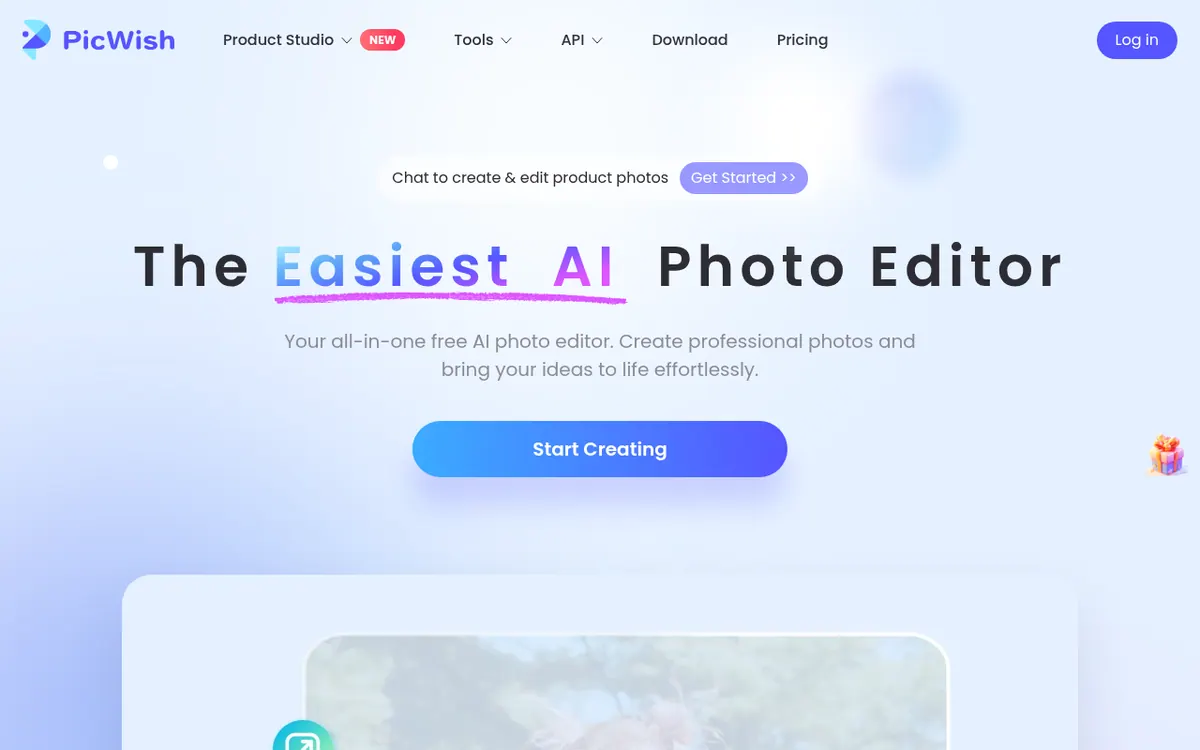
PicWish is an online photo editor built around AI tools. Its homepage lists background removal, photo enhancement and unblurring, watermark removal, object removal, old photo restoration, image enlarging and more. It also has an AI Designer, where you describe the edit you want in natural language, and a chat-based way to create and edit product photos. The background remover can take up to 30 files in one go.
The product runs in the browser and is offered as apps for Windows, macOS, iOS and Android. A separate API service for image editing integration is mentioned on the pricing page.
Pricing is freemium. The Free plan costs $0, but its core features are limited, AI features come only as limited free trials, no credits are included and batch processing is not supported. Pro is shown at $4.99 per month billed yearly, with 450 credits per month, 100 HD downloads per day and a 3-Day Free Trial. Max is shown at $21.99 per month billed yearly, with 2,000 credits per month, 15,000 HD downloads per month, and extra monthly images for AI Designer, Photo Enhancer and Watermark Remover. The page also describes a separate pay-as-you-go option based on credits that do not expire and can be shared by team members.
Subscriptions cover one seat, unused recurring credits do not carry over, and downgrades are not supported. The pricing page states a 7-day money-back guarantee for online and Windows purchases.
- Background removal
- Unblur and sharpen images
- AI Designer with natural-language editing
- Chat-based product photo creation
- Watermark remover
- Old photo restoration
- Image enlarger
- Bulk processing on paid plans
Official video
How to Edit Text in an Image with AI | No Photoshop · by PicWish ·
The player loads only when you press play.
Good for / Not for
Good for
- People who need quick background removal or image sharpening
- Online sellers preparing product photos
- Users who want both web and mobile or desktop apps
Not for
- Teams needing shared seats on a subscription (one seat only)
- Users who want a free plan with credits included (none are included)
How to start
Limits and gotchas
- Free plan: limited core features, no credits, no batch processing. source
- Pro includes 450 credits per month and 100 HD downloads per day; unused recurring credits do not roll over. source
- The subscription covers one seat only, and downgrades are not supported. source
- Free trial is charged automatically after 72 hours. source
From the official site and docs of PicWish, checked on October 29, 2026.
Pros and cons
Pros
- Free plan at $0 lets you try the core tools
- Wide set of tools: background removal, enhancement, watermark and object removal
- Available on web, Windows, macOS, iOS and Android
- Background remover handles up to 30 files at a time
- Pro includes a 3-Day Free Trial and a 7-day money-back guarantee is stated
Cons
- Free plan has limited core features, no credits and no batch processing
- Subscription covers only one seat and has no team mode
- Unused recurring credits do not roll over to the next billing cycle
- Downgrades are not currently supported
- Only yearly-billed per-month prices are shown for Pro and Max
Our take
PicWish fits people who need common image fixes such as cutting out backgrounds, sharpening blurry pictures or removing watermarks, and who may also want product photo creation through chat. The free plan lets you try the tools, but it is limited and has no credits. The paid plans are shown with yearly-billed monthly prices, so monthly billing costs are not published on the page we read. Teams should look at pay-as-you-go instead, because a subscription covers only one seat. Credits do not roll over, so light or irregular users may waste part of an allowance. Check the cancellation rules before starting the Pro trial, since the page says it is charged automatically after 72 hours. We did not test the product; this summary reflects only the official pages.
Comparisons and lists with PicWish
Coming soon
Coming soon — we are writing comparisons that include PicWish.
PicWish pricing
| Plan | Monthly billing | Annual billing (per month) | Limits / what’s included |
|---|---|---|---|
| Free | Free | — | Core features limited; AI features limited free trials; no credits included; batch processing not supported |
| Pro per month, billed annually | — | $4.99 | 450 credits/month after payment; 100 HD downloads/day; 3-Day Free Trial |
| Max per month, billed annually | — | $21.99 | 2,000 credits/month; 15,000 HD downloads/month; 30 AI Designer images/month; 50 Photo Enhancer images/month; 100 Watermark Remover images/month |
Free trial: 3-Day Free Trial (Pro). Free plan: yes.
Prices checked on on the official PicWish pricing page. “—” = not published.
All PicWish plans, limits and annual prices →
Frequently asked questions
Does PicWish have a free plan?
Yes. The Free plan costs $0, but core features are limited, AI features are limited free trials, no credits are included and batch processing is not supported.
How much do Pro and Max cost?
Pro is shown at $4.99 per month billed yearly and Max at $21.99 per month billed yearly. Monthly-billing prices are not shown on the page.
Which platforms are supported?
The site works online and the homepage lists apps for Windows, macOS, iOS and Android.
Can a team share one subscription?
No. The Subscription plan includes only one seat and does not support team mode. The pay-as-you-go plan supports team collaboration with shared credits.
Recently verified in AI Image Generation
 Backlog by Nulab Inc Verified Nov 2, 2026
 Based Labs Verified Nov 2, 2026
- Ideogram Verified Nov 2, 2026
 Playground Verified Nov 2, 2026
 Recraft Verified Nov 2, 2026
 Krea Verified Oct 30, 2026
Add an AGIPicks badge to your site
The badge shows PicWish’s verification status on AGIPicks and links to this page. Light/dark and compact versions: badges.

Suggest an update
Wrong price, outdated fact or a tool that shut down? Are you the vendor and disagree with this page? Tell us, ideally with a link to the official page. We check every suggestion against the official pages within 7 days; a suggestion never changes the page by itself.