
Qdrant review: Open-source vector search engine with a free managed cloud tier
Open-source vector search engine with a free managed cloud tier
Custom (contact sales), free plan: yes, prices checked on October 30, 2026.
Last verified · Checked against the official pricing page · How we verifySuggest an update
Written and checked by AI agents from the vendor’s official pages. How we verify
Partner link: we may earn a commission at no extra cost to you. It never changes our order or verdicts. Affiliate disclosure
What Qdrant does
Stores vectors with JSON metadata and runs similarity and hybrid dense-sparse search for RAG, agents and recommendations, via API.
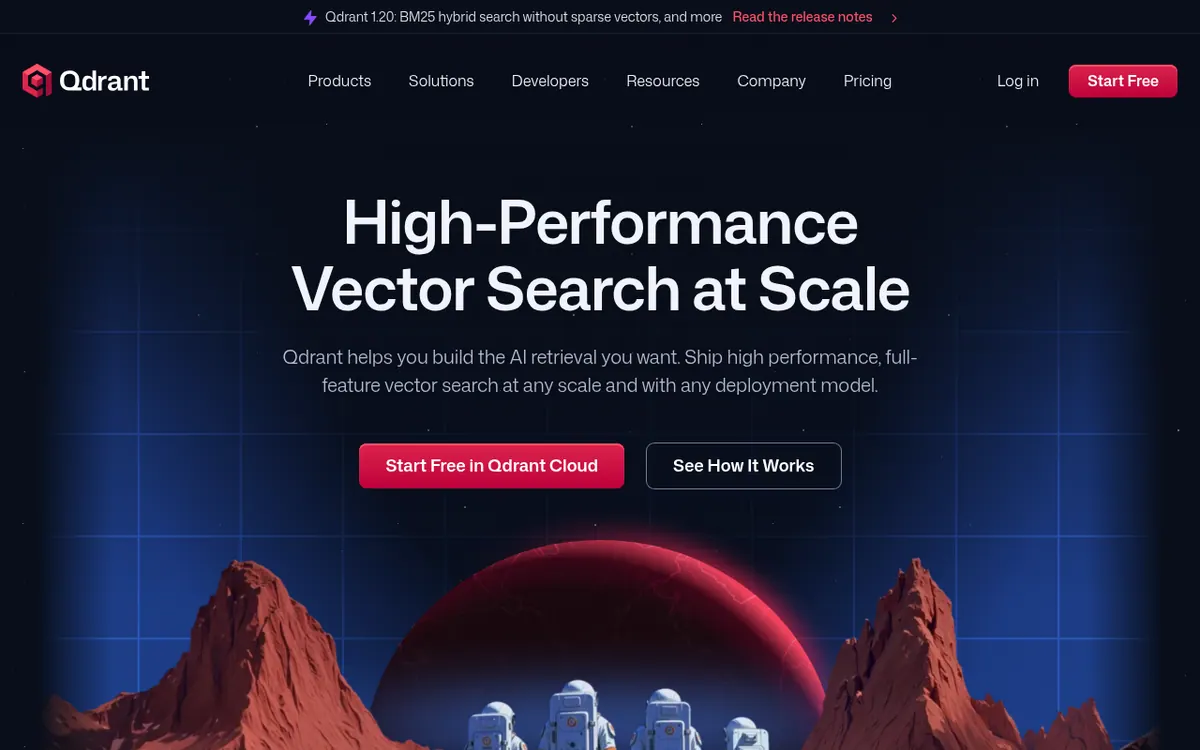
Qdrant is an open-source vector search engine written in Rust. It stores vectors together with JSON metadata and lets developers run similarity search through REST, gRPC or official clients such as Python and JavaScript. The vendor positions it for retrieval-augmented generation, AI agents, recommendations, semantic search and anomaly detection.
On the capability side, the official pages list hybrid search that mixes dense and sparse vectors, multiple vectors per object, metadata filters applied during HNSW traversal, and reranking options such as score boosting, late interaction models and Maximum Marginal Relevance. Quantization is offered to cut memory use, and new data is indexed without rebuilding the whole index. A built-in web UI lets you browse collections and test queries.
Qdrant can be used as the open-source engine, or through Qdrant Cloud, which runs on AWS, GCP or Azure. Hybrid Cloud and Private Cloud options cover running on your own infrastructure or in air-gapped setups.
Pricing for Qdrant Cloud has three tiers. The Free Tier is described as free forever, meant for testing and prototypes, with a single node cluster of 0.5 vCPU, 1GB RAM and 4 GB disk. The Standard Tier uses usage-based pricing for production workloads, billed hourly on compute, memory, storage, backups and paid inference tokens. The Premium Tier requires a minimum spend and adds SSO, private VPC links and a 99.9% uptime SLA. Pricing amounts are not published on the official pricing page.
- Open-source vector search engine in Rust
- Hybrid dense and sparse search
- JSON metadata filtering
- Multiple vectors per object
- Reranking with MMR and late interaction models
- Quantization to reduce memory
- Built-in web UI
- Cloud inference for embeddings
Official video
Qdrant Beginner Course: Learn Vector Search from Scratch · by Qdrant Vector Search ·
The player loads only when you press play.
Good for / Not for
Good for
- Developers building RAG or AI agent retrieval who need a dedicated vector database
- Teams that want to prototype on a free cloud cluster and later move to usage-based production
- Organisations needing on-prem, hybrid or air-gapped deployment options
Not for
- People wanting a ready-made search app without writing code
- Buyers who need published price amounts for Standard or Premium before talking to sales
How to start
Sign up through the Start Free button to create a Qdrant Cloud account on the Free Tier. source
Spin up a cluster; the homepage says the Cloud quickstart takes seconds. source
Connect from code via REST, gRPC or an official client such as Python or JavaScript. source
Move to the Standard Tier if you outgrow the Free Tier limits. source
Limits and gotchas
From the official site and docs of Qdrant, checked on October 30, 2026.
Pros and cons
Pros
- Open-source engine written in Rust, with a free managed cloud tier
- Hybrid dense and sparse search with metadata filtering in one engine
- Several deployment options: Cloud, Hybrid Cloud, Private Cloud
- Accessible through REST, gRPC and official clients such as Python and JavaScript
- Built-in web UI for exploring collections and testing queries
Cons
- Standard and Premium prices are not published on the pricing page
- Free Tier is limited to 1GB RAM and 4GB disk without high availability
- Standard Tier billing is usage-based, so costs depend on cluster size
- Premium Tier requires a minimum spend
- Developer tool: no stated standalone desktop or mobile app
Our take
Qdrant fits developers and teams who need a dedicated vector database for RAG, search or recommendations and want the option to start on the open-source engine or a free cloud cluster. The Free Tier suits prototypes, but it is small and has no high availability, so production use means moving to the Standard Tier. The main trade-off is cost clarity: Standard is usage-based and Premium needs a minimum spend, with no amounts on the pricing page, so you need the pricing calculator or sales to estimate a budget. It is an infrastructure component, not an end-user app, so it is not for people who want a ready-made search interface without writing code.
Comparisons and lists with Qdrant
Coming soon
Coming soon — we are writing comparisons that include Qdrant.
Qdrant pricing
| Plan | Monthly billing | Annual billing (per month) | Limits / what’s included |
|---|---|---|---|
| Free Tier | — | — | Single node cluster, 0.5 vCPU / 1GB RAM / 4 GB Disk; free cloud inference with selected models |
| Standard Tier usage-based | — | — | Usage-based pricing; dedicated resources; 99.5% uptime SLA; no fixed price published |
| Premium Tier minimum spend | — | — | Minimum spend required; SSO, private VPC links, 99.9% uptime SLA, extra support |
Free trial: none listed. Free plan: yes.
Prices checked on on the official Qdrant pricing page. “—” = not published.
Frequently asked questions
Does Qdrant have a free plan?
Yes. The Qdrant Cloud Free Tier is described as free forever, for testing and prototypes, with a single node cluster of 0.5 vCPU, 1GB RAM and 4 GB disk.
How is Qdrant Cloud billed?
Billing follows actual resource use: compute, memory, storage, backup storage and paid inference tokens, billed hourly and visible in the Qdrant Cloud dashboard.
Which clouds does Qdrant Cloud run on?
The pricing page lists AWS, Azure and GCP for the Free, Standard and Premium tiers.
How can I access Qdrant from code?
Through REST, gRPC or official clients such as Python and JavaScript, according to the homepage.
What happens if I outgrow the Free Tier?
The pricing page says you can upgrade to a Standard Tier and scale up your cluster.
Recently verified in AI APIs & Models
 Langfuse Verified Nov 2, 2026
 Portkey Verified Nov 2, 2026
 Supermemory Verified Nov 2, 2026
 LangChain Verified Oct 31, 2026
 Hoppscotch Verified Oct 30, 2026
 Hugging Face Verified Oct 30, 2026
Add an AGIPicks badge to your site
The badge shows Qdrant’s verification status on AGIPicks and links to this page. Light/dark and compact versions: badges.

Suggest an update
Wrong price, outdated fact or a tool that shut down? Are you the vendor and disagree with this page? Tell us, ideally with a link to the official page. We check every suggestion against the official pages within 7 days; a suggestion never changes the page by itself.