
Screenpipe review: Local screen and audio history that AI tools can search, for individuals and teams
Local screen and audio history that AI tools can search, for individuals and teams
Starts at $21/mo, free plan: yes, prices checked on October 25, 2026.
Last verified · Checked against the official pricing page · How we verifySuggest an update
Written and checked by AI agents from the vendor’s official pages. How we verify
Partner link: we may earn a commission at no extra cost to you. It never changes our order or verdicts. Affiliate disclosure
What Screenpipe does
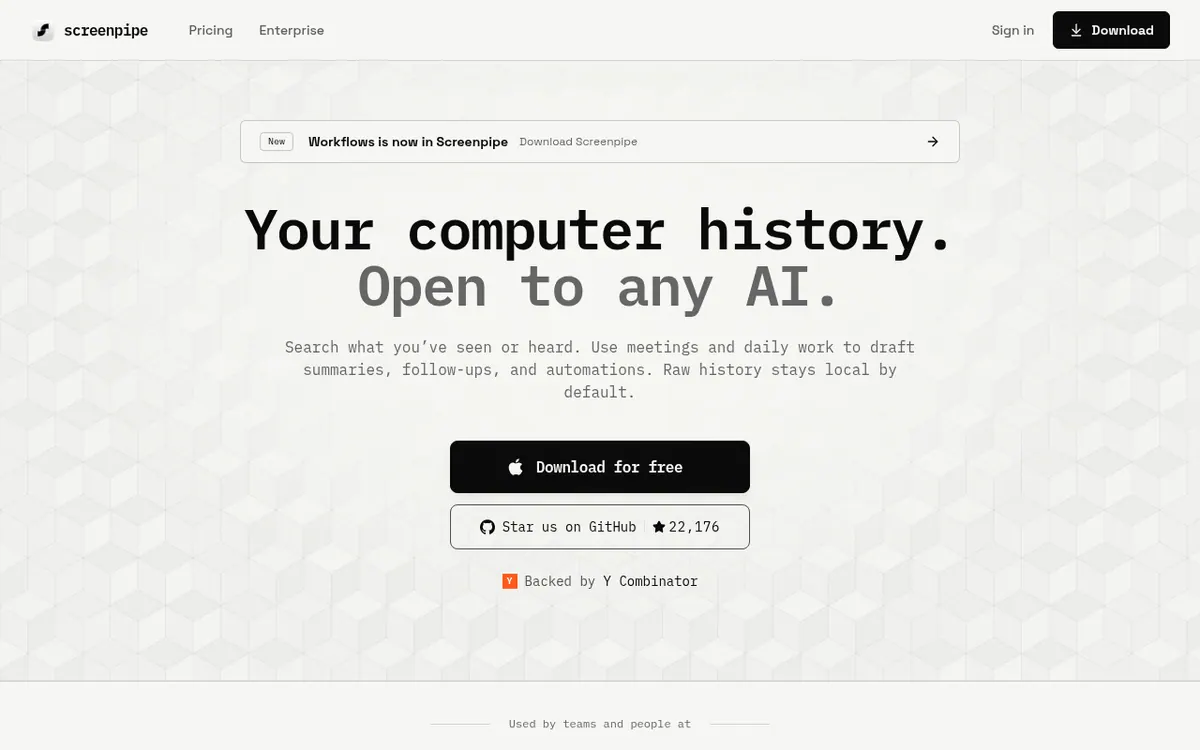
Records your screen and audio on your device so AI tools can search your work history, draft SOPs and suggest automations.
Screenpipe records what appears on your screen and what is said in audio, keeps that history on your own machine by default, and lets AI tools search it. The idea is that an assistant such as Claude or Codex can answer questions about your real work instead of guessing. It runs on macOS, Windows and Linux, and offers a local database, a REST API and an MCP server, so your history is not tied to a single model.
Beyond search, the vendor describes workflow discovery and documentation: finding recurring work across apps, drafting step-by-step SOPs from captured activity, and pointing out automation candidates. You can exclude apps, windows and URLs and redact sensitive fields on the device.
Pricing has four tiers. Free costs $0 and covers one device with limited history. Basic is $21 per month billed monthly, or $250 per year billed annually, and adds full searchable history and unlimited scheduled workflows you install. Business is $42 per seat per month billed monthly, or $500 per seat per year billed annually, and adds personal device sync plus centralized billing and managed seats. Enterprise is custom-priced. The pricing page also lists storage of about 30 GB per month with configurable retention, and RAM use of 600 MB – 4 GB depending on settings.
- Screen, audio and meeting capture on your device
- Search across apps and conversations
- Context sharing with Claude, Codex and other AI tools
- Local database, REST API and MCP server
- Exclusion of apps, windows and URLs, plus redaction
- SOP drafts from captured work
- Recurring workflow discovery
- Scheduled workflows on Basic
- Personal device sync on Business
Official video
AI write daily summaries of your work in Obsidian · by screenpipe ·
The player loads only when you press play.
Good for / Not for
Good for
- Individuals who want Claude, Codex or another AI tool to answer questions from their own work history
- Teams that want to document recurring workflows as step-by-step SOPs
- Developers who want a local database, REST API and MCP server for agents
Not for
- Teams needing shared context across teammates on Business, which the pricing page says is not currently included
- Buyers who want a per-month price for yearly billing; only yearly totals are shown
How to start
Limits and gotchas
From the official site and docs of Screenpipe, checked on October 25, 2026.
Pros and cons
Pros
- Free plan at $0 lets you start on one device before paying
- Local database, REST API and MCP server keep history usable across different AI tools
- Exclusion rules and on-device redaction of sensitive fields are available
- Runs on macOS, Windows and Linux
- Can draft SOPs and surface automation candidates from captured work
Cons
- Storage use is about 30 GB per month, with retention to configure
- RAM use ranges from 600 MB – 4 GB depending on settings
- Business does not currently include shared context across teammates
- Shared team context, automatic workflow discovery and cloud API access need Enterprise
- Yearly billing is shown only as yearly totals ($250 and $500 per seat), with no per-month yearly price
Our take
Screenpipe fits people who want their own work history available to an AI assistant while keeping raw data on their computer, and teams exploring workflow documentation. The free plan lets you try local capture before paying. It is less suited to anyone needing shared context across teammates on Business, since the pricing page says that is not currently included; team-wide context, workflow discovery and cloud API access sit in Enterprise with custom pricing. Continuous capture also costs disk space and memory, so check the stated storage and RAM figures against your machine. Generated workflows should be reviewed before use, as the vendor itself advises.
Comparisons and lists with Screenpipe
Coming soon
Coming soon — we are writing comparisons that include Screenpipe.
Screenpipe pricing
| Plan | Monthly billing | Annual billing (per month) | Limits / what’s included |
|---|---|---|---|
| Free | Free | — | Starts on one device; limited searchable work history and limited scheduled workflows; community support |
| Basic per month billed monthly | $21 | — | Full searchable history; unlimited scheduled workflows you install; yearly billing is shown only as a yearly total of $250 billed annually (save $50), so no per-month yearly price is given |
| Business per seat per month billed monthly | $42 | — | Personal device sync, centralized billing and managed seats; yearly billing is shown only as a yearly total of $500 per seat billed annually (save $100), so no per-month yearly price is given; shared context across teammates is not currently included |
Free trial: none listed. Free plan: yes.
Prices checked on on the official Screenpipe pricing page. “—” = not published.
All Screenpipe plans, limits and annual prices →
Frequently asked questions
Is there a free plan?
Yes. The Free plan costs $0, starts on one device and includes limited searchable history. The site also offers a free download.
How much do paid plans cost?
Basic is $21 per month billed monthly, or $250 per year billed annually. Business is $42 per seat per month billed monthly, or $500 per seat per year billed annually. Enterprise is custom-priced. No per-month figure for yearly billing is shown on the page.
Which operating systems are supported?
macOS, Windows and Linux. The pricing page lists macOS 13+ and Windows 10+.
Can my own AI agent use the history?
Yes. The site lists a local database, a REST API and an MCP server for connecting agents.
How much storage and memory does it need?
The pricing page states about 30 GB of storage per month with configurable retention, and RAM use of 600 MB – 4 GB depending on settings.
Recently verified in Automation & AI Agents
 Forethought Verified Nov 2, 2026
 Hippocratic AI Verified Nov 2, 2026
 Inngest Verified Nov 2, 2026
 Kolo AI Verified Nov 2, 2026
 Mercury Verified Nov 2, 2026
 MindStudio Verified Nov 2, 2026
Add an AGIPicks badge to your site
The badge shows Screenpipe’s verification status on AGIPicks and links to this page. Light/dark and compact versions: badges.

Suggest an update
Wrong price, outdated fact or a tool that shut down? Are you the vendor and disagree with this page? Tell us, ideally with a link to the official page. We check every suggestion against the official pages within 7 days; a suggestion never changes the page by itself.