
TinyOps Studio review: Browser preview that compares ordered, received and invoiced quantities from CSV files
Browser preview that compares ordered, received and invoiced quantities from CSV files
Prices not verified, free plan: yes.
Not yet verified · How we verifySuggest an update
Partner link: we may earn a commission at no extra cost to you. It never changes our order or verdicts. Affiliate disclosure
What TinyOps Studio does
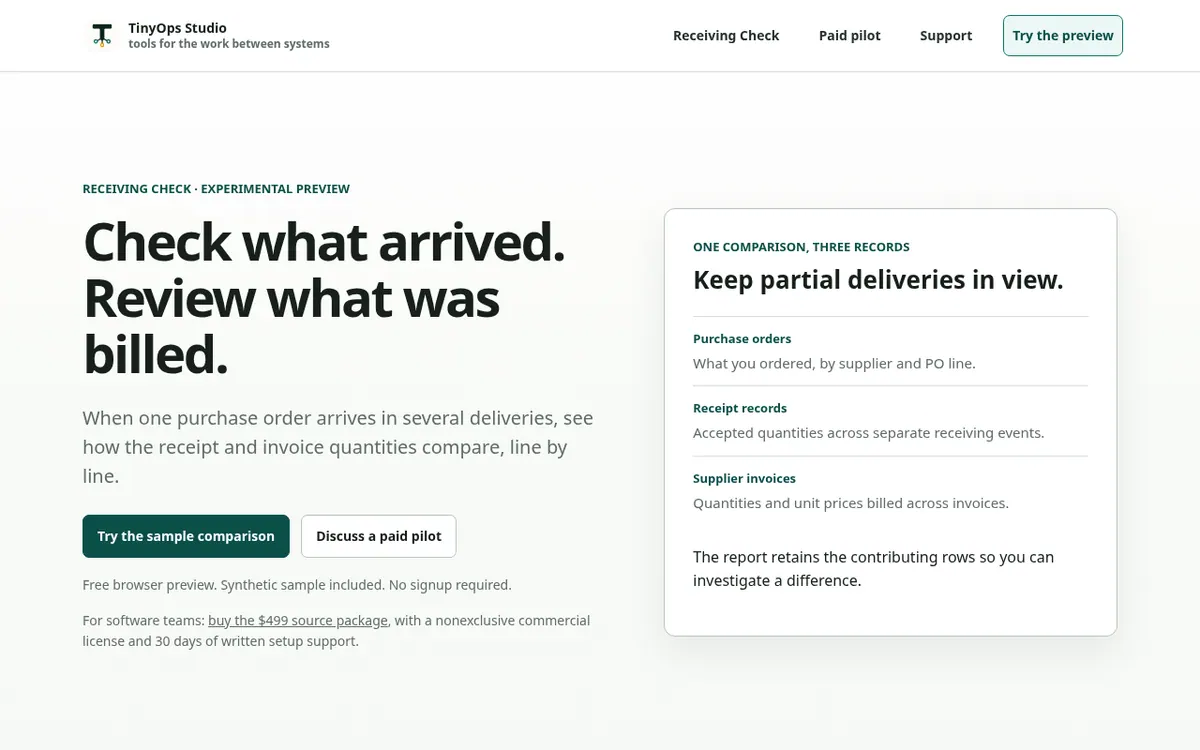
TinyOps Studio LLC offers Receiving Check, which its homepage labels an experimental preview. It addresses a narrow purchasing problem: one purchase order that arrives in several separate deliveries. You supply three CSV files covering orders, receipts and invoices, and the tool lines up the ordered, received and invoiced quantities so you can see where they diverge.
You can begin with a synthetic sample, use the provided templates, or match your own CSV column names to the fields the check requires. The comparison marks repeated event lines, price differences, and units or currencies that do not match. The report keeps the rows behind each difference and carries source references, so a reviewer can trace a mismatch and download the result. According to the site, the selected CSV files are processed inside your browser.
The scope is deliberately small. The preview does not read PDFs, link to Shopify, approve payments or change inventory, and taxes, freight, discounts, credit notes and currency conversion fall outside the comparison. The vendor says it has been tested with synthetic data and not yet validated against customer exports.
The browser preview is free and needs no signup. Beyond the free preview, the homepage mentions a source package for software teams with 30 days of written setup support, and paid pilots whose scope and price are agreed in writing.
- Compares ordered, received and invoiced quantities
- Handles partial deliveries against one purchase order
- Maps your own CSV column names
- Flags duplicate event lines
- Flags price differences
- Flags incompatible units or currencies
- Keeps contributing rows in the report
- Processes selected CSV files in the browser
Pros and cons
Pros
- Free browser preview with a synthetic sample and no signup
- Selected CSV files are processed inside the browser, per the site
- Flags duplicate lines, price differences and incompatible units or currencies
- Report retains contributing rows and source references for review
- Column mapping lets you use your own CSV headers
Cons
- Experimental preview, not yet validated against customer exports
- Works only from three structured CSV files, with no PDF extraction
- No Shopify connection, payment approval or inventory updates
- Taxes, freight, discounts, credit notes and currency conversion are excluded
Our take
Receiving Check suits a buyer who wants to examine one specific reconciliation problem, partial deliveries set against invoices, before committing to anything. The free preview with sample data lets you see the method without a signup. It does not suit anyone who needs PDF reading, a Shopify link, payment approval or inventory updates, or who must compare taxes, freight, discounts or credit notes. The vendor itself calls the tool experimental and says it has not been validated against customer exports, so treat the output as material to review rather than a verdict. Pricing for pilots is agreed individually, and no plan prices are published.
Comparisons and lists with TinyOps Studio
Coming soon
Coming soon — we are writing comparisons that include TinyOps Studio.
TinyOps Studio pricing
Prices not verified — the official pricing could not be confirmed; check the vendor's site: official website.
Frequently asked questions
Is there a free version of TinyOps Studio?
Yes. The site offers a free browser preview of Receiving Check, with a synthetic sample included and no signup required.
What files does Receiving Check need?
It needs three structured CSV files holding the required order, receipt and invoice fields. You can map your own column names in the preview.
Can it read PDFs or connect to Shopify?
No. The site lists PDF extraction, Shopify connection, payment approval and inventory updates as things the preview does not do.
Are my files sent to a server?
The site says selected CSV files are processed inside your browser.
Recently verified in Automation & AI Agents
 Forethought Verified Nov 2, 2026
 Hippocratic AI Verified Nov 2, 2026
 Inngest Verified Nov 2, 2026
 Kolo AI Verified Nov 2, 2026
 Mercury Verified Nov 2, 2026
 MindStudio Verified Nov 2, 2026
Add an AGIPicks badge to your site
The badge shows TinyOps Studio’s verification status on AGIPicks and links to this page. Light/dark and compact versions: badges.

Suggest an update
Wrong price, outdated fact or a tool that shut down? Are you the vendor and disagree with this page? Tell us, ideally with a link to the official page. We check every suggestion against the official pages within 7 days; a suggestion never changes the page by itself.