
Voiceflow review: Platform for building, testing and improving chat and voice AI agents for CX teams
Platform for building, testing and improving chat and voice AI agents for CX teams
Not published, free plan: no, free trial: Free trial, no credit card required (listed under For Agencies & Partners), prices checked on October 30, 2026.
Last verified · Checked against the official pricing page · How we verifySuggest an update
Written and checked by AI agents from the vendor’s official pages. How we verify
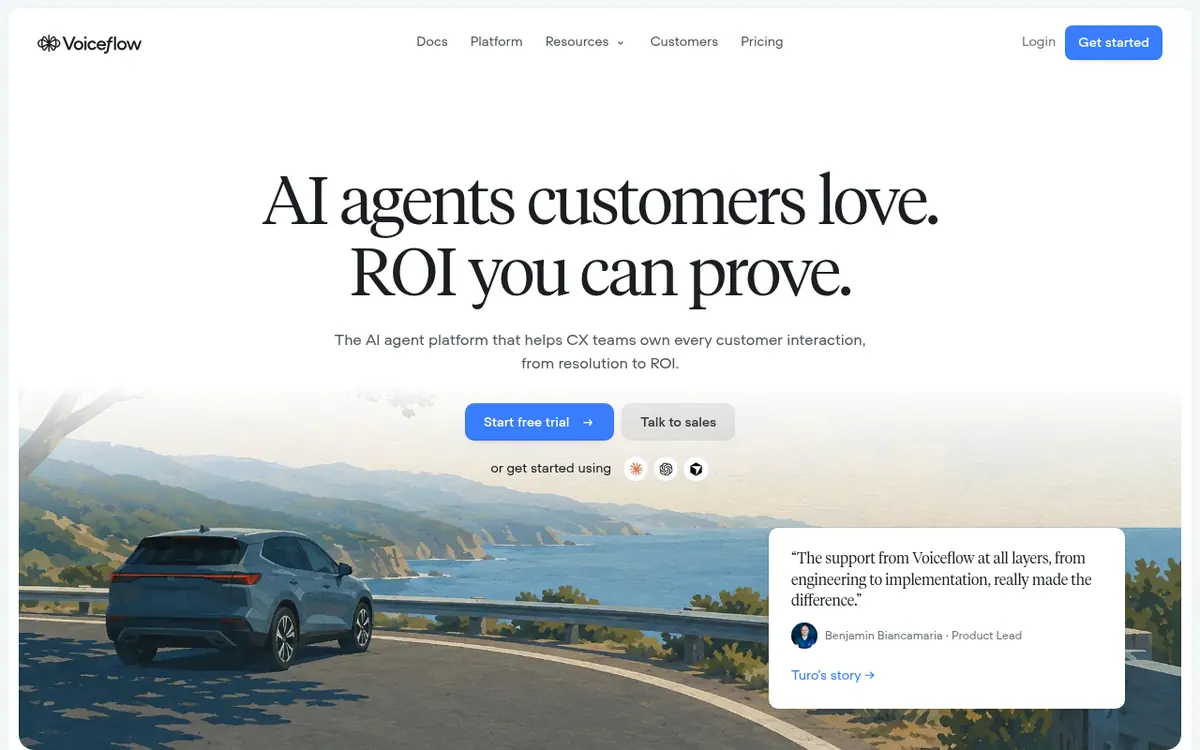
What Voiceflow does
Voiceflow is a platform where customer experience teams create AI agents that talk with customers over chat and voice. Agents are set up in a shared visual workspace called Studio, where instructions, playbooks, workflows and tools live together. Playbooks cover conversations that need to adapt to the customer, while visual workflows handle steps that must follow a fixed path.
Agents can answer from a knowledge base made of websites, documents, tables and help articles, and can take actions through integrations, API tools or MCP. Developers can add custom functions and work through APIs and a CLI. You can choose the AI model for an agent and override it for individual playbooks.
The platform also covers the work after launch. Atlas is an AI copilot for finding gaps and refining agents, Prism offers analytics, transcripts and evaluations, and Rehearsal runs simulations and automated checks before changes go live. Environments and traffic splitting support gradual rollouts.
On pricing, the official pricing page lists no amounts. Businesses are directed to book a demo or request pricing, while the agencies and partners option mentions a free trial with no credit card required and usage-based billing.
- Visual agent workspace (Studio)
- Playbooks and workflows
- Knowledge base from websites and documents
- Chat and voice deployment
- Atlas AI copilot
- Conversation tests and AI simulations
- Analytics, transcripts and evaluations
- APIs, CLI and MCP
Official video
Introducing Atlas | Voiceflow Launch Video · by Voiceflow ·
The player loads only when you press play.
Pros and cons
Pros
- Combines adaptive playbooks with fixed visual workflows in one workspace
- Covers building, testing (simulations) and post-launch analytics in one platform
- Lets you choose the AI model per agent and per playbook
- Offers APIs, a CLI and MCP for developer integration
- Supports roll-outs through environments and traffic splitting
Cons
- Pricing not published on the official site
- No free plan is mentioned; a free trial is listed only for agencies and partners
- Business pricing requires booking a demo or requesting a quote
- Viewers can only comment, and protected environments limit publishing to admins and owners
Our take
Voiceflow fits CX and support teams that want one place to design, test and monitor chat and voice agents, with room for developers to extend it through code and APIs. It suits mixed teams of support, design and engineering staff. The trade-off is pricing: the official site publishes no amounts, so budgeting means contacting the vendor. Teams wanting a quick self-serve price check, or a plain free plan, will not find one stated. Roles also matter, since only editors build and protected environments limit publishing to admins and owners.
Comparisons and lists with Voiceflow
Coming soon
Coming soon — we are writing comparisons that include Voiceflow.
Voiceflow pricing
Pricing not published on the official site. Check Voiceflow’s website.
Free trial: Free trial, no credit card required (listed under For Agencies & Partners). Free plan: no.
Prices checked on on the official Voiceflow pricing page. “—” = not published.
Frequently asked questions
How much does Voiceflow cost?
Pricing not published on the official site. The pricing page directs businesses to book a demo or request pricing, and mentions usage-based billing for agencies and partners.
Is there a free trial?
The pricing page lists a free trial with no credit card required under the option for agencies and partners. No trial is stated for businesses.
Where can I deploy a Voiceflow agent?
On your website through the chat widget, via phone numbers for voice calls, through Twilio for SMS, or in apps and custom interfaces via the Conversations API.
Do I need to code to use it?
No. Agents can be built with written instructions, visual workflows and pre-built integrations. Developers can add custom functions and use APIs, a CLI and MCP.
Recently verified in AI Customer Support
 Intercom Fin
 Upfirst
 Zendesk
 Botpress
Add an AGIPicks badge to your site
The badge shows Voiceflow’s verification status on AGIPicks and links to this page. Light/dark and compact versions: badges.

Suggest an update
Wrong price, outdated fact or a tool that shut down? Are you the vendor and disagree with this page? Tell us, ideally with a link to the official page. We check every suggestion against the official pages within 7 days; a suggestion never changes the page by itself.