WebinarJam review: Browser-based live webinar software with four paid plans from $49 per month
Browser-based live webinar software with four paid plans from $49 per month
Starts at $49/mo, free plan: no, free trial: 14-day trial (listed as $1 /trial on the pricing page), prices checked on October 20, 2026.
Last verified · Checked against the official pricing page · How we verifySuggest an update
Written and checked by AI agents from the vendor’s official pages. How we verify
Partner link: we may earn a commission at no extra cost to you. It never changes our order or verdicts. Affiliate disclosure
What WebinarJam does
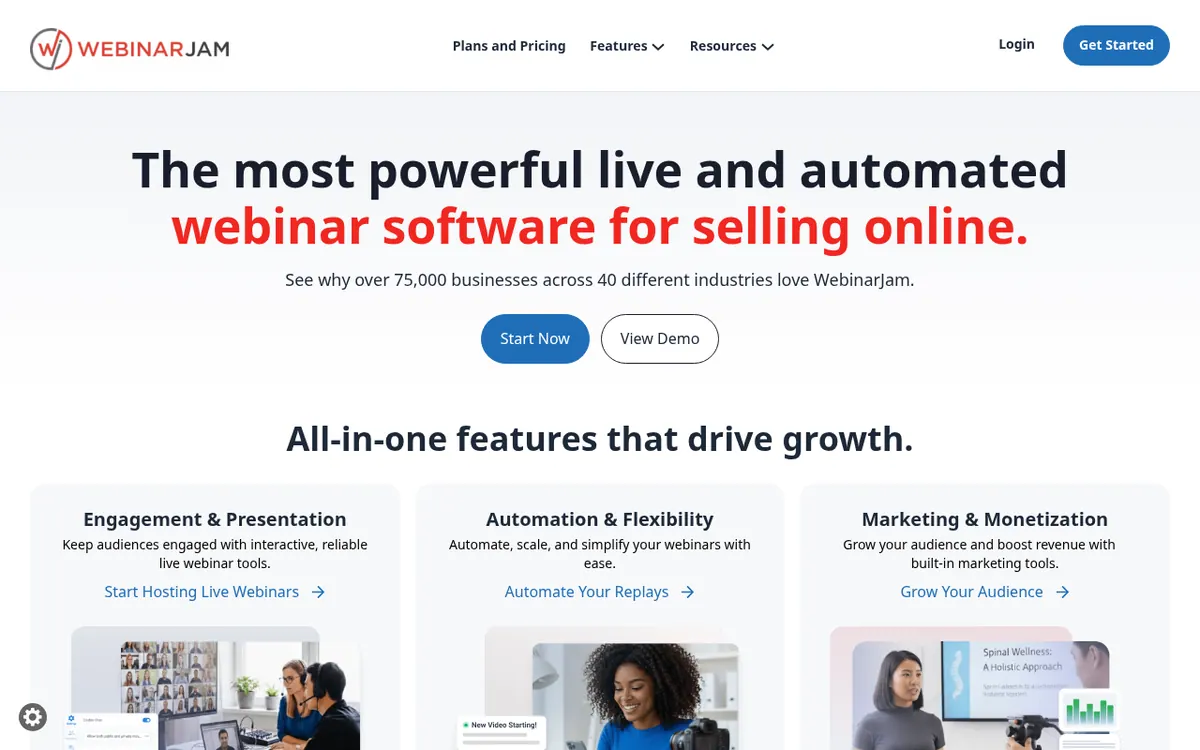
WebinarJam is webinar software from Genesis Digital LLC for hosting live online events. According to its homepage, attendees join instantly from a browser or device. The feature list on the pricing page includes live chat, polls and surveys, A/B split testing, an email and SMS system, and broadcasting to Facebook and YouTube. A point-and-click Page Builder with templates covers registration pages. Sessions can be recorded and replays sent automatically. Hybrid webinars are also possible, where prerecorded video plays during a live session while the host still interacts with attendees.
There is no free plan. Four paid plans are listed: Starter, Basic, Professional and Enterprise. Starter costs $49 per month billed monthly, or $39 per month billed yearly. Basic is $99 per month billed monthly or $79 per month billed yearly. Professional is $299 per month billed monthly or $229 per month billed yearly. Enterprise is $499 per month billed monthly or $379 per month billed yearly. The pricing page also offers a 14-day trial, listed as $1.
Plans differ in attendees per webinar (100, 500, 2000 or 5000) and maximum session length (1, 2, 3 or 4 hours), plus the number of hosts and additional team members. Basic, Professional and Enterprise include EverWebinar. Integrations listed include Kartra, AWeber, ActiveCampaign, Twilio and Zapier, and an API key is available. There is no native HubSpot integration.
- Live chat
- Polls and surveys
- A/B split testing of registration pages
- Broadcast to Facebook and YouTube
- Email and SMS system
- Hybrid webinars with prerecorded video
- Page Builder with registration page templates
- Recorded sessions with automatic replays
- Integrations with email tools, Twilio and Zapier
- API key access
Pros and cons
Pros
- Plans cover 100 to 5000 attendees per webinar
- Yearly billing is listed at a lower monthly price on every plan, for example Starter at $39 per month
- Includes live chat, polls and surveys, A/B split testing, and an email and SMS system
- Hybrid webinars can mix prerecorded video with live interaction
- EverWebinar is included in Basic, Professional and Enterprise
Cons
- No free plan is listed; the entry route is a 14-day trial priced at $1
- Maximum session length is capped at 1 to 4 hours depending on the plan
- Attendee limits per webinar rise only by moving to a higher-priced plan
- No native HubSpot integration; Zapier or n8n is needed
Our take
WebinarJam fits anyone who wants to run live webinars in the browser and keep registration pages, chat, polls, email and SMS messaging, and replays within one product. The tiered limits make it fairly clear how to pick a plan: audience size runs from 100 to 5000 attendees, and session length from 1 to 4 hours. The trade-off is that a larger audience or longer sessions mean moving to a higher-priced plan, from $49 per month billed monthly on Starter up to $499 on Enterprise. It is not a match if you want a free plan, since the pricing page shows only a $1 trial of 14 days. Teams that depend on HubSpot should plan for Zapier or n8n, because the integrations page says there is no native connection. Pricing and limits come from the official pages and should be confirmed before buying.
Comparisons and lists with WebinarJam
Coming soon
Coming soon — we are writing comparisons that include WebinarJam.
WebinarJam pricing
| Plan | Monthly billing | Annual billing (per month) | Limits / what’s included |
|---|---|---|---|
| Starter per month | $49 | $39 | 100 attendees per webinar, 1 hour max duration, includes 1 host, 1 additional team member |
| Basic per month | $99 | $79 | 500 attendees per webinar, 2 hours max duration, includes 2 hosts, 5 additional team members, EverWebinar included |
| Professional per month | $299 | $229 | 2000 attendees per webinar, 3 hours max duration, includes 4 hosts, 10 additional team members, EverWebinar included |
| Enterprise per month | $499 | $379 | 5000 attendees per webinar, 4 hours max duration, includes 6 hosts, 25 additional team members, EverWebinar included |
Free trial: 14-day trial (listed as $1 /trial on the pricing page). Free plan: no.
Prices checked on on the official WebinarJam pricing page. “—” = not published.
All WebinarJam plans, limits and annual prices →
Frequently asked questions
How much does WebinarJam cost?
Starter is $49 per month billed monthly or $39 per month billed yearly. Basic is $99 per month billed monthly or $79 per month billed yearly. Professional is $299 per month billed monthly or $229 per month billed yearly. Enterprise is $499 per month billed monthly or $379 per month billed yearly.
Is there a free trial or free plan?
The pricing page offers a 14-day trial, listed as $1. No free plan is stated on the pricing page.
How many attendees and how long can a webinar be?
It depends on the plan: a maximum of 100, 500, 2000 or 5000 attendees per webinar, and a maximum length of 1, 2, 3 or 4 hours.
Does WebinarJam integrate with other tools?
Yes. The pricing page lists Kartra, AWeber and ActiveCampaign among its integrations, and Twilio and Zapier are also mentioned. The integrations page says there is no native HubSpot integration, so Zapier or n8n is needed.
Recently verified in Course & Community Platforms
 ClickMeeting
 Skool
 Kartra
 Livestorm
 Outseta
Add an AGIPicks badge to your site
The badge shows WebinarJam’s verification status on AGIPicks and links to this page. Light/dark and compact versions: badges.

Suggest an update
Wrong price, outdated fact or a tool that shut down? Are you the vendor and disagree with this page? Tell us, ideally with a link to the official page. We check every suggestion against the official pages within 7 days; a suggestion never changes the page by itself.