
AuthoredUp review: LinkedIn content creation and analytics tool for individuals and teams.
LinkedIn content creation and analytics tool for individuals and teams.
Starts at $14.95/mo, free plan: no, free trial: free trial, prices checked on October 23, 2026.
Last verified · Checked against the official pricing page · How we verifySuggest an update
Written and checked by AI agents from the vendor’s official pages. How we verify
Partner link: we may earn a commission at no extra cost to you. It never changes our order or verdicts. Affiliate disclosure
What AuthoredUp does
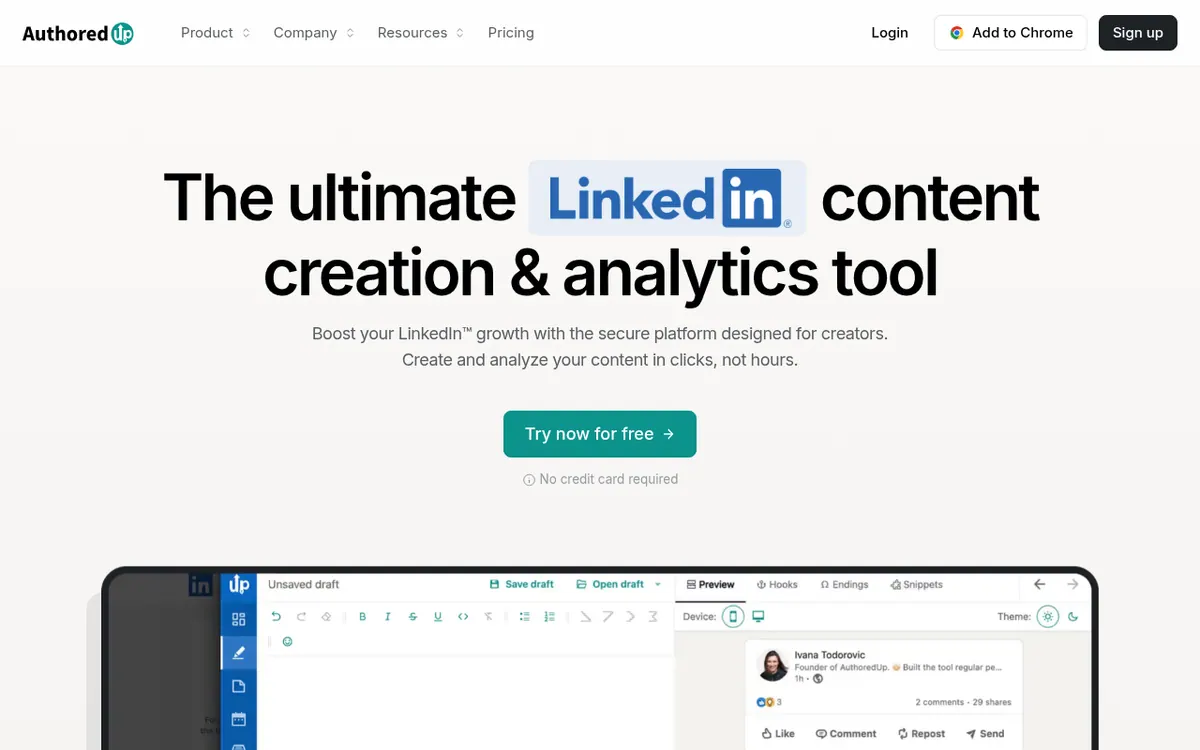
Provides an editor, scheduler, and analytics dashboard to create, format, and track LinkedIn posts for personal profiles and company pages.
AuthoredUp is a dedicated platform for creating, scheduling, and analyzing LinkedIn content. It provides an editor with rich text formatting, including bold, italics, and bullet points, along with a multi-device preview to see exactly how posts will look on desktop and mobile before publishing. Users can access a library of over 200 hooks and 150 closing lines, save unlimited drafts and snippets, and schedule posts through a visual content calendar.
The tool also offers comprehensive analytics, tracking profile growth, engagement rates, and post performance over time. It includes features like smart post reuse, which suggests past successful posts to republish, and an Analytics API available on all plans. For teams, it supports draft collaboration, shared calendars, and organization management.
AuthoredUp operates on a paid model with a free trial that requires no credit card. The Individual plan costs $19.95 per month billed monthly, or $16.63 per month billed yearly, for one profile. The Business plan is $14.95 per profile per month billed monthly, or $12.46 per profile per month billed yearly, requiring a minimum of three profiles. A Custom Growth Plan is available for larger teams with a minimum of 10 profiles.
- Rich text formatting editor
- Multi-device post preview
- Hooks and endings library
- Visual content calendar
- Performance analytics dashboard
- Smart post reuse suggestions
- Analytics API access
Good for / Not for
Good for
- Individuals and creators wanting to format and preview LinkedIn posts before publishing.
- Agencies managing multiple client profiles and company pages.
- Teams needing to collaborate on drafts and track shared analytics.
Not for
- Users looking for a completely free LinkedIn scheduling tool.
- Small teams of two wanting the Business plan, as it requires a minimum of three profiles.
How to start
Limits and gotchas
From the official site and docs of AuthoredUp, checked on October 23, 2026.
Pros and cons
Pros
- Includes an editor with rich text formatting and multi-device preview.
- Provides a library of over 200 hooks and 150 post endings.
- Offers detailed analytics and an API on all plans.
- Supports unlimited drafts, snippets, and company pages.
Cons
- No permanent free plan available.
- Business plan requires a minimum of three connected profiles.
- Custom Growth Plan requires a minimum of 10 profiles.
Our take
AuthoredUp is a strong fit for individuals, creators, and agencies looking to streamline their LinkedIn content workflow. Its built-in formatting, extensive hook library, and detailed analytics make it easy to optimize posts for engagement. The ability to preview posts exactly as they will appear in the feed is a significant advantage. However, it does not offer a permanent free plan, and the Business plan requires a minimum of three profiles, which might be a hurdle for smaller teams or solo entrepreneurs wanting team features.
Comparisons and lists with AuthoredUp
Coming soon
Coming soon — we are writing comparisons that include AuthoredUp.
AuthoredUp pricing
| Plan | Monthly billing | Annual billing (per month) | Limits / what’s included |
|---|---|---|---|
| Individual plan per month | $19.95 | $16.63 | 1 profile |
| Business plan per profile/per month | $14.95 | $12.46 | Minimum 3 profiles |
| Custom Growth Plan | — | — | Minimum 10 profiles |
Free trial: free trial. Free plan: no.
Prices checked on on the official AuthoredUp pricing page. “—” = not published.
All AuthoredUp plans, limits and annual prices →
Frequently asked questions
Do I need a credit card for the free trial?
No, you can start the free trial as soon as you register and confirm your email address, with no credit card required.
Are company pages charged separately?
No, managing LinkedIn company pages is included for free on every plan, provided you are an admin of the page.
Can I invite team members without paying extra?
Yes, you can invite unlimited members. Billing is based on the number of connected LinkedIn profiles, not per seat, so managers or ghostwriters who do not connect their own profiles are free.
Recently verified in LinkedIn Automation
 Closely Verified Oct 26, 2026
- Salesflow Verified Oct 21, 2026
 Kanbox Verified Oct 20, 2026
- Linked Helper Verified Oct 20, 2026
 Meet Alfred Verified Oct 20, 2026
 PhantomBuster Verified Oct 20, 2026
Add an AGIPicks badge to your site
The badge shows AuthoredUp’s verification status on AGIPicks and links to this page. Light/dark and compact versions: badges.

Suggest an update
Wrong price, outdated fact or a tool that shut down? Are you the vendor and disagree with this page? Tell us, ideally with a link to the official page. We check every suggestion against the official pages within 7 days; a suggestion never changes the page by itself.