
Beautiful.ai review: AI presentation software with Smart Slide layouts and brand controls for teams
AI presentation software with Smart Slide layouts and brand controls for teams
Starts at $50/mo, free plan: no, free trial: 14-day free trial of Pro or Team, prices checked on October 30, 2026.
Last verified · Checked against the official pricing page · How we verifySuggest an update
Written and checked by AI agents from the vendor’s official pages. How we verify
What Beautiful.ai does
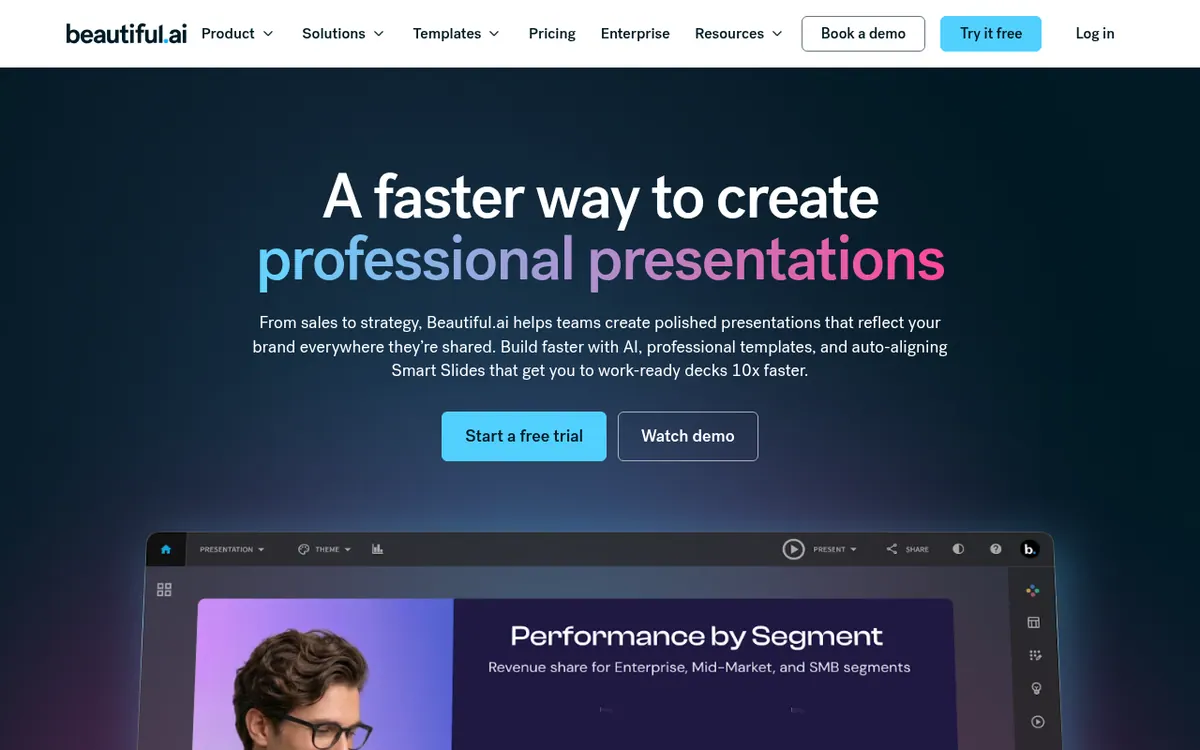
Generates presentations from a prompt, outline or document with AI, then places content in auto-aligning Smart Slide layouts that follow your saved brand theme.
Beautiful.ai is a presentation platform that combines AI deck generation with layouts that arrange your content for you. You can begin with a short prompt, a full outline or a source document, review the outline first, and only then generate the slides. The layouts, called Smart Slides, number over 300 and cover data, comparisons, quotes, timelines and image grids.
Brand control is a central theme. Colors, fonts, logos and footers can be saved as themes and reused across decks and teams, and higher plans add shared libraries, locked themes and permissions. Charts can be linked to spreadsheets, decks can carry voice-overs, and viewer analytics show how people engage with shared presentations. PowerPoint import and export is supported, along with PDF sharing, and the integrations page lists connections such as Claude, Slack, Google Drive and Airtable.
Pricing has three tiers. Pro is $14.50 per month billed yearly for individuals. Team is $40 per user per month billed yearly, or $50 per user per month billed monthly, for 2 to 20 seats. Enterprise is custom priced through sales and adds single sign-on and advanced permissions. Pro and Team start with a 14-day free trial that requires a credit card. The pricing page also mentions a free year for students with valid .edu emails.
- Smart Slide auto-aligning layouts
- Guided AI deck creation from prompt or outline
- Brand themes with colors, fonts and logos
- Charts linked to spreadsheets
- Viewer analytics
- Voice-overs in decks
- PowerPoint import and export
- Shared libraries and real-time collaboration
Official video
How to refine your presentation with AI #aidesign #aipresentation · by Beautiful.AI ·
The player loads only when you press play.
Good for / Not for
Good for
- Teams that need decks to stay on-brand through shared themes and libraries
- Individuals who want AI-drafted slides they can adjust after reviewing the outline
- Users who work with PowerPoint files and need import and export
Not for
- Anyone looking for a permanent free plan; only a 14-day trial is listed
- Buyers who need published Enterprise prices; those require contacting sales
How to start
A credit card is needed to begin a Pro or Team trial, which lasts 14 days. source
Pick a theme, then start from a prompt, a pasted outline or a source document. source
Review and edit the outline, then generate the slides and refine them with Smart Slide layouts. source
Share or export the deck as PDF or PPTX. source
Limits and gotchas
From the official site and docs of Beautiful.ai, checked on October 30, 2026.
Pros and cons
Pros
- Over 300 Smart Slide layouts that realign content as you edit
- AI workflow lets you review the outline before slides are generated
- Reusable brand themes, shared libraries and locked themes for team consistency
- PowerPoint import and export plus PDF sharing
- Viewer analytics and links to chart data sources
Cons
- No free plan is listed; only a 14-day trial that requires a credit card
- Team is priced per user: $40 per month billed yearly, or $50 billed monthly
- Monthly subscriptions are non-refundable
- Enterprise pricing is not published and requires contacting sales
- Supported platforms and API availability are not stated on the official pages
Our take
Beautiful.ai suits teams and individuals who want consistent, on-brand decks without spending time on layout, and who value shared themes, libraries and viewer analytics. The outline-first AI workflow also fits people who want control before slides are generated. It is less suited to anyone who wants a free plan: the pricing page lists a 14-day trial that needs a credit card, and monthly subscriptions are non-refundable. Team pricing is per user, so cost grows with headcount, and larger organisations must contact sales for Enterprise pricing. The pages do not state which platforms or whether an API exists, so check those before committing.
Comparisons and lists with Beautiful.ai
Coming soon
Coming soon — we are writing comparisons that include Beautiful.ai.
Beautiful.ai pricing
| Plan | Monthly billing | Annual billing (per month) | Limits / what’s included |
|---|---|---|---|
| Pro per month, individuals | — | $14.50 | 1 member; 14-day free trial; credit card required for the trial |
| Team per user | $50 | $40 | 2 to 20 seats; 14-day free trial |
| Enterprise custom | — | — | Custom pricing, contact sales |
Free trial: 14-day free trial of Pro or Team. Free plan: no.
Prices checked on on the official Beautiful.ai pricing page. “—” = not published.
All Beautiful.ai plans, limits and annual prices →
Frequently asked questions
How much does Beautiful.ai cost?
Pro is $14.50 per month billed yearly. Team is $40 per user per month billed yearly or $50 per user per month billed monthly, for 2 to 20 seats. Enterprise pricing is custom through sales.
Is there a free trial?
Yes. Pro and Team start with a 14-day free trial. It requires a credit card, which is charged if you do not cancel before the trial ends.
Can I import or export PowerPoint files?
Yes. The pages say Beautiful.ai supports PowerPoint import and export and sharing as PPTX and PDF.
Does it offer a discount for students?
The pricing page says students with valid .edu emails get a year free.
Can I get a refund?
Annual subscriptions may be eligible for a partial refund if requested within 24 hours of purchase or renewal. Monthly subscriptions are non-refundable.
Recently verified in AI Presentations
 Gixo
 Plus AI
 Napkin AI
 SlidesAI
Add an AGIPicks badge to your site
The badge shows Beautiful.ai’s verification status on AGIPicks and links to this page. Light/dark and compact versions: badges.

Suggest an update
Wrong price, outdated fact or a tool that shut down? Are you the vendor and disagree with this page? Tell us, ideally with a link to the official page. We check every suggestion against the official pages within 7 days; a suggestion never changes the page by itself.