
SlidesAI review: AI tool that turns notes, documents and prompts into editable slide decks
AI tool that turns notes, documents and prompts into editable slide decks
Custom (contact sales), free plan: yes, prices checked on October 30, 2026.
Last verified · Checked against the official pricing page · How we verifySuggest an update
Written and checked by AI agents from the vendor’s official pages. How we verify
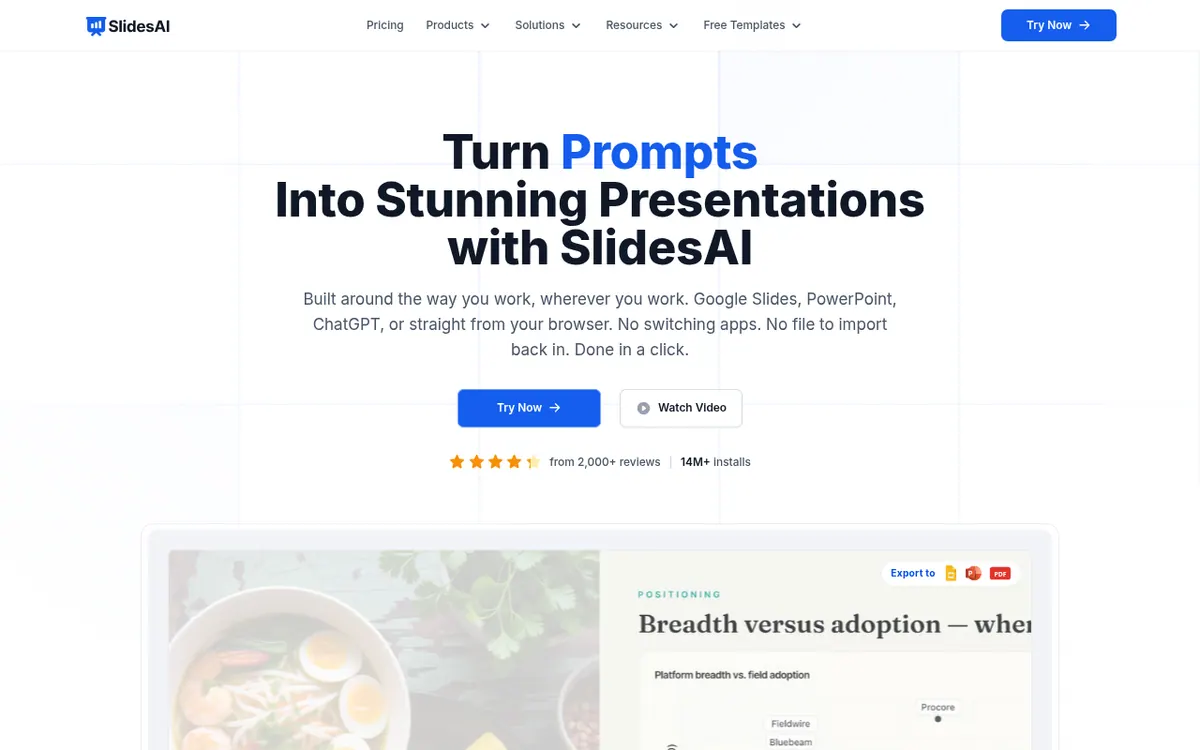
What SlidesAI does
Turns a topic, notes, script or document into an editable slide deck, with an outline you can reorder, then exports it to PowerPoint or Google Slides.
SlidesAI generates presentations from material you already have: a topic, pasted notes, a script, or an uploaded document. You describe what you want in a chat, confirm details such as slide count, audience, tone and language, and review an outline with one line per slide. You can rewrite titles, drag slides into a new order, then let the tool write the text and design the deck. Finished decks can be presented, shared by link, or exported to PowerPoint or Google Slides.
According to the vendor, it works inside Google Slides, PowerPoint and ChatGPT, as well as in a web app. A Brand Kit feature lets you import a branded PPTX template so output follows your colors, fonts and layouts.
Pricing has three tiers. Basic costs $0 per month and includes 200 AI credits per month, the Lite and Balanced models, 2,500 characters of input per presentation, and 1 Brand Kit. Pro is listed at $10.00 per user per month, billed at $120 per user per year, with 30,000 AI credits per year, 50,000 characters of input, 3 Brand Kits, PDF and Word uploads, and custom fonts. Premium is listed at $20.83 per user per month, billed at $250 per user per year, with 84,000 AI credits per year, every model including Ultra, 100,000 characters of input and 6 Brand Kits. Prices exclude taxes. The pricing page shows yearly-billed rates for the paid plans, and no trial length is stated.
- Create decks from topics, notes, scripts or documents
- Editable slide-by-slide outline
- Clarifying questions before generation
- Brand Kit from a PPTX template
- Custom font upload on paid plans
- Export to PowerPoint or Google Slides
- Works in Google Slides, PowerPoint, ChatGPT and web
- Share a presentation by link
Official video
When the questions aren’t covered in the lesson #teacher #classroom #school #slidesai #slides · by SlidesAI ·
The player loads only when you press play.
Good for / Not for
Good for
- Teachers, students or professionals who already have notes and need a draft deck
- Users who want to review and reorder an outline before slide text is generated
- Teams wanting decks styled from an imported branded PPTX template
Not for
- Users needing PDF or Word uploads without paying, since those are on Pro and Premium
- Anyone who needs a published API, which the pages do not mention
How to start
Pick the Basic plan at $0 per month; the homepage says it is free to start with no card needed. source
Type a topic, paste notes or attach a document, and choose a style. source
Confirm slide count, audience, tone and language, then review the outline and reorder or rewrite lines. source
After you press Create, you can present the deck, send a link to it, or export it into Google Slides or PowerPoint. source
Limits and gotchas
From the official site and docs of SlidesAI, checked on October 30, 2026.
Pros and cons
Pros
- Free Basic plan at $0 per month with 200 AI credits per month
- Works in Google Slides, PowerPoint, ChatGPT and a web app, per the vendor
- Outline can be edited and reordered before the slide text is written
- Brand Kit imports a branded PPTX template; paid plans allow 3 or 6 kits
- Exports to PowerPoint or Google Slides, or shares by link
Cons
- Free plan limits input to 2,500 characters per presentation
- PDF and Word uploads are only on Pro and Premium
- Paid plans are per user, shown at yearly-billed rates ($10.00 and $20.83 per month)
- Prices exclude taxes, added at checkout
- No API or free trial length is stated on the pages
Our take
SlidesAI suits people who start from existing material, such as lecture notes, reports or proposals, and want a draft deck they can reorder and edit before export. The free Basic plan lets you try it, but its 200 monthly credits and 2,500-character input cap are tight, and PDF or Word uploads need a paid plan. Pro and Premium are priced per user and shown at yearly-billed rates, so check checkout for monthly options. Teams that need strict brand control should note the Brand Kit counts: 1, 3 and 6 by plan. The pages do not mention an API, so automation needs are unconfirmed. Compare credit limits with how many decks you expect to make.
Comparisons and lists with SlidesAI
Coming soon
Coming soon — we are writing comparisons that include SlidesAI.
SlidesAI pricing
| Plan | Monthly billing | Annual billing (per month) | Limits / what’s included |
|---|---|---|---|
| Basic per month | Free | — | 200 AI credits per month; Lite & Balanced AI models; 2,500 Character Input / Presentation; 1 Brand Kit |
| Pro per user | — | $10 | Billed at $120 /user/year; 30,000 AI credits per year; 50,000 Character Input / Presentation; 3 Brand Kits |
| Premium per user | — | $20.83 | Billed at $250 /user/year; 84,000 AI credits per year; 100,000 Character Input / Presentation; 6 Brand Kits; every AI model including Ultra |
Free trial: none listed. Free plan: yes.
Prices checked on on the official SlidesAI pricing page. “—” = not published.
All SlidesAI plans, limits and annual prices →
Frequently asked questions
Does SlidesAI have a free plan?
Yes. Basic costs $0 per month and includes 200 AI credits per month, the Lite and Balanced AI models, and 2,500 characters of input per presentation.
How much do the paid plans cost?
Pro is listed at $10.00 per user per month, billed at $120 per user per year. Premium is listed at $20.83 per user per month, billed at $250 per user per year. Prices exclude taxes.
Can I upload PDF or Word files?
Yes, on Pro and Premium. The Basic plan lists creating from a topic or notes only.
Where can I use SlidesAI?
The vendor says it works in Google Slides, PowerPoint, ChatGPT and a web app.
Can I keep my brand styling?
You can import a branded PPTX template as a Brand Kit: 1 on Basic, 3 on Pro and 6 on Premium. Pro and Premium also allow uploading your own fonts.
Recently verified in AI Presentations
 Gixo
 Plus AI
 Beautiful.ai
 Napkin AI
Add an AGIPicks badge to your site
The badge shows SlidesAI’s verification status on AGIPicks and links to this page. Light/dark and compact versions: badges.

Suggest an update
Wrong price, outdated fact or a tool that shut down? Are you the vendor and disagree with this page? Tell us, ideally with a link to the official page. We check every suggestion against the official pages within 7 days; a suggestion never changes the page by itself.