
Plus AI review: AI assistant that builds and edits slides inside PowerPoint and Google Slides
AI assistant that builds and edits slides inside PowerPoint and Google Slides
Starts at $15/mo, free plan: no, free trial: 7-day free trial with 1,000 AI credits, prices checked on November 2, 2026.
Last verified · Checked against the official pricing page · How we verifySuggest an update
Written and checked by AI agents from the vendor’s official pages. How we verify
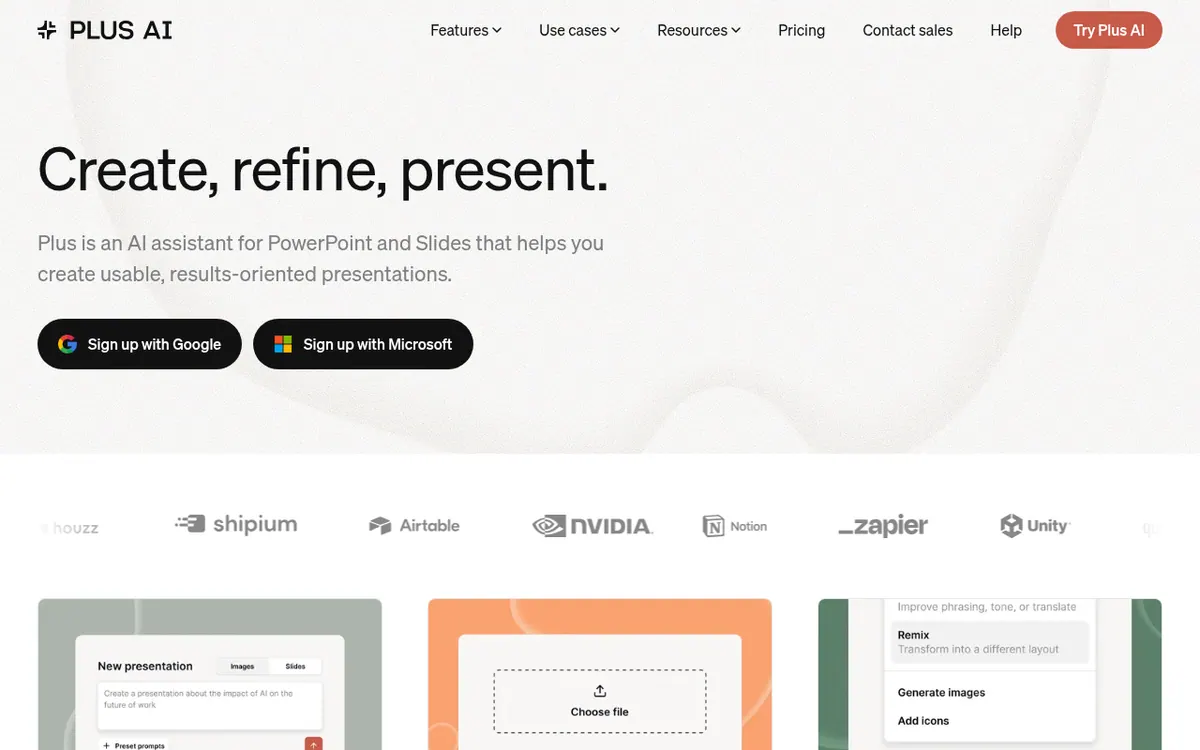
What Plus AI does
Generates and edits slides inside PowerPoint and Google Slides from prompts or uploaded files, with rewrite and remix tools.
Plus AI is an add-on that works inside PowerPoint and Google Slides, so decks are created and edited in the apps people already use. You can start from a short prompt, insert one slide at a time, or turn a PDF, Word document or text file into a presentation. Rewrite and Remix tools change the wording or layout of existing slides, and the product can work in nearly any language.
Pricing is per user and the vendor publishes four plans. Basic costs $10 per month billed yearly or $15 per month billed monthly, with 1,500 AI credits per month. Pro costs $20 per month billed yearly or $25 per month billed monthly, with 3,000 credits, document uploads, AI images, an MCP server and a Presentation API. Team costs $30 per month billed yearly or $40 per month billed monthly, with 6,000 credits and custom branding. Max costs $200 per month billed yearly or $240 per month billed monthly, with unlimited credits and priority email support. All paid plans begin with a 7-day free trial that includes 1,000 AI credits, and a credit card is required to start it.
Enterprise buyers are asked to request a demo for custom templates, SSO and onboarding.
- Generate presentations from a prompt
- Insert single slides
- Rewrite and remix existing slides
- Upload PDF, docx or txt files
- Translate and write in many languages
- Custom branding with logo, colors and fonts
- Saved presets and custom instructions
- MCP server and Presentation API
Good for / Not for
Good for
- People who build decks in PowerPoint or Google Slides and want AI inside those apps
- Teams that need on-brand slides with their logo, colors and fonts
- Users who want to turn PDFs, Word documents or notes into a first draft deck
Not for
- Anyone looking for a permanent free plan, since only a 7-day trial is described
- Users who want to avoid entering a credit card to try it
How to start
Sign up with Google or Microsoft and install the extension for PowerPoint or Google Slides. source
Choose a paid plan to begin the 7-day free trial, which includes 1,000 AI credits. source
Start from a prompt or upload a PDF, Word or text file to generate slides. source
Refine the result with Rewrite, Remix or Insert. source
Limits and gotchas
- Starting the trial requires a credit card, and once the trial finishes, that card gets billed automatically. source
- Trial is limited to 1,000 AI credits regardless of plan, and only new customers are eligible. source
- Tasks typically use between 40–170 credits, and Basic, Pro and Team have monthly credit caps. source
From the official site and docs of Plus AI, checked on November 2, 2026.
Pros and cons
Pros
- Works inside PowerPoint and Google Slides rather than a separate app
- Can convert PDF, Word and text files into slides (from the Pro plan)
- Rewrite, Remix and single-slide Insert tools for editing existing decks
- Pro and higher plans include an MCP server and a Presentation API
Cons
- No ongoing free plan; only a 7-day trial that requires a credit card
- Monthly AI credits are capped on Basic, Pro and Team, and tasks use 40–170 credits
- Document uploads and AI images are not listed on Basic
- Custom branding starts at Team; custom templates need an Enterprise contact
- Prices are per user, and Max is $200 per month billed yearly
Our take
Plus AI suits people who already build decks in PowerPoint or Google Slides and want AI help without switching apps. Teams that need logo, color and font control can look at the Team plan, while larger organizations that want their own slide masters are directed to Enterprise. The trade-offs are clear from the pricing page: there is no ongoing free plan, the trial needs a credit card, and every plan except Max has a monthly credit cap, with tasks using 40–170 credits each. Document uploads and image generation start at Pro, so Basic is limited. Pricing is per user, which adds up for larger groups.
Comparisons and lists with Plus AI
Coming soon
Coming soon — we are writing comparisons that include Plus AI.
Plus AI pricing
| Plan | Monthly billing | Annual billing (per month) | Limits / what’s included |
|---|---|---|---|
| Basic per user | $15 | $10 | 1,500 AI credits per month; tasks typically use between 40–170 credits |
| Pro per user | $25 | $20 | 3,000 AI credits per month; tasks typically use between 40–170 credits |
| Team per user | $40 | $30 | 6,000 AI credits per month; tasks typically use between 40–170 credits |
| Max per user | $240 | $200 | Unlimited AI credits |
Free trial: 7-day free trial with 1,000 AI credits. Free plan: no.
Prices checked on on the official Plus AI pricing page. “—” = not published.
All Plus AI plans, limits and annual prices →
Frequently asked questions
Is there a free trial?
Yes. All paid plans start with a 7-day free trial that includes 1,000 AI credits. A credit card is required, and only new customers are eligible.
How much does Plus AI cost?
Prices are per user. Basic is $10 per month billed yearly ($15 per month billed monthly), Pro is $20 ($25 monthly), Team is $30 ($40 monthly) and Max is $200 ($240 monthly). Enterprise requires a demo request.
Can it turn a PDF into slides?
Yes. The vendor says you can upload PDFs, Word documents and text files and convert them into PowerPoint or Google Slides. Document uploads are listed from the Pro plan.
Does Plus AI work with Claude and ChatGPT?
The pricing page says you can add the Plus AI connector in Claude, ChatGPT, Claude Code, Cursor or another MCP client and sign in with your Plus AI account.
Can I use my company branding?
Custom branding with logo, colors and fonts is listed on the Team plan. Using your organization's own slide masters requires an Enterprise plan.
Recently verified in AI Presentations
 Gixo
 Beautiful.ai
 Napkin AI
 SlidesAI
Add an AGIPicks badge to your site
The badge shows Plus AI’s verification status on AGIPicks and links to this page. Light/dark and compact versions: badges.

Suggest an update
Wrong price, outdated fact or a tool that shut down? Are you the vendor and disagree with this page? Tell us, ideally with a link to the official page. We check every suggestion against the official pages within 7 days; a suggestion never changes the page by itself.