
Bubble review: No-code builder for web apps and beta native mobile apps, with a beta AI Agent
No-code builder for web apps and beta native mobile apps, with a beta AI Agent
Custom (contact sales), free plan: yes, prices checked on October 25, 2026.
Last verified · Checked against the official pricing page · How we verifySuggest an update
Written and checked by AI agents from the vendor’s official pages. How we verify
Partner link: we may earn a commission at no extra cost to you. It never changes our order or verdicts. Affiliate disclosure
What Bubble does
Lets you build web and native mobile apps without code, using an AI Agent chat or a visual editor, with hosting and a database included.
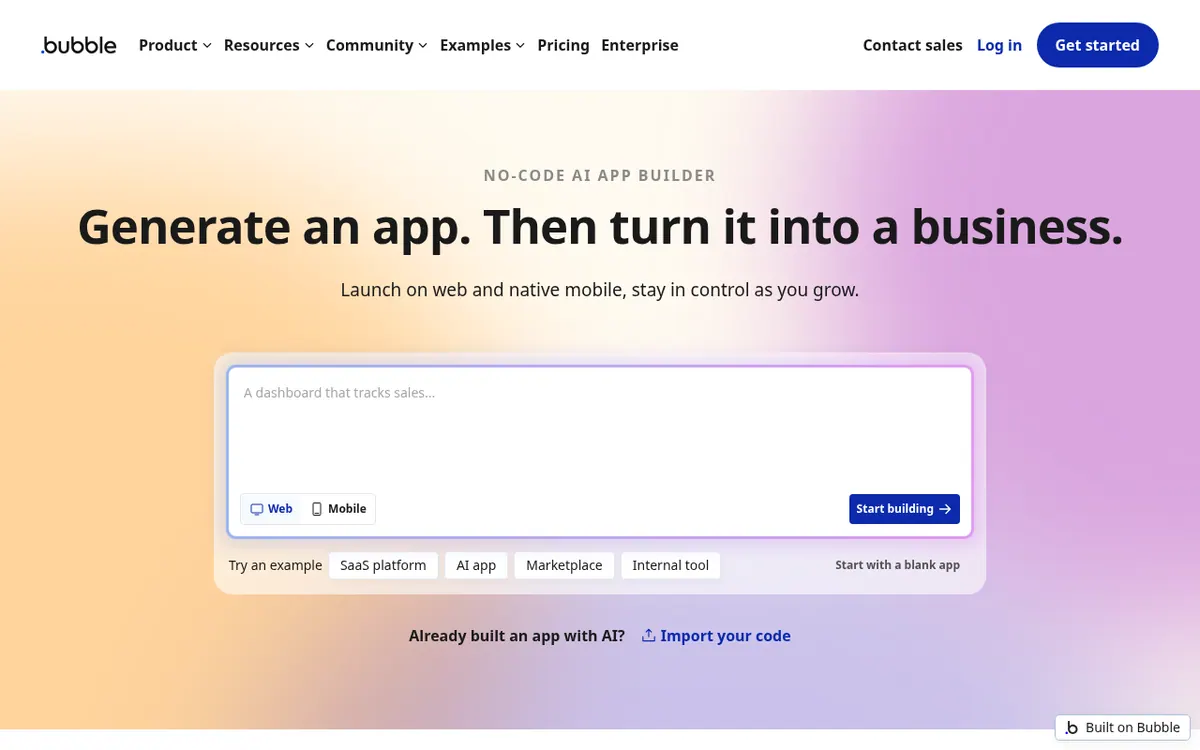
Bubble is a no-code app builder for web apps and native mobile apps. The Bubble AI Agent, labeled beta on the official pages, edits an app's design, logic and data from a chat prompt. You can also work directly in the visual editor, which covers design, workflows, the database and privacy rules. Native iOS and Android apps, also labeled beta, share data and workflows with the web app, and the homepage says they can be submitted to the App Store and Google Play Store. Hosting, a built-in database, security and auto-scaling infrastructure are included. A security scan checks an app for issues such as exposed data and misconfigured privacy rules before deployment. If you prefer your own agent, such as Claude or Codex, you can connect it through the Bubble MCP, also labeled beta. An API connector is listed on the pricing page.
Bubble has a Free plan at $0 per month, and the pricing page says no credit card is required. It includes 500 AI credits per month and 50K workload units per month. The paid plans are shown per month billed yearly: Starter at $32, Growth at $119 and Team at $349, with 1,000, 2,000 and 4,000 AI credits per month respectively. Enterprise has no listed price; you contact Bubble, and it comes with unlimited AI credits and custom workload units. Prices for monthly billing are not shown on the official pages. Credits in each plan's monthly allowance do not roll over and refresh on the first of each month. A paid plan is needed to deploy a live version of an app. Extra file storage is listed at $3 per 100 GB each month.
- AI Agent (beta) that edits design, logic and data from chat prompts
- Visual editor for design, workflows, database and privacy rules
- Native iOS and Android apps (beta) sharing data with the web app
- Submission to the App Store and Google Play Store
- Built-in privacy rules for user data
- Security scan before deployment
- Built-in database, hosting and auto-scaling
- API connector
- Bubble MCP (beta) connection for your own agent
Good for / Not for
Good for
- Non-programmers building a web or mobile product who want to edit workflows and the database visually
- Builders who want AI-made changes they can still inspect in an editor
- Teams that want web and native iOS/Android apps sharing data and workflows
Not for
- Anyone who needs to deploy a live app without paying, since a paid plan is required
- Buyers who need a published monthly-billed price or a published Enterprise price
How to start
Start on the Free plan; the pricing page says no credit card is required. source
Describe changes to the Bubble AI Agent in a chat prompt, or edit design, workflows, database and privacy rules in the visual editor. source
Run the security scan to catch exposed data and misconfigured privacy rules before you deploy. source
Move to a paid plan to deploy a live version of the app. source
Limits and gotchas
- Free plan includes 500 AI credits per month and 50K workload units per month. source
- A paid plan is necessary to deploy a live version of an app. source
- Free and Agency plans cannot subscribe to workload tiers or enable overages because they are designed for development. source
- Extra file storage is $3 per 100 GB each month. source
From the official site and docs of Bubble, checked on October 25, 2026.
Pros and cons
Pros
- Free plan at $0 per month with no credit card required, so you can start building before paying
- Visual editor covers design, workflows, database and privacy rules, so changes made through the AI Agent can still be inspected and edited
- Native iOS and Android apps (beta) share data and workflows with the web app
- Hosting, a built-in database and auto-scaling infrastructure are included
- A security scan flags exposed data and misconfigured privacy rules before you deploy
Cons
- The AI Agent, native mobile apps and Bubble MCP are labeled beta on the official pages
- Only per-month prices billed yearly are shown for the paid plans; monthly-billed prices are not published
- A paid plan is needed to deploy a live version of an app
- Free and Agency plans cannot subscribe to workload tiers or enable overages
- Enterprise pricing is not published; you have to contact Bubble
Our take
Bubble suits people who want to build a web or mobile product without writing code and who want to see and edit the design, workflows, database and privacy rules themselves rather than rely only on what the AI Agent produces. Keep in mind that the AI Agent, the native mobile apps and the Bubble MCP are labeled beta on the official pages, so they may suit experiments better than commitments. The Free plan lets you start building without a credit card, but the pricing page says a paid plan is needed to deploy a live version of an app, and that the Free and Agency plans are designed for development. Only per-month prices billed yearly are published for Starter, Growth and Team, so anyone who wants to pay monthly cannot see that price on the official pages. Larger organizations must contact Bubble for Enterprise pricing.
Comparisons and lists with Bubble
Coming soon
Coming soon — we are writing comparisons that include Bubble.
Bubble pricing
| Plan | Monthly billing | Annual billing (per month) | Limits / what’s included |
|---|---|---|---|
| Free | Free | — | 500 AI credits/mo; 50K workload units/mo |
| Starter per month, billed annually | — | $32 | 1,000 AI credits/mo; 175K workload units/mo; 2 days of server logs |
| Growth per month, billed annually | — | $119 | 2,000 AI credits/mo; 250K workload units/mo; 14 days of server logs; 2 app editors |
| Team per month, billed annually | — | $349 | 4,000 AI credits/mo; 500K workload units/mo; 20 days of server logs; 5 app editors; 25 custom branches |
| Enterprise contact us | — | — | Unlimited AI credits; custom workload units |
Free trial: none listed. Free plan: yes.
Prices checked on on the official Bubble pricing page. “—” = not published.
All Bubble plans, limits and annual prices →
Frequently asked questions
Is Bubble free to use?
Bubble has a Free plan at $0 per month with 500 AI credits per month and 50K workload units per month. The pricing page says no credit card is required, but a paid plan is needed to deploy a live version of an app.
How much do the paid plans cost?
Starter is $32 per month billed yearly, Growth is $119 per month billed yearly and Team is $349 per month billed yearly. Monthly-billed prices are not shown on the official pages. Enterprise pricing is not published, so you contact Bubble.
Can I build mobile apps with Bubble?
Yes, with a caveat: the official pages label native mobile apps as beta. They are native iOS and Android apps that share data and workflows with your web app, and the homepage says you can submit them to the App Store and Google Play Store. A paid plan is needed to deploy a live version.
Do the monthly AI credits roll over?
The pricing page says credits included in each plan's monthly allowance do not roll over and refresh on the first of each month. This applies to the monthly allowance only; other credits, such as purchased ones, are handled under separate terms on the pricing page.
Recently verified in Automation & AI Agents
 Forethought Verified Nov 2, 2026
 Hippocratic AI Verified Nov 2, 2026
 Inngest Verified Nov 2, 2026
 Kolo AI Verified Nov 2, 2026
 Mercury Verified Nov 2, 2026
 MindStudio Verified Nov 2, 2026
Add an AGIPicks badge to your site
The badge shows Bubble’s verification status on AGIPicks and links to this page. Light/dark and compact versions: badges.

Suggest an update
Wrong price, outdated fact or a tool that shut down? Are you the vendor and disagree with this page? Tell us, ideally with a link to the official page. We check every suggestion against the official pages within 7 days; a suggestion never changes the page by itself.