
CapCut review: Online and downloadable video and image editor with AI generation tools and templates
Online and downloadable video and image editor with AI generation tools and templates
Starts at €14.99/mo, free plan: yes, free trial: 7-day free trial of CapCut Pro for new users, no credit card required, prices checked on November 2, 2026.
Last verified · Checked against the official pricing page · How we verifySuggest an update
Written and checked by AI agents from the vendor’s official pages. How we verify
What CapCut does
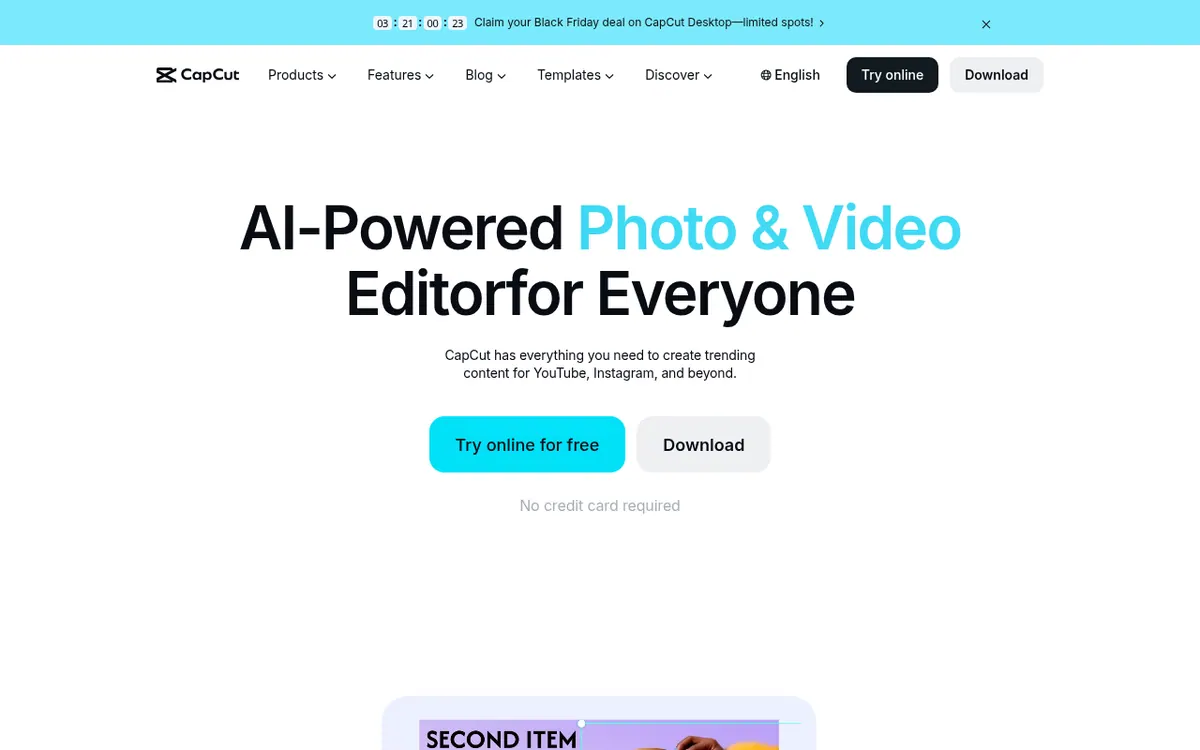
CapCut is an editor for video, images and audio that runs online in a browser and can also be downloaded for desktop or mobile. The official site presents it as a tool for creating content for YouTube, Instagram and similar channels.
On the AI side, it can generate videos from text, images or keyframes, create images from text or reference pictures, and turn written text into spoken voiceovers. Editing helpers cover automatic captions in several languages, one-click background removal for images and video, a video converter for formats such as MP4, MOV and AVI, and audio cleanup. A library of templates gives a starting point for social posts, promos and business content.
Pricing follows a freemium model with four plans. Free gives basic editing tools and free templates. Pro costs EUR 29.99 per month billed monthly and includes 650 monthly AI credits. Ultra costs EUR 68 per month billed monthly and includes 7483 monthly AI credits. Teams costs EUR 14.99 per month per seat billed monthly and adds a brand kit. Pro, Ultra and Teams list 1 TB of storage. For yearly billing the page shows totals: EUR 259.99 per year for Pro, EUR 779 per year for Ultra and EUR 120 per year per seat for Teams. New users can try Pro for 7 days. The pricing page says displayed prices are for reference and the final price is shown after sign-in.
- AI video generation from text, images or keyframes
- AI image generation from text or reference images
- Text to speech voiceovers
- Automatic captions in multiple languages
- One-click image background removal
- Video format converter
- AI audio noise cleanup
- Template library, including free templates
- Brand kit for Teams
Pros and cons
Pros
- Free plan with basic editing tools and free templates
- 7-day Pro trial for new users, with no credit card required to begin
- Covers AI video, image and voice generation plus automatic captions in one product
- Teams plan adds a brand kit and Pro features for every seat
- Paid plans list 1 TB of storage
Cons
- Displayed prices are reference only; final price appears after sign-in
- AI credits are limited each month: 650 on Pro, 7483 on Ultra
- Yearly plans are shown only as totals, so the per-month cost is not stated
- Teams is priced per seat, so costs grow with team size
- Exact desktop and mobile platforms and API access are not stated on the pages
Our take
CapCut suits individual creators who want one tool for editing, captions, templates and AI generation, and who would like to start on a free plan before paying. The Pro trial lowers the risk of testing the paid tier. Teams fits groups that need a shared brand kit. The trade-offs are that the pricing page shows reference prices only, credits are capped each month, and yearly billing appears as a total rather than a monthly figure. The pages do not name the exact operating systems or any API, so check those separately if they matter for your workflow.
Comparisons and lists with CapCut
Coming soon
Coming soon — we are writing comparisons that include CapCut.
CapCut pricing
| Plan | Monthly billing | Annual billing (per month) | Limits / what’s included |
|---|---|---|---|
| Free | Free | — | Free templates and basic editing tools |
| Pro per month | €29.99 | — | 650 monthly AI credits; 1 TB of space storage; yearly billing shown only as a total of EUR 259.99 /year |
| Ultra per month | €68 | — | 7483 monthly AI credits; 1 TB of space storage; yearly billing shown only as a total of EUR 779 /year |
| Teams per seat | €14.99 | — | 650 monthly AI credits per seat; Brand kit; 1 TB of space storage; yearly billing shown only as EUR 120 /year per seat |
Free trial: 7-day free trial of CapCut Pro for new users, no credit card required. Free plan: yes.
Prices checked on on the official CapCut pricing page. “—” = not published.
All CapCut plans, limits and annual prices →
Frequently asked questions
Does CapCut have a free plan?
Yes. The Free plan costs EUR 0 and includes basic editing tools and free templates.
Is there a free trial for Pro?
New users can start a 7-day free trial of CapCut Pro, with no credit card required to begin. Availability may vary by region, platform and current offer.
How much do the paid plans cost?
Billed monthly, Pro is EUR 29.99 per month, Ultra is EUR 68 per month and Teams is EUR 14.99 per month per seat. Yearly totals shown are EUR 259.99 for Pro, EUR 779 for Ultra and EUR 120 per seat for Teams.
How many AI credits do the plans include?
Pro includes 650 monthly AI credits and Ultra includes 7483. Teams lists 650 monthly AI credits per seat.
Can CapCut be used in a browser?
Yes. The homepage says you can edit online, or download CapCut on desktop or mobile.
Recently verified in AI Video
 Lumen5
 NoteGo
 ReelsCut
 VEED
 Luma Dream Machine
Add an AGIPicks badge to your site
The badge shows CapCut’s verification status on AGIPicks and links to this page. Light/dark and compact versions: badges.

Suggest an update
Wrong price, outdated fact or a tool that shut down? Are you the vendor and disagree with this page? Tell us, ideally with a link to the official page. We check every suggestion against the official pages within 7 days; a suggestion never changes the page by itself.