
VEED review: Online AI video creator and editor with subtitles, dubbing and brand styling
Online AI video creator and editor with subtitles, dubbing and brand styling
Custom (contact sales), free plan: yes, free trial: Free trial offered for enterprise customers only, minimum 3 users, prices checked on November 2, 2026.
Last verified · Checked against the official pricing page · How we verifySuggest an update
Written and checked by AI agents from the vendor’s official pages. How we verify
What VEED does
Creates and edits videos in the browser with AI: talking heads, subtitles, dubbing and translation, styled with your brand kit.
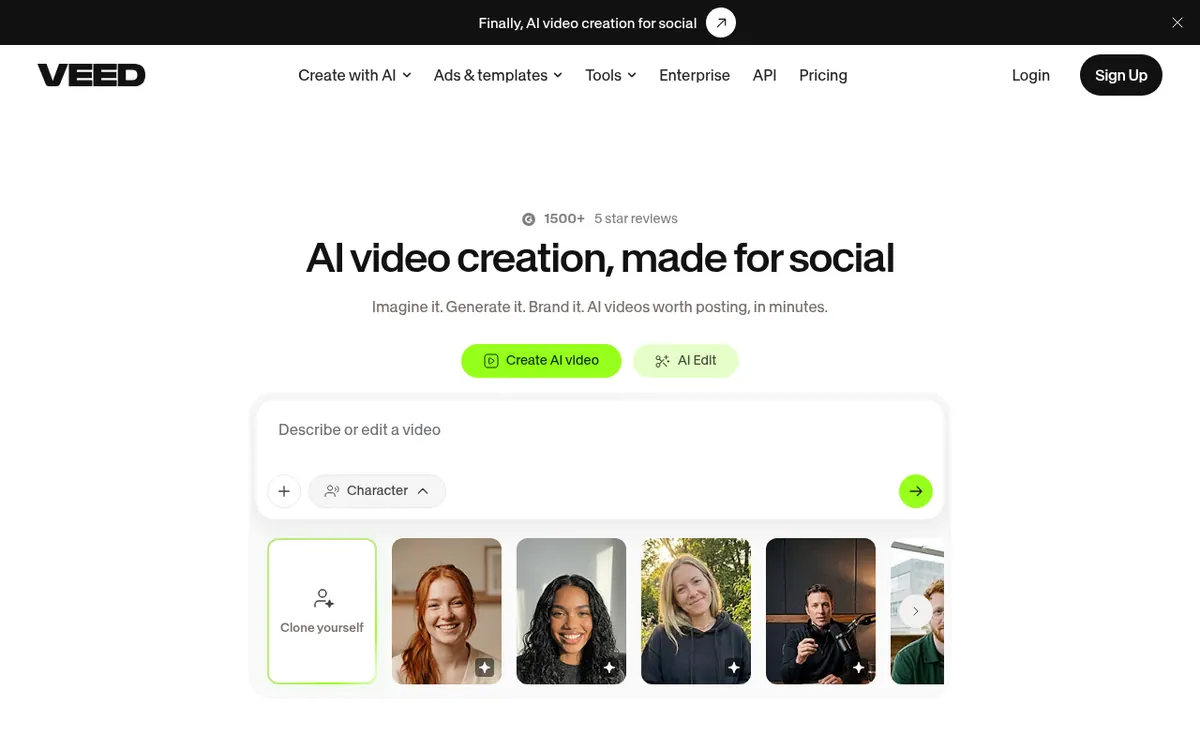
VEED is an online platform for making and editing videos with AI. According to its homepage, generation and editing happen in one workflow: you can create talking-head videos, edit with AI, dub videos and add subtitles. It is aimed at marketers and solopreneurs who produce social video, and it offers brand settings so colours, fonts, logos and voice are applied to each video.
The site also lists separate tools for text to video, image to video, AI avatars, text to speech, a screen recorder, a video translator and eye contact correction. For developers, it lists AI video APIs.
Pricing is per user. The pricing page invites visitors to start for free, then upgrade, but it does not describe what the free start includes. Two paid plans are quoted per user per month billed yearly: Creator at € 9 and Pro at € 20. Creator includes 6,000 credits, no watermark, Full HD 1080p exports and unlimited video length. Pro adds 18,000 credits, 4k export quality, 50GB of storage, translation into 50+ languages and multiple brand kits. Enterprise has custom pricing through sales. No monthly-billed price is shown. Credits refresh at renewal and do not carry over.
- Talking-head video creation
- AI editing
- Video dubbing
- Automatic subtitles
- Brand colours, fonts and logos
- Text-to-video generation
- Translation into 50+ languages
- Screen recorder
- Eye contact correction
- AI video APIs
Good for / Not for
Good for
- Marketers and solopreneurs making social videos
- Teams that want brand colours, fonts and logos applied to every video
- Creators who need subtitles and translation into 50+ languages on Pro
Not for
- Buyers who want to see a monthly-billed price on the pricing page
- Users who need credits to carry over between billing periods
How to start
Limits and gotchas
From the official site and docs of VEED, checked on November 2, 2026.
Pros and cons
Pros
- Generation, editing, dubbing and subtitles are described as one workflow
- Brand settings apply colours, fonts, logos and voice to videos
- Pro includes translation into 50+ languages and 4k export quality
- Creator plan has no watermark and unlimited video length at € 9 per user per month billed yearly
- AI video APIs are listed for developers
Cons
- Monthly-billed prices are not shown on the pricing page
- Pricing is per seat, so the plan price is multiplied by the number of editors
- Credits do not carry over between billing periods
- The free trial is only for enterprise customers with a minimum of 3 users
- The pages do not describe what the free start includes
Our take
VEED suits marketers and small teams that want AI generation, subtitles and branding in one online tool rather than several separate apps. The per-seat model means cost grows with the number of editors, and the pages show only yearly-billed per-month prices, so anyone wanting to pay month to month cannot check that cost from the pricing page. Credits do not carry over, so heavy generation may call for a higher plan. The free trial is for enterprise customers with at least 3 users, and the free start is not described in detail. Check current terms before committing.
Comparisons and lists with VEED
Coming soon
Coming soon — we are writing comparisons that include VEED.
VEED pricing
| Plan | Monthly billing | Annual billing (per month) | Limits / what’s included |
|---|---|---|---|
| Creator per user / month, billed yearly | — | €9 | 6,000 credits; no watermark; Full HD 1080p exports; unlimited video length; Subtitles 120 hr/yr |
| Pro per user / month, billed yearly | — | €20 | 18,000 credits; 4k export quality; 50GB of storage; translate to 50+ languages; multiple brand kits; unlimited auto subtitles |
| Enterprise custom pricing | — | — | Custom AI credits; central team and data management; review mode; privacy controls |
Free trial: Free trial offered for enterprise customers only, minimum 3 users. Free plan: yes.
Prices checked on on the official VEED pricing page. “—” = not published.
All VEED plans, limits and annual prices →
Frequently asked questions
How much does VEED cost?
The pricing page lists Creator at € 9 and Pro at € 20, each per user per month billed yearly. Enterprise has custom pricing via sales. No monthly-billed price is shown.
Is there a free trial or free plan?
The pricing page says to start for free but gives no details of a free plan. A free trial is offered for enterprise customers, with a minimum of 3 users, set up through sales.
How are multiple users charged?
Plans are charged per seat, so the plan amount is multiplied by the number of editors in the workspace.
Do AI credits carry over?
No. The credit allowance refreshes when the subscription renews, and credits do not carry over. You can move to a higher plan for more credits.
Can I cancel anytime?
According to the pricing page, you can turn off auto-renewal from Team Billing in the dashboard and keep premium access until the end of the billing cycle.
Recently verified in AI Video
 Astorie (MartiniArt AI)
 CapCut
 Kling AI
 Lumen5
 NoteGo
 ReelsCut
Add an AGIPicks badge to your site
The badge shows VEED’s verification status on AGIPicks and links to this page. Light/dark and compact versions: badges.

Suggest an update
Wrong price, outdated fact or a tool that shut down? Are you the vendor and disagree with this page? Tell us, ideally with a link to the official page. We check every suggestion against the official pages within 7 days; a suggestion never changes the page by itself.