
NoteGo review: Screen recorder with markup and AI summaries for managers of remote teams
Screen recorder with markup and AI summaries for managers of remote teams
Starts at $9/mo, free plan: yes, free trial: 30-day free trial of Pro, no credit card, prices checked on November 2, 2026.
Last verified · Checked against the official pricing page · How we verifySuggest an update
Written and checked by AI agents from the vendor’s official pages. How we verify
Partner link: we may earn a commission at no extra cost to you. It never changes our order or verdicts. Affiliate disclosure
What NoteGo does
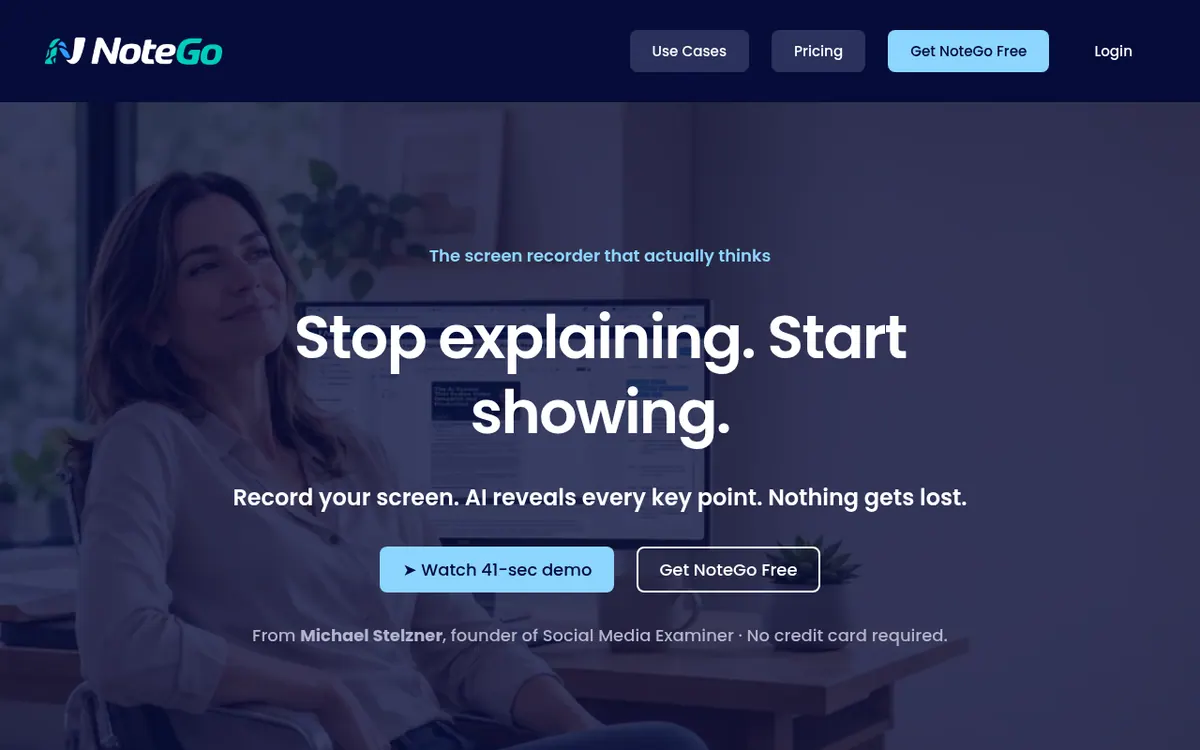
NoteGo is a screen recorder built for people who manage remote colleagues and are tired of explaining the same thing twice. You record your screen while speaking, draw on it with arrows, highlights, rectangles and text, and the AI takes in both what is shown and what is said. It then produces a title, a summary, chapters and clickable key points, so the viewer can jump straight to the relevant part from a single shared link.
There is also an audio-only mode, and recording works from any device that has a browser, with nothing to install. Videos sent to you are saved automatically in Watched Notes, where you can search and sort them. Screen recording with markup needs Google Chrome or Microsoft Edge.
Pricing is freemium. New accounts begin with a 30-day Pro trial with no credit card. After that, the Free plan costs $0 and allows 25 videos to start, AI processing on the first 10 videos, and 5 minutes per video at 720p. Starter is $9 per month billed monthly, or $7.50 per month billed yearly, with 20 videos per month at 1080p. Pro is $19 per month billed monthly, or $15.83 per month billed yearly, with unlimited videos and 10 minutes per video. Teams, listed as coming soon, is $39 per month billed monthly or $32.50 per month billed yearly, and includes 3 users.
- On-screen markup while recording
- AI title, summary and chapters
- Clickable key points
- Audio-only recording
- Watched Notes for received videos
- Commenting and tags
- Colour picker with on-screen sampling
- Browser-based, nothing to install
Pros and cons
Pros
- Markup tools (arrows, highlights, text) are available while recording
- AI creates a title, summary, chapters and key points for each video
- Free plan at $0 plus a 30-day Pro trial without a credit card
- Audio-only recording and recording from any device with a browser
- Received videos are saved automatically in Watched Notes
Cons
- Screen recording with markup requires Google Chrome or Microsoft Edge
- Free plan covers AI processing on only the first 10 videos and 5 minutes at 720p
- Starter allows 20 videos per month and 5 minutes per video
- Teams plan is still marked coming soon
- No API or integrations are mentioned on the official pages
Our take
NoteGo suits managers, editors and team leads who give feedback or walk colleagues through processes and want to replace long emails or short meetings with one marked-up recording. The AI-made summary and chapters are meant to save the viewer time. It fits less well if you need long recordings on the Free or Starter plans, since those cap videos at 5 minutes, or if you need a ready team workspace today, because Teams is still marked coming soon. The official pages do not mention an API or integrations, and screen recording is limited to Chrome and Edge. The free plan is a reasonable way to check the workflow first.
Comparisons and lists with NoteGo
Coming soon
Coming soon — we are writing comparisons that include NoteGo.
NoteGo pricing
| Plan | Monthly billing | Annual billing (per month) | Limits / what’s included |
|---|---|---|---|
| Free | Free | — | 25 videos to start, then choose a plan; AI processing on first 10 videos; 5 min per video at 720p |
| Starter per month | $9 | $7.50 | 20 videos per month; 5 min per video at 1080p |
| Pro per month | $19 | $15.83 | Unlimited videos with full AI processing; 10 min per video at 1080p |
| Teams per month, 3 users included (+$12/mo per added user); marked | $39 | $32.50 | 3 users included; 15 min per video at 1080p; shared team video workspace |
Free trial: 30-day free trial of Pro, no credit card. Free plan: yes.
Prices checked on on the official NoteGo pricing page. “—” = not published.
All NoteGo plans, limits and annual prices →
Frequently asked questions
Does NoteGo have a free plan?
Yes. The Free plan costs $0 and is described as free forever. It gives 25 videos to start, AI processing on the first 10 videos, and 5 minutes per video at 720p.
Is there a trial?
New accounts start on Pro free for 30 days, with no credit card required, before moving to the plan they pick.
How much do the paid plans cost?
Starter is $9 per month billed monthly or $7.50 per month billed yearly. Pro is $19 per month billed monthly or $15.83 per month billed yearly. Teams, marked coming soon, is $39 per month billed monthly or $32.50 per month billed yearly, with 3 users included and $12 per month for each added user.
Which browsers and devices are supported?
Screen recording with markup requires Google Chrome or Microsoft Edge on Mac, Windows, Linux or ChromeOS. Video-only and audio-only recording works on any device and browser.
What does the AI produce from a recording?
According to the homepage, it generates a title, summary, chapters and clickable key points.
Recently verified in AI Video
 CapCut
 Lumen5
 ReelsCut
 VEED
 Luma Dream Machine
Add an AGIPicks badge to your site
The badge shows NoteGo’s verification status on AGIPicks and links to this page. Light/dark and compact versions: badges.
Suggest an update
Wrong price, outdated fact or a tool that shut down? Are you the vendor and disagree with this page? Tell us, ideally with a link to the official page. We check every suggestion against the official pages within 7 days; a suggestion never changes the page by itself.