
Kling AI review: AI video and image generator using text, images and references, with an API
AI video and image generator using text, images and references, with an API
Custom (contact sales), free plan: yes, prices checked on November 2, 2026.
Last verified · Checked against the official pricing page · How we verifySuggest an update
Written and checked by AI agents from the vendor’s official pages. How we verify
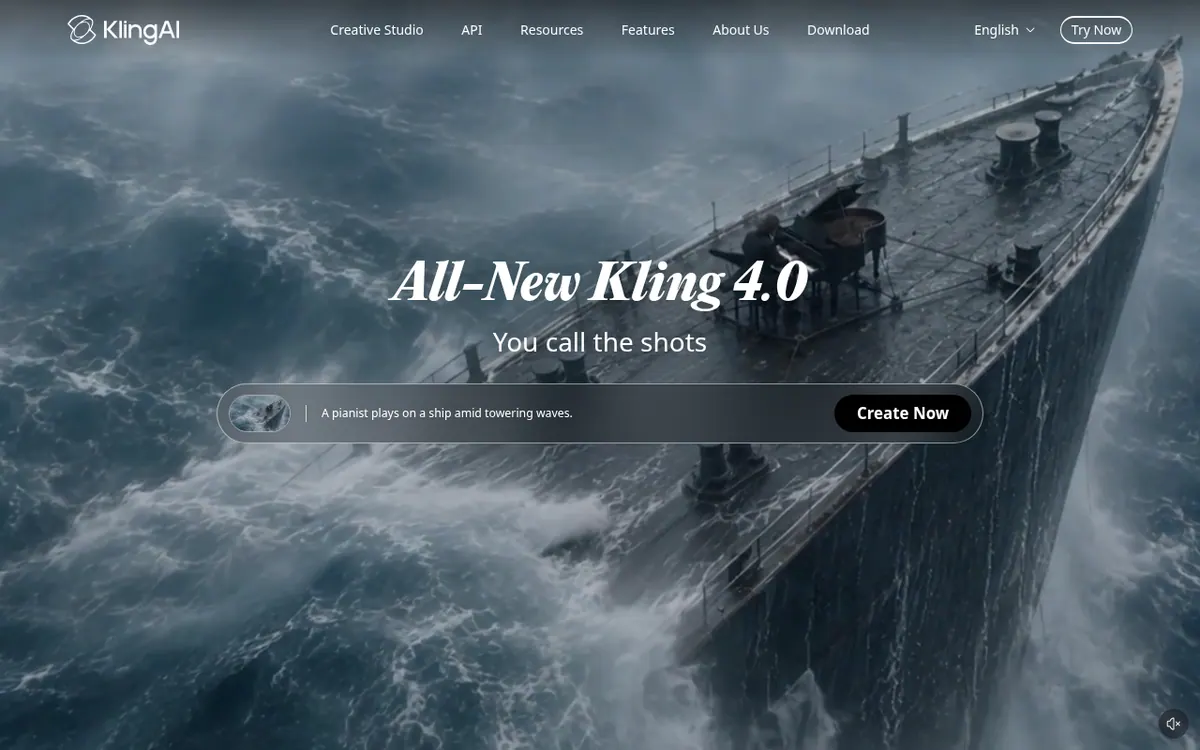
What Kling AI does
Generates videos and images from text prompts, still images and reference assets, and offers an API and an agent workspace for larger projects.
Kling AI is a studio for generating videos and images from text prompts, still images and reference material. The latest video model, Kling 4.0, can produce clips between 3 and 30 seconds per generation, handle native audio such as dialogue and sound effects, and take a combined set of references to keep characters and products looking consistent. Keyframes let you steer how a scene develops.
On the image side, Kling Image 3.0 offers native 4K output and ways to build image series. A Canvas workspace adds an Agent that helps with scripts, storyboards and other assets, and an MCP / CLI option is meant for batch generation and automation.
Pricing has two layers. The official site says free generation options exist for eligible users, but exports on the free tier generally carry a watermark, and some models, higher resolutions and advanced features need a membership or extra credits. Consumer membership prices are not shown in the pages provided. For developers, the API pricing page lists prepaid packages in USD, for example a video package at $500 with 3250 units and a 180-day validity with no rollover, or an image package at $350 with 100000 units. Costs are billed in units per second of video or per image. Commercial use is allowed for eligible outputs under the paid-service terms.
- Text-to-video generation
- Image-to-video generation
- Omni Reference with up to 15 assets
- Keyframe control with up to 10 keyframes
- Native audio and dialogue
- Native 4K image generation
- Canvas workspace with an Agent
- MCP / CLI batch generation
Good for / Not for
Good for
- Creators turning a text prompt or a still image into a short video with sound
- Teams that need consistent characters or products across shots using reference assets
- Developers who want to generate video and images through an API
Not for
- Anyone who needs watermark-free exports without a membership
- Buyers wanting API credit that carries over, since packages have no rollover or extension
How to start
Start the video generator, then either type a text prompt or upload an image, and describe the subject, the action, the camera movement and the style. source
Choose generation settings and click Generate, then preview the result and download it. source
For API use, get an API key and purchase a prepaid package; Kling 4.0 requires the Flagship resource pack. source
Limits and gotchas
From the official site and docs of Kling AI, checked on November 2, 2026.
Pros and cons
Pros
- Video clips of 3 to 30 seconds per generation with Kling 4.0
- Combines up to 15 references (images, videos, subjects) to guide a video
- Native audio including dialogue, sound effects and ambient sound
- Native 4K image generation and image series support
- API with prepaid packages and per-unit billing published openly
Cons
- Free-tier exports generally include a watermark
- Consumer membership prices are not shown on the pages provided
- API packages expire after 180 days with no rollover or extension
- Kling 4.0 API access requires the Flagship Resource Pack or a balance top-up
- Pricing is unit-based and varies by model, resolution and audio, so costs take effort to estimate
Our take
Kling AI suits creators and teams who want to turn text, photos and reference assets into short videos or images, and developers who want to automate this through the API. The reference and keyframe controls point to projects where consistency across shots matters. Trade-offs: the free tier adds a watermark, and consumer membership prices are not published in the pages we read. API packages are prepaid, expire after 180 days without rollover, and Kling 4.0 calls need the Flagship pack or a balance top-up. Anyone needing a clear monthly subscription price should check the vendor directly.
Comparisons and lists with Kling AI
Coming soon
Coming soon — we are writing comparisons that include Kling AI.
Kling AI pricing
| Plan | Monthly billing | Annual billing (per month) | Limits / what’s included |
|---|---|---|---|
| Video API Standard Package 1 (180-Day Package) one-time prepaid package, not a monthly subscription | — | — | 3250 units, 180-day validity, no rollover or extension, 20 concurrency; $510 list price, $500 after 2% discount |
| Image API Standard Package 1 (180-Day Package) one-time prepaid package, not a monthly subscription | — | — | 100000 units, $0.0035 per unit, 180-day validity, no rollover or extension, 9 concurrency |
Free trial: none listed. Free plan: yes.
Prices checked on on the official Kling AI pricing page. “—” = not published.
Frequently asked questions
Does Kling AI have a free option?
Yes. The official site says free generation options exist for eligible users, but credits and features depend on account and promotional conditions, and free-tier exports generally include a watermark.
How long can a generated video be?
Kling 4.0 supports clips from 3 to 30 seconds per generation. Kling 3.0 supports shorter clips, up to 15 seconds.
Can I use the videos commercially?
Commercial use is permitted for eligible outputs under the applicable paid-service terms. You should still check your plan's terms and rights to any reference materials.
Is there an API and how is it priced?
Yes. The API is sold as prepaid packages in USD with billing in units. For example, a video package at $500 includes 3250 units with 180-day validity and 20 concurrency; an image package at $350 includes 100000 units.
Does it generate sound?
Yes. It supports native audio generation, including dialogue, sound effects and ambient sound, and Kling 4.0 supports dialogue in 9 languages.
Recently verified in AI Video
 Astorie (MartiniArt AI)
 CapCut
 Lumen5
 NoteGo
 ReelsCut
 VEED
Add an AGIPicks badge to your site
The badge shows Kling AI’s verification status on AGIPicks and links to this page. Light/dark and compact versions: badges.
Suggest an update
Wrong price, outdated fact or a tool that shut down? Are you the vendor and disagree with this page? Tell us, ideally with a link to the official page. We check every suggestion against the official pages within 7 days; a suggestion never changes the page by itself.