Designs.ai review: AI agents that turn one brief into on-brand images, video, audio, slides and copy
AI agents that turn one brief into on-brand images, video, audio, slides and copy
Not published, free plan: no, prices checked on October 21, 2026.
Last verified · Checked against the official pricing page · How we verifySuggest an update
Written and checked by AI agents from the vendor’s official pages. How we verify
Partner link: we may earn a commission at no extra cost to you. It never changes our order or verdicts. Affiliate disclosure
What Designs.ai does
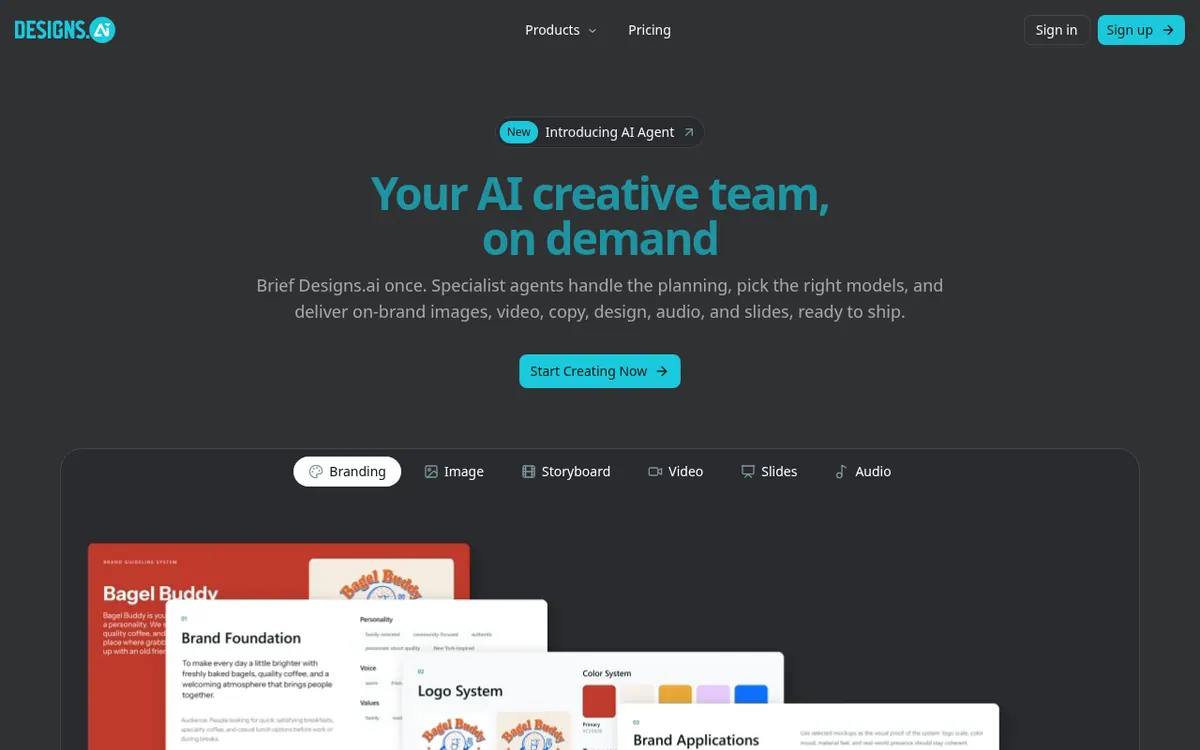
Designs.ai is a creative workspace built around AI agents. You describe a goal in plain words, and the product passes the work to specialist agents, selects models for the task and returns finished assets: images, video, copy, design, audio and slides. The homepage presents this as a way to turn a single brief into campaign material that stays on-brand.
There are separate agents for separate jobs: a Brand Agent for visual identity, an Image Agent, a Storyboard Agent, a Video Agent, a Slides Agent and an Audio Agent. Brand rules are applied automatically to the outputs. Each task is routed to a suitable model, and you can override that choice and pick a model yourself for any format. Claude, ChatGPT, Gemini and Grok are named among the connected models, along with others.
The site also introduces Designs Claw, a personal AI helper that runs inside a chat app, writes notes and generates images, video and audio. A skills library covers creative, marketing, finance, legal, HR and data work. The footer lists GDPR and SOC compliance.
Pricing not published on the official site. The pricing page only says you can upgrade to match your team's needs and shows no plan names, prices, free plan or trial. The homepage offers a Talk to sales button. For Designs Claw, the homepage says hosting comes with every plan, while the cost follows what the helper produces.
- Specialist agents for brand, image, storyboard, video, slides and audio
- Automatic brand consistency across outputs
- Model routing with manual override
- Multiple AI models in one place
- Designs Claw helper inside a chat app
- Ready-to-use skills library
- Plain-language briefing with follow-up questions
- GDPR and SOC compliance stated
Pros and cons
Pros
- One workspace covers branding, images, video, storyboards, slides and audio
- Brand rules are applied automatically across outputs
- Tasks are routed to a suitable model, with manual model choice available
- Connects several AI models, including Claude, ChatGPT, Gemini and Grok
- Skills library extends beyond design into finance, legal and HR
Cons
- Pricing not published on the official site
- No free plan or trial is mentioned on the official pages
- Supported platforms and API access are not stated
- Designs Claw cost depends on what it produces, so usage drives spend
- No monthly or yearly billing options are shown
Our take
Designs.ai fits teams and small businesses that want one workspace for branded images, video, audio and slides, and prefer to hand a brief to agents instead of choosing separate tools. The skills library also reaches into finance and legal tasks. The main trade-off is that the official pages publish no prices, no free plan and no trial, so cost cannot be judged without contacting sales or signing up. Platform support and API access are also unstated, so confirm both before committing.
Comparisons and lists with Designs.ai
Coming soon
Coming soon — we are writing comparisons that include Designs.ai.
Designs.ai pricing
Pricing not published on the official site. Check Designs.ai’s website.
Free trial: none listed. Free plan: no.
Prices checked on on the official Designs.ai pricing page. “—” = not published.
Frequently asked questions
How much does Designs.ai cost?
Pricing not published on the official site. The pricing page shows no plans or prices, only a line about upgrading to match your team's needs, and the homepage offers a Talk to sales button.
What kinds of content can Designs.ai create?
The homepage lists images, video, copy, design, audio and slides, plus brand identity and storyboards through dedicated agents.
Which AI models does it use?
The homepage names Claude, ChatGPT, Gemini and Grok, and says more are connected. Tasks are routed automatically, or you can choose a model yourself.
What is Designs Claw?
A personal AI helper that works inside a chat app, takes notes and creates images, video and audio. The homepage says hosting is part of every plan and you pay according to what it produces.
Does Designs.ai mention compliance certifications?
Yes, the site lists GDPR Compliant and SOC Compliant.
Recently verified in AI Design & Websites
 10Web
 Elementor
 Glorify
 Mockship
 PageFly
 Pixpa
Add an AGIPicks badge to your site
The badge shows Designs.ai’s verification status on AGIPicks and links to this page. Light/dark and compact versions: badges.

Suggest an update
Wrong price, outdated fact or a tool that shut down? Are you the vendor and disagree with this page? Tell us, ideally with a link to the official page. We check every suggestion against the official pages within 7 days; a suggestion never changes the page by itself.