
Framer review: AI design agent and website builder for designers, agencies and growing teams
AI design agent and website builder for designers, agencies and growing teams
Custom (contact sales), free plan: yes, prices checked on October 20, 2026.
Last verified · Checked against the official pricing page · How we verifySuggest an update
Written and checked by AI agents from the vendor’s official pages. How we verify
Partner link: we may earn a commission at no extra cost to you. It never changes our order or verdicts. Affiliate disclosure
What Framer does
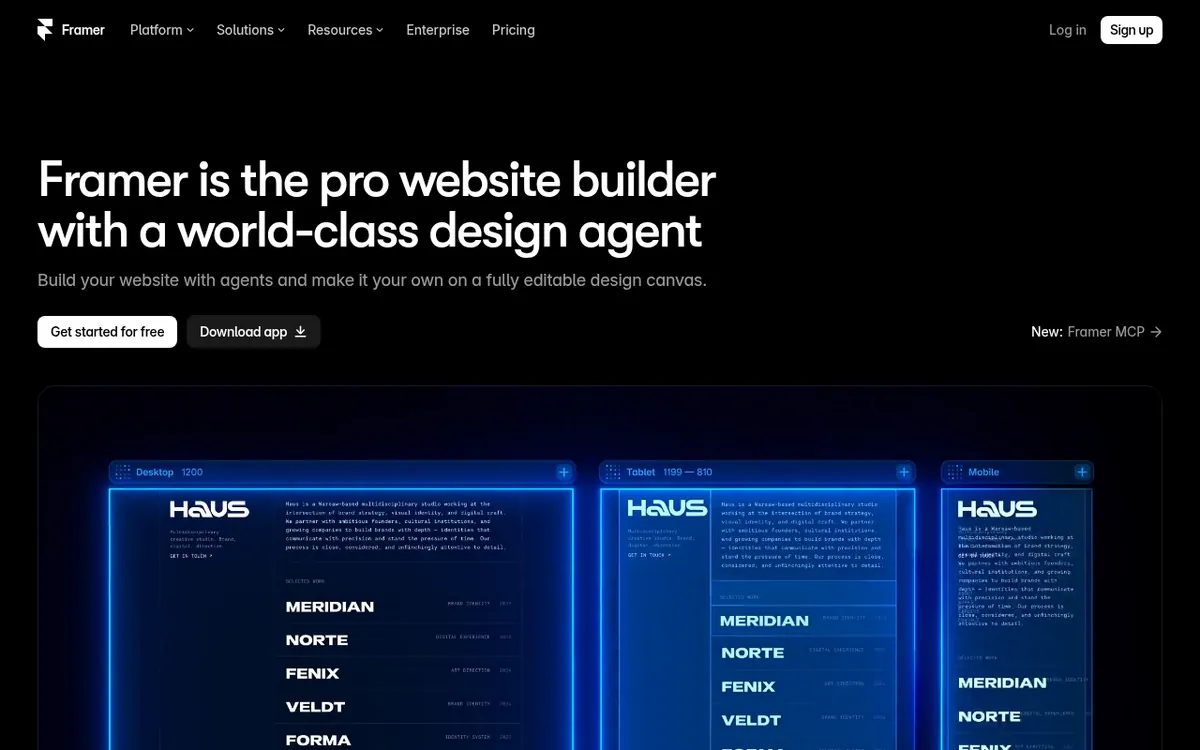
Framer is a website design and publishing tool built around an AI agent that works on the same canvas where you lay out pages. The agent can generate and refine designs in place, and each change stays visible and editable, so you can adjust anything by hand afterwards. Beyond design, there is a CMS agent for organizing content, a coding agent for custom effects and interactions, and a way to drive your site from outside tools such as Slack, a terminal, GitHub pull requests or other external agents.
Hosting, security, analytics, CMS and SEO are part of the platform, so a site can go from first idea to launch in one place. Optional add-ons cover translation into multiple languages and A/B testing through Convert.
Pricing is freemium. The Free plan gives 500 AI credits to try, a Free Framer domain and 1 GB bandwidth. Basic is $10 per month billed yearly and includes 2 CMS collections and 50 GB bandwidth. Pro is $30 per month billed yearly and includes 10 CMS collections and 100 GB bandwidth. Enterprise is custom priced with custom limits, SSO and SCIM. Extra editors cost $20 per editor, content editors cost $10 per editor, and viewers are free. A custom domain needs a paid plan.
- AI design agent on the canvas
- CMS agent for content
- Coding agent for custom effects
- Control from Slack, terminal or GitHub
- Built-in hosting, analytics and SEO
- Responsive layout adaptation
- A/B testing add-on
- AI translation add-on
- Form design and publishing
Pros and cons
Pros
- Free plan with 500 AI credits, a Free Framer domain and 1 GB bandwidth lets you try it first
- Agent edits directly on the canvas and every change stays editable by hand
- Hosting, security, analytics, CMS and SEO are built into the platform
- Can be driven from Slack, a terminal, GitHub PRs or external agents
- Viewers are free, and Enterprise adds SSO and SCIM
Cons
- A custom domain requires upgrading to a paid plan
- Basic allows only 2 CMS collections and 50 GB bandwidth
- Extra editors cost $20 per editor and content editors $10 per editor
- Translation, A/B testing and advanced hosting are paid add-ons
- The pricing page does not show a separate monthly-billing price for Basic or Pro
Our take
Framer suits designers, agencies and small teams who want to design, edit and publish a site in one tool and let an agent handle part of the work. The structure is clear: a Free plan for trying it, then Basic and Pro with fixed limits. It fits less well if you need a custom domain without paying, since that requires a paid plan, or if you want predictable costs while scaling, because extra editors and add-ons are billed separately. The pricing page shows one price per paid plan with a yearly billing toggle, so check the monthly-billing price at checkout.
Comparisons and lists with Framer
Coming soon
Coming soon — we are writing comparisons that include Framer.
Framer pricing
| Plan | Monthly billing | Annual billing (per month) | Limits / what’s included |
|---|---|---|---|
| Free | Free | — | 500 AI credits to try; Free Framer domain; 1 GB bandwidth |
| Basic per month, shown with the yearly billing toggle | — | $10 | From 1,000 AI credits / month; 2 CMS collections; 50 GB bandwidth |
| Pro per month, shown with the yearly billing toggle | — | $30 | From 3,000 credits / month; 10 CMS collections; 100 GB bandwidth |
| Enterprise Custom | — | — | Custom limits; unlimited editors; SSO; SCIM |
Free trial: none listed. Free plan: yes.
Prices checked on on the official Framer pricing page. “—” = not published.
All Framer plans, limits and annual prices →
Frequently asked questions
Does Framer have a free plan?
Yes. The Free plan includes 500 AI credits to try, a Free Framer domain and 1 GB bandwidth. Connecting a custom domain requires a paid plan.
How much do the paid plans cost?
Basic is $10 per month and Pro is $30 per month, shown with the yearly billing toggle. Enterprise is custom priced. The page does not show a separate monthly-billing price.
What do extra editors cost?
Additional editors are $20 per editor and content editors are $10 per editor on Basic and Pro. Viewers are free.
Can I connect my own AI agents?
The official site says you can act on your site from Slack, the terminal, GitHub PRs, Claude Code, Cursor, Codex or any external agent.
What limits do Basic and Pro have?
Basic includes 2 CMS collections and 50 GB bandwidth. Pro includes 10 CMS collections and 100 GB bandwidth.
Recently verified in AI Design & Websites
 10Web
 Elementor
 Glorify
 Mockship
 PageFly
 Pixpa
Add an AGIPicks badge to your site
The badge shows Framer’s verification status on AGIPicks and links to this page. Light/dark and compact versions: badges.

Suggest an update
Wrong price, outdated fact or a tool that shut down? Are you the vendor and disagree with this page? Tell us, ideally with a link to the official page. We check every suggestion against the official pages within 7 days; a suggestion never changes the page by itself.