
Gemini review: Google's AI assistant for writing, planning and brainstorming
Google's AI assistant for writing, planning and brainstorming
Prices not verified.
Not yet verified · How we verifySuggest an update
What Gemini does
Gemini is an AI assistant from Google. According to its homepage, it is meant to help people with writing, planning, brainstorming and similar everyday tasks, and it is presented as a way to use generative AI through a chat window.
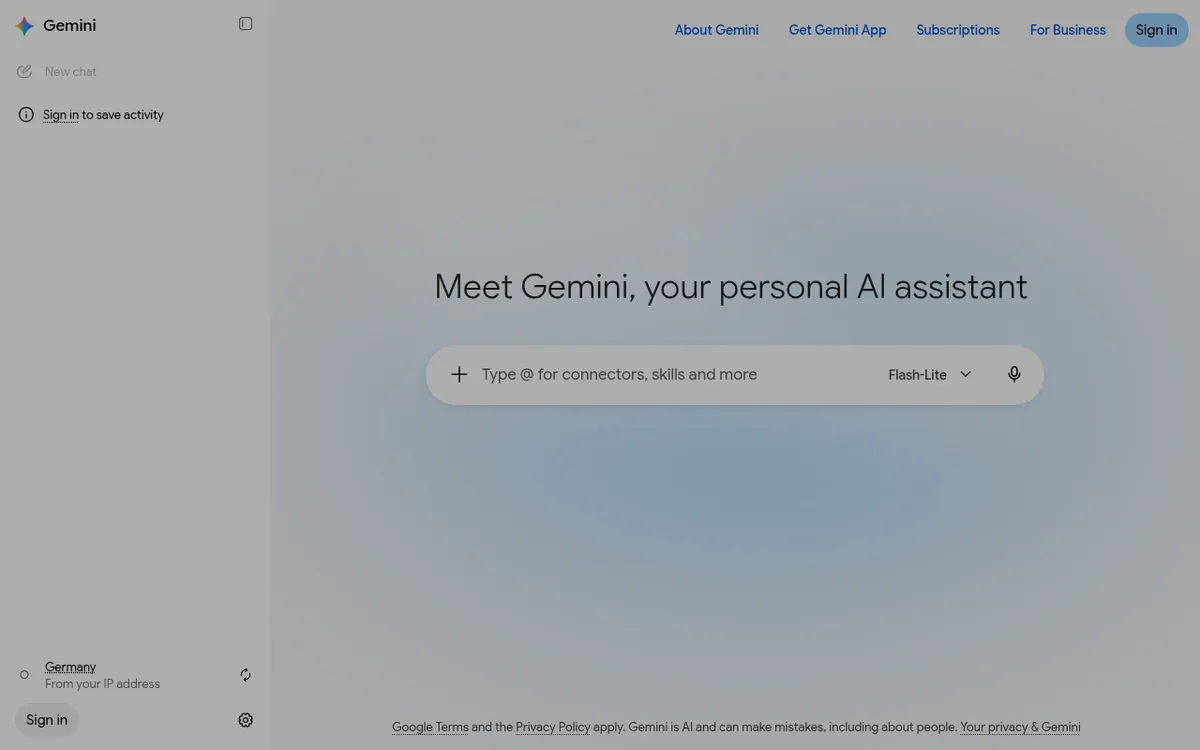
The chat opens with a greeting that asks where you would like to start. From there you type a request and work with the assistant in a conversation. The interface offers a dictation option, so you can speak instead of typing, and a New chat button for starting a fresh conversation. A model label, Flash-Lite, is visible in the interface. If you sign in, your activity can be saved; without signing in, the page tells you that saving requires an account.
The site also links to sections called About Gemini, Subscriptions and For Business, and offers a Get App option. The pages we were given do not describe what those sections contain, so details about plans, business use or which devices the app supports are not covered here.
Google's terms and privacy policy apply to use of the service, and the vendor warns that Gemini is AI and can make mistakes, including about people. Treat its answers as drafts to be checked.
- Writing help
- Planning help
- Brainstorming help
- Generative AI chat assistant
- Voice dictation
- Saved activity after sign-in
- New chat sessions
- Flash-Lite model label in the interface
Pros and cons
Pros
- Covers writing, planning and brainstorming in one chat assistant, as the homepage describes
- Offers dictation, so requests can be spoken rather than typed
- Activity can be saved once you sign in
- Comes from Google, with its terms and privacy policy linked on the page
- Has separate Subscriptions and For Business sections linked from the site
Cons
- The vendor warns that Gemini can make mistakes, including about people
- Saving activity requires signing in
- Supported platforms and API access are not described on the pages we read
Our take
Gemini suits people who want a general chat assistant from Google for drafting text, organising plans and generating ideas, and who are comfortable signing in with a Google Account to keep their activity. It also does not list supported platforms or an API, so teams with technical integration needs would have to look elsewhere for those answers. The vendor itself says the assistant can make mistakes, so important output needs checking.
Comparisons and lists with Gemini
Coming soon
Coming soon — we are writing comparisons that include Gemini.
Gemini pricing
Prices not verified — the official pricing could not be confirmed; check the vendor's site: official pricing page.
Frequently asked questions
What is Gemini?
It is Google's AI assistant, which the homepage says helps with writing, planning, brainstorming and more.
Can Gemini be wrong?
Yes. The vendor states that Gemini is AI and can make mistakes, including about people.
Do I need to sign in to use it?
The homepage shows a chat prompt and a Sign in button, and says that you need to sign in to save activity.
Recently verified in AI Chatbots & Assistants
 DeepSeek
 Gleap
 Microsoft Copilot
 Continue
Add an AGIPicks badge to your site
The badge shows Gemini’s verification status on AGIPicks and links to this page. Light/dark and compact versions: badges.

Suggest an update
Wrong price, outdated fact or a tool that shut down? Are you the vendor and disagree with this page? Tell us, ideally with a link to the official page. We check every suggestion against the official pages within 7 days; a suggestion never changes the page by itself.