
Genlook review: AI virtual try-on button for Shopify, WooCommerce and PrestaShop fashion stores
AI virtual try-on button for Shopify, WooCommerce and PrestaShop fashion stores
Starts at $19.99/mo, free plan: yes, prices checked on October 30, 2026.
Last verified · Checked against the official website · How we verifySuggest an update
Written and checked by AI agents from the vendor’s official pages. How we verify
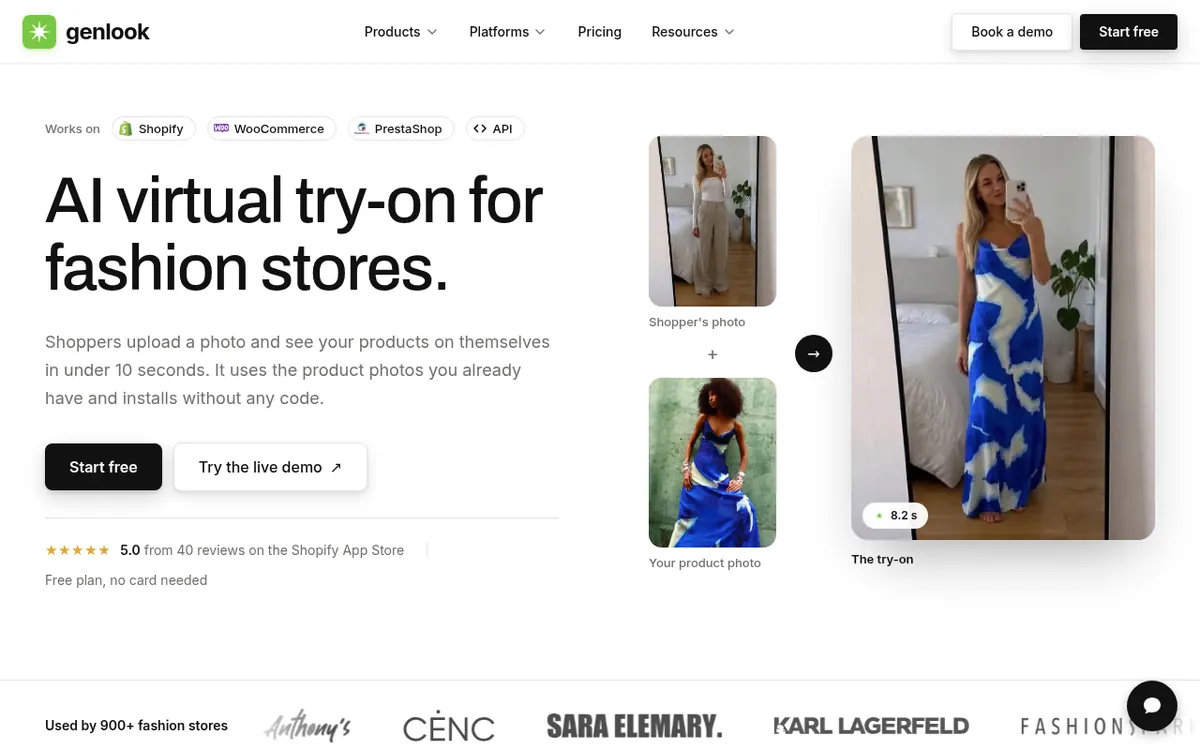
What Genlook does
Adds a try-on button to fashion product pages so shoppers can upload a photo and see the product on themselves.
Genlook adds a virtual try-on button to the product pages of online fashion stores. A shopper adds a photo of themselves, and the AI generates an image of them wearing the chosen product, built from the product photos the store already has. The vendor says most try-ons finish in under 10 seconds and that installation needs no code.
It is offered as a Shopify app, a WooCommerce plugin and a PrestaShop module, and developers on other platforms can use a Try-On API. Store owners can enable try-on for the whole catalog or for chosen collections, pick which product image is used, and let the widget follow the store's language. The categories listed include clothing, swimwear, eyewear, jewelry, hats and wigs.
A dashboard tracks who uses try-on and compares conversion and revenue between shoppers who tried on and those who did not. Shopper emails can be collected and sent to Klaviyo or Shopify.
Pricing is monthly. A Free plan exists with 10 try-ons a month and no card needed. Starter is $19.99 per month billed monthly for 100 try-ons, Growth is $29 per month billed monthly for 250, and Pro is $99 per month billed monthly for 1,000. Try-ons beyond the allowance are billed individually. Shopper photos are deleted after 7 days and are not used to train AI models.
- Virtual try-on button on product pages
- Uses existing product photos
- Whole catalog or chosen collections
- Choose the product image used for try-on
- Analytics dashboard with conversion and revenue comparison
- Shopper email collection to Klaviyo or Shopify
- Widget in 15+ languages
- Try-On API for developers
Good for / Not for
Good for
- Fashion stores on Shopify, WooCommerce or PrestaShop wanting try-on without coding
- Stores selling clothing, swimwear, eyewear, jewelry, hats or wigs
- Merchants who want to compare conversion of shoppers who tried on and those who did not
Not for
- Stores wanting published annual pricing, which the pages do not show
- Merchants needing a stated free trial period; only a limited free plan is described
How to start
No code is required: just add the app to your Shopify, WooCommerce or PrestaShop store. source
Pick which products or collections get try-on, and the button will show up on those product pages. source
Start on the Free plan with 10 try-ons a month and no card; setup usually takes a few minutes. source
Limits and gotchas
From the official site and docs of Genlook, checked on October 30, 2026.
Pros and cons
Pros
- Free plan with 10 try-ons a month and no card needed
- Installs on Shopify, WooCommerce and PrestaShop without code, per the vendor
- Dashboard compares conversion and revenue for shoppers who tried on
- Shopper photos are deleted after 7 days and not used to train AI models
- Try-On API available for other platforms
Cons
- Extra try-ons beyond the plan allowance are billed individually
- Genlook branding is only removed on Growth and Pro
- No annual billing price is published
- Klaviyo integration is listed only from the Pro plan
- No free trial length is stated, only a limited free plan
Our take
Genlook fits fashion and accessory stores on Shopify, WooCommerce or PrestaShop that want a try-on button without development work and would like to test it on a free tier before paying. The tiered monthly plans and per-extra-try-on charges make costs depend on how many shoppers use the button, so busier stores should look at the overage rates or talk to the vendor. Removing the Genlook branding requires Growth or higher, and the Klaviyo integration is listed on Pro. The pages do not publish annual pricing or a free trial length, and result quality is only described by the vendor. Stores selling products outside the listed categories should check support first.
Comparisons and lists with Genlook
Coming soon
Coming soon — we are writing comparisons that include Genlook.
Genlook pricing
| Plan | Monthly billing | Annual billing (per month) | Limits / what’s included |
|---|---|---|---|
| Starter | $19.99 | — | 100 try-ons / month; + $0.17 per extra try-on |
| Growth | $29 | — | 250 try-ons / month; + $0.12 per extra try-on |
| Pro | $99 | — | 1,000 try-ons / month; + $0.10 per extra try-on |
Free trial: none listed. Free plan: yes.
Prices checked on on the official Genlook pricing page. “—” = not published.
All Genlook plans, limits and annual prices →
Frequently asked questions
Is there a free plan?
Yes. The Free plan includes 10 try-ons a month and needs no card.
How much do the paid plans cost?
Starter is $19.99 per month billed monthly (100 try-ons), Growth is $29 per month billed monthly (250) and Pro is $99 per month billed monthly (1,000). Extra try-ons cost $0.17, $0.12 and $0.10 each respectively.
Which platforms does Genlook work with?
It is available as a Shopify app, a WooCommerce plugin and a PrestaShop module. Developers on other platforms can use the Try-On API.
What happens to shoppers' photos?
The vendor says photos are deleted automatically after 7 days and are never used to train AI models.
How long does setup take?
The vendor says it usually takes a few minutes and needs no code or theme file edits.
Recently verified in AI for E-commerce
 Octane AI
 PageFly
 Rep AI
 SellerSprite
 Crosslist
Add an AGIPicks badge to your site
The badge shows Genlook’s verification status on AGIPicks and links to this page. Light/dark and compact versions: badges.

Suggest an update
Wrong price, outdated fact or a tool that shut down? Are you the vendor and disagree with this page? Tell us, ideally with a link to the official page. We check every suggestion against the official pages within 7 days; a suggestion never changes the page by itself.