
Plutio review: All-in-one business app for freelancers and agencies: projects, invoices, proposals, AI
All-in-one business app for freelancers and agencies: projects, invoices, proposals, AI
Starts at $19/mo, free plan: no, free trial: 7-day free trial, no credit card required, prices checked on October 30, 2026.
Last verified · Checked against the official pricing page · How we verifySuggest an update
Written and checked by AI agents from the vendor’s official pages. How we verify
What Plutio does
Combines client management, projects, invoicing, proposals, contracts, scheduling and forms in one app, with an AI assistant and workflow automations.
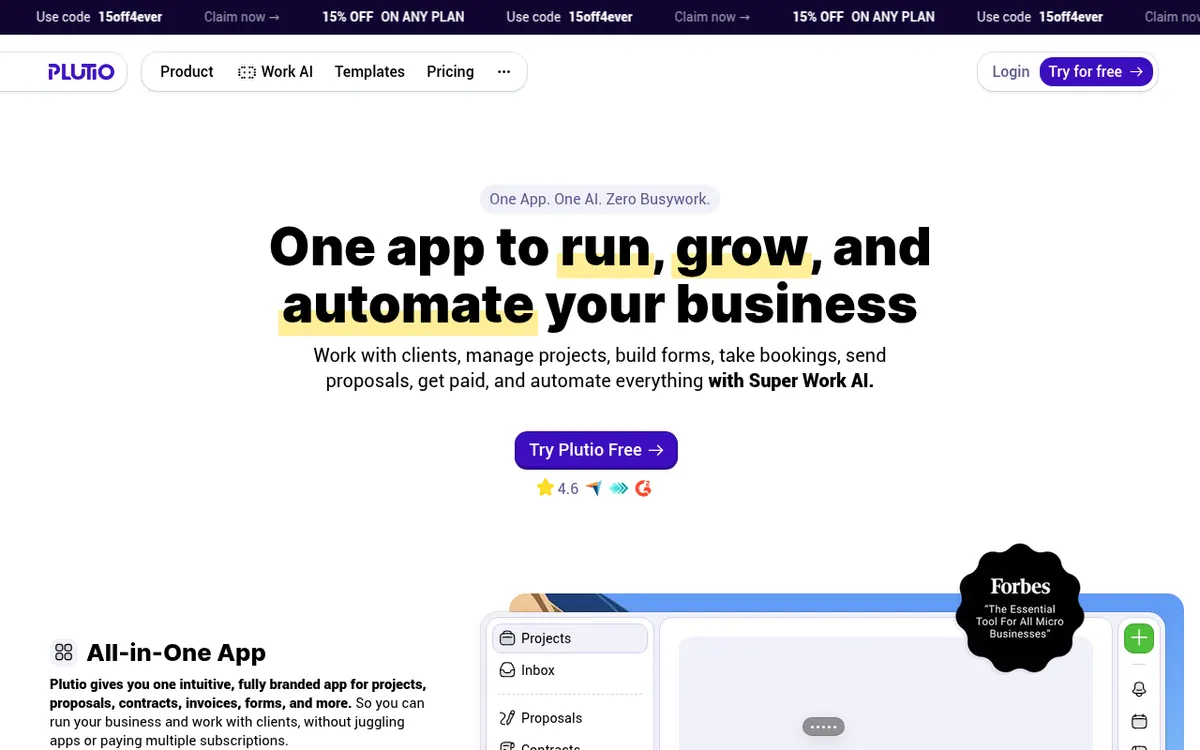
Plutio is a single app that brings client work, projects, forms, bookings, proposals, contracts, invoices and payments together, with an AI assistant called Plutio Pal and workflow automations on top. The idea is to replace several separate subscriptions with one workspace.
The product covers task and project management with several views, time tracking that feeds invoices, a client portal where clients log in to see their projects, invoices and files, and a scheduler for client bookings. Invoices can be paid through Stripe, PayPal or Square. Integrations are included on every plan, with native connections and Zapier for further apps, and API access is listed on all plans.
Pricing has three paid plans. Core costs $19 per month billed monthly, or $15.83 per month billed yearly, and is built for solo work with 9 active clients. Pro costs $49 per month billed monthly, or $40.83 per month billed yearly, with unlimited active clients and 30 contributors. Max costs $199 per month billed monthly, or $165.83 per month billed yearly, with unlimited contributors. Plans also differ in AI credits, workflow actions and storage, and white-label and single sign-on are add-ons on lower tiers.
There is no free plan listed. Instead every plan starts with a 7-day free trial that does not require a credit card. Mobile apps for iPhone, iPad and Android are listed on the site, as are Mac and Windows apps.
- Project and task management with kanban, table and timeline views
- Invoices with Stripe, PayPal or Square payments
- Interactive proposals with electronic signing
- Time tracking linked to projects and invoices
- Client portal with client logins
- Scheduler for client bookings
- Plutio Pal AI assistant for drafting proposals
- Workflow automations triggered by events like signed proposals
- Native integrations plus Zapier connections
Good for / Not for
Good for
- Solo freelancers who want billing, contracts and projects in one workspace (Core plan)
- Small agencies or consultants who work with contributors (Pro plan)
- Agencies that need unlimited contributors, white-label and single sign-on (Max plan)
Not for
- Anyone looking for a permanent free plan, since only a 7-day trial is listed
- Teams on Core, which allows no additional contributors
How to start
Start the 7-day free trial; no payment details or credit card are needed to begin. source
During the trial, create real projects, send invoices and sign contracts; your data stays when you subscribe. source
Connect Stripe, PayPal or Square so invoices can take online payments. source
Pick Core, Pro or Max when the trial ends; otherwise the workspace is locked until you choose a plan. source
Limits and gotchas
- Core allows 9 active clients; archived clients do not count toward the limit. source
- The trial limits you to 200 AI credits, 200 automation actions, 3 contributors and 3 active clients, and single sign-on is not part of it. source
- AI credits per month: 500 on Core, 2,500 on Pro, 10,000 on Max; extra credits can be purchased. source
- Pro includes 30 contributors; more can be invited for a fee. source
- On the lower plans, single sign-on and white-label cost extra, while Max includes both. source
From the official site and docs of Plutio, checked on October 30, 2026.
Pros and cons
Pros
- Projects, invoices, proposals, contracts, scheduling and forms are included on every plan
- Annual billing lowers the monthly rate: Core is $15.83 per month billed yearly versus $19 billed monthly
- 7-day free trial with no credit card required
- Integrations and API access are listed on all plans, with Stripe, PayPal and Square payments
- Pro and Max remove the active client limit, and Max has unlimited contributors
Cons
- No permanent free plan; only a 7-day trial
- Core is limited to 9 active clients and has no additional contributors
- White-label is an add-on on Core and Pro, and single sign-on is an add-on on Pro and unavailable on Core
- The trial is capped at 3 active clients, 3 contributors, 200 AI credits and 200 automation actions
- AI credits and workflow actions are capped per month, and extra credits cost more
Our take
Plutio suits freelancers, consultants and small agencies who want client management, project work, billing and contracts in one place instead of several tools. Core is aimed at solo users, so anyone who needs teammates must move to Pro or Max. The 9 active client cap on Core is the main constraint to check against your client load. Teams that need white-label branding or single sign-on should budget for add-ons on Pro, or choose Max at $199 per month billed monthly. There is no free plan, so evaluation depends on the 7-day trial, which has lower limits than paid plans. The pricing page also contains vendor comparisons, which are the vendor's own claims.
Comparisons and lists with Plutio
Coming soon
Coming soon — we are writing comparisons that include Plutio.
Plutio pricing
| Plan | Monthly billing | Annual billing (per month) | Limits / what’s included |
|---|---|---|---|
| Core per month | $19 | $15.83 | 9 active clients; no additional contributors; 500 AI credits, 500 workflow actions, 100 GB storage; white-label is an add-on; no single sign-on |
| Pro per month | $49 | $40.83 | Unlimited active clients; 30 contributors included; 2,500 AI credits, 5,500 workflow actions, 500 GB storage; white-label and single sign-on are add-ons |
| Max per month | $199 | $165.83 | Unlimited active clients and contributors (fair usage policy); 10,000 AI credits, 50,000 workflow actions, 2 TB storage; white-label and single sign-on included |
Free trial: 7-day free trial, no credit card required. Free plan: no.
Prices checked on on the official Plutio pricing page. “—” = not published.
All Plutio plans, limits and annual prices →
Frequently asked questions
Does Plutio have a free plan?
The pricing page lists three paid plans: Core, Pro and Max. Every plan starts with a 7-day free trial, and no credit card is required to begin.
How much does Plutio cost?
Core is $19 per month billed monthly or $15.83 per month billed yearly. Pro is $49 per month billed monthly or $40.83 per month billed yearly. Max is $199 per month billed monthly or $165.83 per month billed yearly.
What is the difference between Core, Pro and Max?
Core is for solo use with 9 active clients. Pro has unlimited active clients and 30 contributors. Max has unlimited contributors. AI credits are 500, 2,500 and 10,000 per month respectively.
Does Plutio offer an API?
Yes. The pricing page lists unlimited API access on every plan.
Which payment services work with Plutio invoices?
Invoices can accept payments through Stripe, PayPal or Square.
Recently verified in Productivity
 Fyxer
 Craft
 ClickUp
 Eurekaa.io
 Jotform
 Logseq
Add an AGIPicks badge to your site
The badge shows Plutio’s verification status on AGIPicks and links to this page. Light/dark and compact versions: badges.

Suggest an update
Wrong price, outdated fact or a tool that shut down? Are you the vendor and disagree with this page? Tell us, ideally with a link to the official page. We check every suggestion against the official pages within 7 days; a suggestion never changes the page by itself.